

2D Monochrome Dithering

Finally sat my ass down and figured out how to make a shader cuz nobody else did
Shader code
shader_type canvas_item;

/**
 * width and height of the sprite you want to dither
 */
uniform vec2 size = vec2(1440,1080);

uniform vec4 color1 : source_color;
uniform vec4 color2 : source_color;

void fragment() {
	vec2 position = vec2(UV.x*size.x, UV.y*size.y);
	float average_color = (COLOR.r + COLOR.b + COLOR.g)/3.0;
	if (COLOR.a != 0.0) {
		if (average_color >= 0.0 && average_color < 0.2) {
			COLOR = color1;
		} else {
			if (average_color >= 0.4 && average_color <= 0.6) {
				if (COLOR.a != 0.0) {
					if ((int(position.x) % 2 == 0 && int(position.y) % 2 == 0) || (int(position.x) % 2 == 1 && int(position.y) % 2 == 1)) {
						COLOR = color1;
					} else {
						COLOR = color2;
					}
				}
			} else {
				if (average_color > 0.8 && average_color <= 1.0) {
					COLOR = color2;
				} else {
					if (average_color >= 0.2 && average_color < 0.4) {
						if ((int(position.x) % 2 == 0 && int(position.y) % 2 == 0)) {
							COLOR = color2;
						} else {
							COLOR = color1;
						}
					} else {
						if (average_color > 0.6 && average_color <= 0.8) {
							if ((int(position.x) % 2 == 0 && int(position.y) % 2 == 0)) {
								COLOR = color1;
							} else {
								COLOR = color2;
							}
						}
					}
				}
			}
		}
	}
}
Live Preview
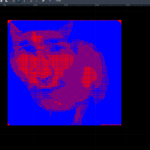
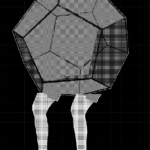
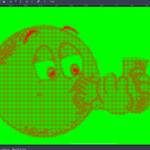

amazing choice of picture