
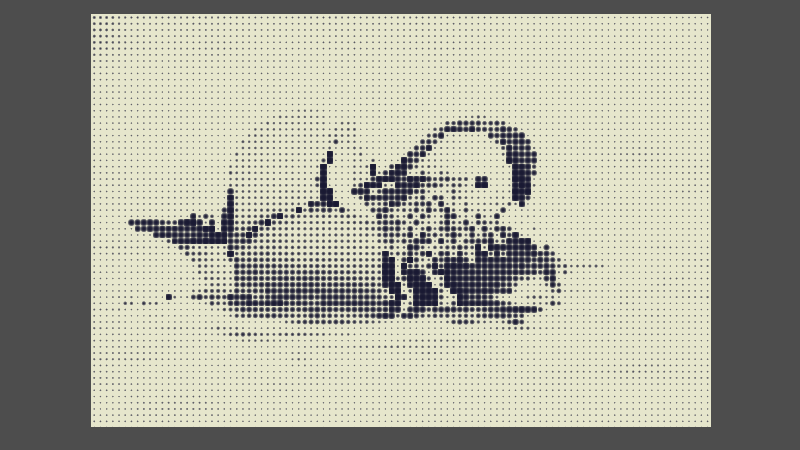
Monochrome Halftone
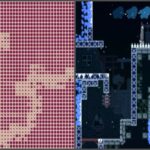
This is Elid Elid’s “Halftone” shader, but I stapled a color change to it so you aren’t limited to black dots. This is not a screen-reading shader, so you need to place it on the node that shows the image you want to apply to the filter to.
Changes from Elid Elid’s shader:
- Renamed some variables to be more descriptive
- Added documentation comments
- Moved inline comments to be above the lines instead of behind them
- Added
hint_ranges - Changed dot size to be the divisor instead of the multiplier
- Added dot and background colors
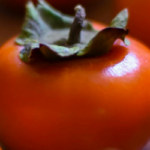
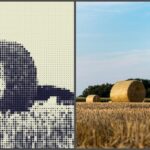
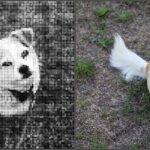
Example images used:
- Alexis Lours, CC BY 4.0 <https://creativecommons.org/licenses/by/4.0>, via Wikimedia Commons
- Dietmar Rabich / Wikimedia Commons / “Dülmen, Dernekamp, Strohballen — 2015 — 7838” / CC BY-SA 4.0
- Fernando Losada Rodríguez, CC BY-SA 4.0 <https://creativecommons.org/licenses/by-sa/4.0>, via Wikimedia Commons
- Matt Makes Games, CC BY-SA 4.0 <https://creativecommons.org/licenses/by-sa/4.0>, via Wikimedia Commons
Shader code
shader_type canvas_item;

/**
 * Maximum number of dots in one row / column.
 * If the image is not square, the shorter side will have less dots than the maximum.
 */
uniform int max_dots: hint_range(1, 1000, 1) = 100;
/**
 * Bigger number means bigger dots.
 * Inside the shader, it divides the dots by this number.
 */
uniform float dot_size: hint_range(0.0, 10.0, 0.1) = 1.0;
/**
 * Darkens or lightens the whole image uniformly.
 * Larger numbers means lighter and smaller darker.
 * 1.0 is no change.
 */
uniform float brightness_mult: hint_range(0.0, 2.0, 0.1) = 1.0;
/**
 * If enabled, makes the dots the secondary color instead of primary.
 */
uniform bool invert = false;
/**
 * The color used for the dots when invert is disabled and the background when enabled.
 */
uniform vec4 primary_color: source_color = vec4(0.1, 0.1, 0.2, 1);
/**
 * The color used for the background when invert is disabled and the dots when enabled.
 */
uniform vec4 secondary_color: source_color = vec4(0.9, 0.9, 0.8, 1);


// Converts from RGB to HSV
vec3 rgb2hsv(vec3 tex) {
	vec3 hsv;
	{
		vec3 c = tex;
		vec4 K = vec4(0.0, -1.0 / 3.0, 2.0 / 3.0, -1.0);
		vec4 p = mix(vec4(c.bg, K.wz), vec4(c.gb, K.xy), step(c.b, c.g));
		vec4 q = mix(vec4(p.xyw, c.r), vec4(c.r, p.yzx), step(p.x, c.r));
		float d = q.x - min(q.w, q.y);
		float e = 1.0e-10;
		return tex = vec3(abs(q.z + (q.w - q.y) / (6.0 * d + e)), d / (q.x + e), q.x);
	}
}


void fragment() {
	// Converts max_dots to a float for later use
	float f_max_dots = float(max_dots);
	// Ensures circular dots
	vec2 ratio = vec2(1.0, TEXTURE_PIXEL_SIZE.x / TEXTURE_PIXEL_SIZE.y);
	// Prevents partial dots by snapping UV to a grid
	vec2 pixelated_uv = floor(UV * f_max_dots * ratio) / (f_max_dots * ratio);
	// Divides the UV into a grid (subtracts 0.5 to center the dots) and applies dot_size divisor
	float dots = length(fract(UV * f_max_dots * ratio) - vec2(0.5)) / dot_size;

	// Inverts dots value if enabled without using an if statement
	// Since invert is a bool, it will always be converted to 0.0 or 1.0 as a float
	dots = mix(dots, 1.0 - dots, float(invert));

	// Gets the brightness of the color of the current pixelated UV
	// It might be useful to apply a grayscale conversion formula here if your image doesn't work will with the shader
	float brightness = rgb2hsv(texture(TEXTURE, pixelated_uv).rgb).z;
	// Applies brightness modifier to the dots
	dots += brightness * brightness_mult;
	// Makes dots sharper but still retains anti-aliasing
	dots = pow(dots, 5.0);
	// Clamps the dots value to blend with the primary / secondary colors properly
	dots = clamp(dots, 0.0, 1.0);

	// Mixes between the dot and background colors, depending on how dark the dot should be at the current pixel
	vec4 dots_color = mix(primary_color, secondary_color, dots);
	// Applies the original transparency
	dots_color.a *= texture(TEXTURE, UV).a;
	// Sets the output color to one calculated
	COLOR = dots_color;
}
Live Preview

.jpg)


I appreciate documentation in the code. Thank you from someone who has really struggled for many years to understand shaders.