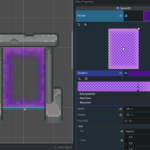
2D portal shader

Shader effect that could be used for a 2D portal or a 2D screen overlay or to give a glowy outline to a rectangular object.
Works best when applied to a Sprite2D that uses a GraidentTexture2D.
Add particles in front of the portal for an even better look!
Shader code
shader_type canvas_item;

// Size of the empty rectangle in the middle of the portal.
uniform vec2 half_size = vec2(0.2, 0.1);
// How big is the smoothening of the portal
uniform float smooth_size = 0.01;

// Must be assigned to a NoiseTexture2D
uniform sampler2D noise_texture: repeat_enable;
// How fast the portal is moving
uniform vec2 portal_speed = vec2(0.1);

// Called for every pixel the material is visible on.
void fragment() {
	// Convert the UV to pixelated UV for the pixel art effect
	// Remove this line and use regular UV instead for a high res effect
	vec2 uv = floor(UV / TEXTURE_PIXEL_SIZE) * TEXTURE_PIXEL_SIZE;
	// Get a noise value in the [-1.0, 1.0] range
	vec2 noise_displacement = uv + portal_speed * TIME;
	vec2 noise = (texture(noise_texture, noise_displacement).rg * 2.0 - vec2(1.0)) * 0.05;
	// Sample the sprite's texture
	// Works best when using a GradientTexture2D
	COLOR = texture(TEXTURE, uv + noise);
	// Smooth rectangle sdf
	vec2 left_size = 0.5 - half_size;
	vec2 right_size = 0.5 + half_size;
	vec2 left = smoothstep(left_size - smooth_size, left_size + smooth_size, uv + noise);
	vec2 right = smoothstep(right_size + smooth_size, right_size - smooth_size, uv + noise);
	float rectangle = 1.0 - left.x * right.x * left.y * right.y;
	// Hole in the middle of the portal
	COLOR.a *= rectangle;
}
Live Preview