
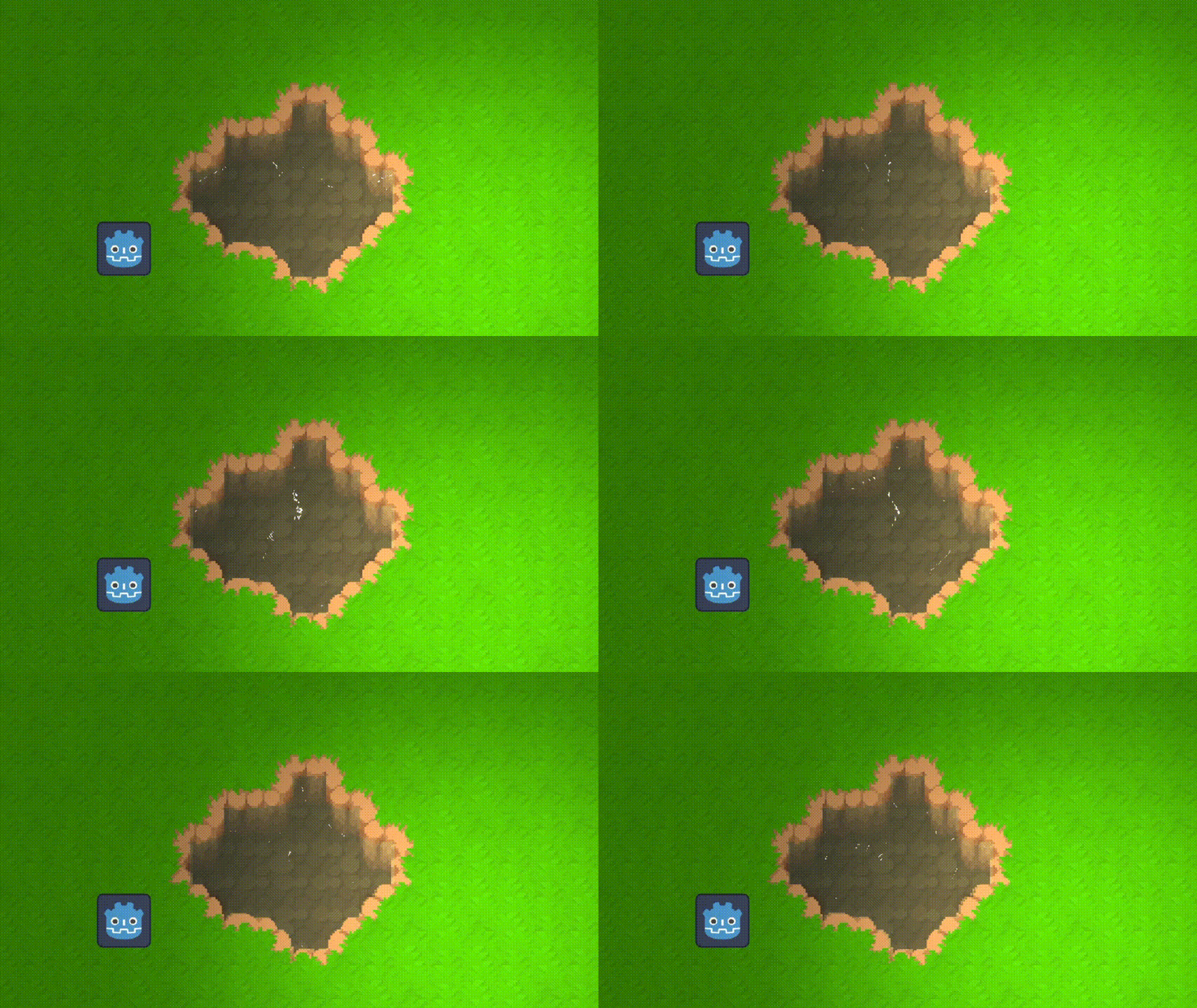
2D water for topdown games

This shader should work for any 2D texture
This shader uses modified parts of 2 other shaders from GodotShaders.com. These are:
“Rainier mood” by RayL019: https://godotshaders.com/shader/rainier-mood/
“Neuronal Network Waves” by ahaugas: https://godotshaders.com/shader/neuronal-network-waves/
Many thanks to these true shader wizards!
This shader is only visual and does not have any actual depth.
How to use
To use this shader, just attached it to a canvas item with the texture you want your water to have.
Then adjust any of the parameters untill it looks how you want it to.
Shader code
// This shader uses modified parts of 2 other shaders from GodotShaders.com
// These are:
// "Rainier mood" by RayL019: https://godotshaders.com/shader/rainier-mood/
// "Neuronal Network Waves" by ahaugas: https://godotshaders.com/shader/neuronal-network-waves/
// Many thanks to these true shader wizards!

// This shader is only visual and does not have any actual depth.
// To use it, just attached this shader script to any canvas iten with a texture, and it will use it as a mask to only
// show the water withing the bounderies of the actual texture.

shader_type canvas_item;

#define iResolution 1.0 / SCREEN_PIXEL_SIZE
#define iTime TIME

uniform sampler2D screen_texture : hint_screen_texture, repeat_disable, filter_nearest;

uniform float intensity : hint_range(0.0, 1.0) = 0.0;
uniform vec3 base_water_color : source_color = vec3(0.105, 0.15, 0.118);

uniform float highlight_scale : hint_range(0.1, 3.0) = 1.0;
uniform float clarity : hint_range(0.0, 1.0) = 0.65;

// Constants
const int MAX_RADIUS = 2;
const float HASHSCALE1 = 0.1031;
const vec3 HASHSCALE3 = vec3(0.1031, 0.1030, 0.0973);
const float RIPPLE_FREQ = 31.0;
const float RIPPLE_STRENGTH = 0.1;
const float HIGHLIGHT_POW = 2.1;

mat2 rotate2D(float r) {
    return mat2(vec2(cos(r), sin(r)), vec2(-sin(r), cos(r)));
}

float hash12(vec2 p) {
    vec3 p3 = fract(vec3(p.xyx) * HASHSCALE1);
    p3 += dot(p3, p3.yzx + 19.19);
    return fract((p3.x + p3.y) * p3.z);
}

vec2 hash22(vec2 p) {
    vec3 p3 = fract(vec3(p.xyx) * HASHSCALE3);
    p3 += dot(p3, p3.yzx + 19.19);
    return fract((p3.xx + p3.yz) * p3.zy);
}

void fragment() {
    vec2 uv = UV;

    // --- RIPPLE EFFECT ---
    vec2 uv_scaled = uv * vec2(10.0, 10.0 * TEXTURE_PIXEL_SIZE.x / TEXTURE_PIXEL_SIZE.y);
    vec2 base_cell = floor(uv_scaled);
    vec2 ripple_offset = vec2(0.0);

    for (int j = -MAX_RADIUS; j <= MAX_RADIUS; ++j) {
        for (int i = -MAX_RADIUS; i <= MAX_RADIUS; ++i) {
            vec2 cell = base_cell + vec2(float(i), float(j));
            if (fract(hash12(cell) * 123.456) < intensity) {
                vec2 p = cell + hash22(cell);
                float t = fract(0.3 * iTime + hash12(cell));
                vec2 v = p - uv_scaled;
                v.y *= 1.5;
                float d = length(v) - (float(MAX_RADIUS) + 1.0) * t;
                float h = 1e-3;
                float d1 = d - h;
                float d2 = d + h;
                float p1 = sin(RIPPLE_FREQ * d1) * smoothstep(-0.6, -0.3, d1) * smoothstep(0.0, -0.3, d1);
                float p2 = sin(RIPPLE_FREQ * d2) * smoothstep(-0.6, -0.3, d2) * smoothstep(0.0, -0.3, d2);
                ripple_offset += 0.5 * normalize(v) * ((p2 - p1) / (2.0 * h) * pow(1.0 - t, 2.0));
            }
        }
    }

    ripple_offset /= float((MAX_RADIUS * 2 + 1) * (MAX_RADIUS * 2 + 1));
    ripple_offset *= RIPPLE_STRENGTH;

    // --- DISTORTION ---
    vec2 wave_offset = vec2(sin(uv.x * 10.0 + iTime), cos(uv.y * 10.0 + iTime)) * 0.005;
    vec2 distortion = ripple_offset * intensity + wave_offset;

    // --- NORMAL & SPECULAR ---
    vec2 dx = dFdx(distortion);
    vec2 dy = dFdy(distortion);
    vec3 water_normal = normalize(vec3(-dx.x, -dy.y, 1.0));
    vec3 light_dir = normalize(vec3(0.5, 0.5, 1.0));
    float spec = pow(max(dot(water_normal, light_dir), 0.0), 32.0) * 5.0;

    // --- BASE WATER COLOR ---
    vec3 screen_color = texture(screen_texture, SCREEN_UV + distortion).rgb;
    vec3 blended_color = mix(screen_color, base_water_color, clarity);
    vec3 water_color = blended_color * 1.2 + spec;

    // --- WAVE HIGHLIGHT CALCULATION ---
    vec2 wave_uv = (uv * highlight_scale) + distortion;
    vec2 wave_n = vec2(0.0);
    vec2 wave_sum = vec2(0.0);
    float S = 10.0;
    mat2 rot = rotate2D(1.0);

    for (float j = 0.0; j < 30.0; ++j) {
        wave_uv *= rot;
        wave_n *= rot;
        vec2 q = wave_uv * S + j + wave_n + iTime;
        wave_n += sin(q);
        wave_sum += cos(q) / S;
        S *= 1.2;
    }

    float wave_len = max(length(wave_sum), 0.001);
    vec3 wave_highlight = vec3(1.0) * pow((wave_sum.x + wave_sum.y + 0.4) + 0.005 / wave_len, HIGHLIGHT_POW);

    // --- BLEND FACTOR ---
    float brightness = dot(wave_highlight, vec3(0.299, 0.587, 0.114));
    float blend_factor = smoothstep(1.3, 1.301, brightness);

    // --- FINAL COMPOSITE ---
    vec3 final_color = mix(water_color, wave_highlight, blend_factor);
    float alpha = texture(TEXTURE, UV).a;

    COLOR = vec4(final_color, alpha);
}
Live Preview
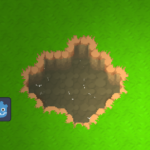

Works really well, but for some reason there are a lot of black patches that show up in the water when I attach it to a ColorRect node. Any idea how to fix that? (I’m using Godot 4.4)
ChatGPT said replace code of wave_highlight with this. Works for me)
Thanks! This works.
Nice! Appreciate it. Fixed my black patches as well.
Slightly more efficient.
vec3 wave_highlight = vec3(1.0) * pow(max((wave_sum.x + wave_sum.y + 0.4) + 0.005 / wave_len, 0.0), HIGHLIGHT_POW);
is there a way to make it slower and also pixelated?
For anyone like me who also wanted to reduce the speed.
Add a parameter at the top:
uniform float speed : hint_range(0.001,1) = 1;
Then if you want to change the distortion/wave frequency, multiply it by speed:
vec2 distortion = ripple_offset * intensity + wave_offset * speed;
If you want to change the highlight speed then in the wave highlight calculation multiply q by speed:
vec2 q = wave_uv * S + j + wave_n + iTime * speed;