
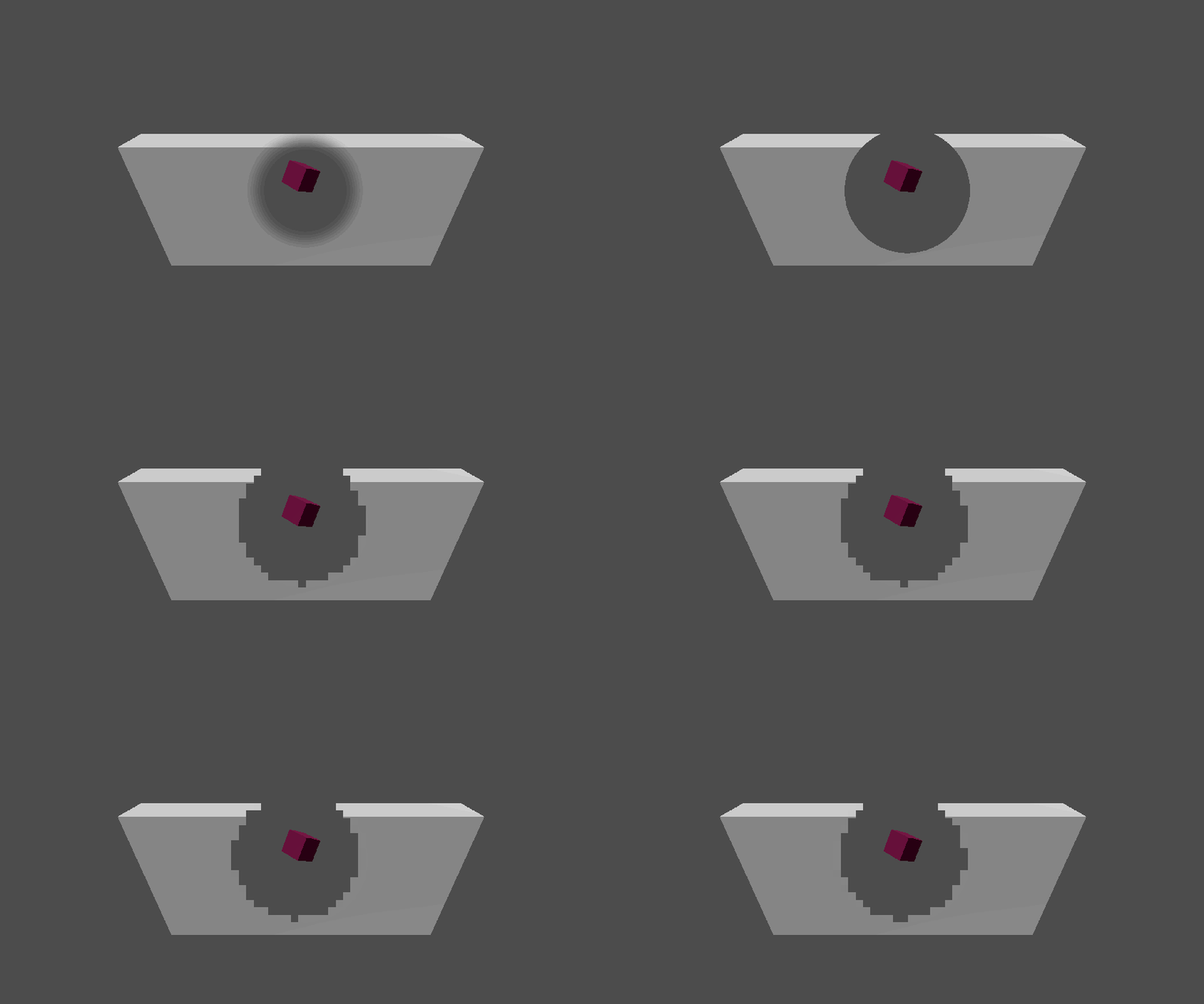
3D Transparent Walls (smooth edge or pixelize edge)

Show your characters from the backside of a wall.Need two viewports to sample texture,one with the wall and another without.
Shader code
shader_type canvas_item;

uniform sampler2D Cam1_texture;//The camera film wall
uniform sampler2D Cam2_texture;//The camera film target

uniform vec2 Target_Pos_PX = vec2(950.0,500.0);//Where center of the hole at
uniform float Radius = 200;//Radius of the hole
uniform float Edge_Smooth:hint_range(0.0, 500.0) = 80;//Smoothness of the hole
uniform vec2 Texture_Size = vec2(1920.0,1080.0);//How large the texture are

uniform float Pixelize_Edge:hint_range(0,1) = 0;//0 is false,1 is true
uniform float Pixel_Size_PX:hint_range(0.0, 25.0) = 23.791;//How big the pixelize edge pixel are


void fragment() {
	vec2 Pixel_Texture_Size = Texture_Size/Pixel_Size_PX;//Turn origin texture size into pixelize size
	float Distance = distance(SCREEN_UV * Texture_Size, Target_Pos_PX);//Calculate how close it is to the center of the circle
	float Pixel_Distance = distance(ceil(SCREEN_UV * Pixel_Texture_Size),Target_Pos_PX/Pixel_Size_PX);//Calculate how close it is to the center of the circle but pixelized

	vec4 Color1 = textureLod(Cam1_texture,SCREEN_UV,0.0);//sampling color from camera output
	vec4 Color2 = textureLod(Cam2_texture,SCREEN_UV,0.0);

	float Smooth_Mix_Result = smoothstep(Radius,Radius - Edge_Smooth, Distance);//Find out is this pixel in the circle's range
	float Pixel_Mix_Result = step(Pixel_Distance,Radius/Pixel_Size_PX);

	float Result_Mix_Index = mix(Smooth_Mix_Result,Pixel_Mix_Result,Pixelize_Edge);//blende smooth edge with pixelize edge
	COLOR = mix(Color1,Color2,Result_Mix_Index);//output final color
}
Do you have any demo projects?
I’m an absolute beginner in shaders, and never used Viewports before.
I tried a lot of things to make this shader work for my 2D game, but I couldn’t do it. If someone comes by and knows how to make it work, it would be really helpful. Thank you in advance !
I’ve managed to make it work !
Here’s how I did it:
I modified the shader code by removing Cam1_texture parameter (line 3):
uniform sampler2D Cam1_texture;
Then I changed line 20 by :
vec4 Color1 = texture(TEXTURE,UV);
Finally I applied the shader to every of my walls (Sprite2D)