
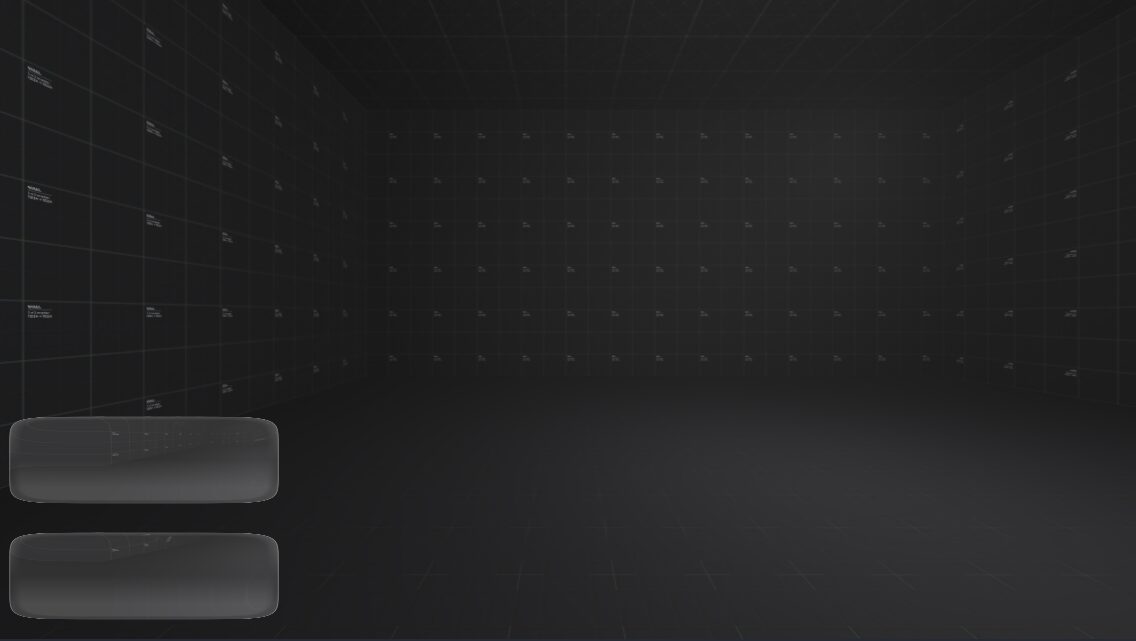
Apple Blur Shader Recreation

This is a basic shader ported from Shadertoy that aims to recreate apple’s Liquid Glass Effect Featured in IOS 26.
Shader code
shader_type canvas_item;

uniform sampler2D screen_texture : hint_screen_texture, filter_nearest_mipmap;

void fragment() {
    // UV coordinates inside this rectangle, from 0 to 1
    vec2 local_uv = UV;

    // UV coordinates for the whole screen texture
    vec2 screen_uv = SCREEN_UV;

    // Calculate the aspect ratio of this rectangle (width divided by height)
    float aspect = (1.0 / TEXTURE_PIXEL_SIZE.x) / (1.0 / TEXTURE_PIXEL_SIZE.y);

    // Get the center position inside the rect, adjusted for aspect ratio
    vec2 m2 = local_uv - vec2(0.5);

    // Calculate a rounded box shape using a sharp curve for smooth edges
    float roundedBox = pow(abs(m2.x * aspect), 8.0) + pow(abs(m2.y), 8.0);

    // These three values control different smooth steps for the rounded edges and highlights
    float rb1 = clamp((1.0 - roundedBox * 10000.0) * 8.0, 0.0, 1.0);
    float rb2 = clamp((0.95 - roundedBox * 9500.0) * 16.0, 0.0, 1.0) - clamp(pow(0.9 - roundedBox * 9500.0, 1.0) * 16.0, 0.0, 1.0);
    float rb3 = clamp((1.5 - roundedBox * 11000.0) * 2.0, 0.0, 1.0) - clamp(pow(1.0 - roundedBox * 11000.0, 1.0) * 2.0, 0.0, 1.0);

    vec4 final_color = vec4(0.0);
    // How much we want to blend the effect based on the rounded box shape
    float transition = smoothstep(0.0, 1.0, rb1 + rb2);

    if (transition > 0.0) {
        // Create a lens distortion effect inside the rect by adjusting UVs
        vec2 lens = ((local_uv - 0.5) * (1.0 - roundedBox * 5000.0) + 0.5);

        // Map the lens UV coordinates back to screen UV space for sampling
        vec2 lens_uv = screen_uv - 0.5 + lens;

        float total = 0.0;
        // Do a blur by sampling the screen texture in a grid around the lens UV
        for (float x = -4.0; x <= 4.0; x++) {
            for (float y = -4.0; y <= 4.0; y++) {
                vec2 offset = vec2(x, y) * SCREEN_PIXEL_SIZE * 0.5;
                final_color += textureLod(screen_texture, lens_uv + offset, 0.0);
                total += 1.0;
            }
        }
        final_color /= total;

        // Add a subtle gradient highlight effect based on vertical position and the rounded shape
        float gradient = clamp((clamp(m2.y, 0.0, 0.2) + 0.1) / 2.0, 0.0, 1.0) +
                         clamp((clamp(-m2.y, -1000.0, 0.2) * rb3 + 0.1) / 2.0, 0.0, 1.0);

        // Mix the lighting effect with the blur and rounded box factors
        vec4 lighting = clamp(final_color + vec4(rb1) * gradient + vec4(rb2) * 0.3, 0.0, 1.0);

        // Blend between the original screen texture and the effect based on transition amount
        COLOR = mix(textureLod(screen_texture, screen_uv, 0.0), lighting, transition);
    } else {
        // If no effect, just show the original screen texture
        COLOR = textureLod(screen_texture, screen_uv, 0.0);
    }
}