
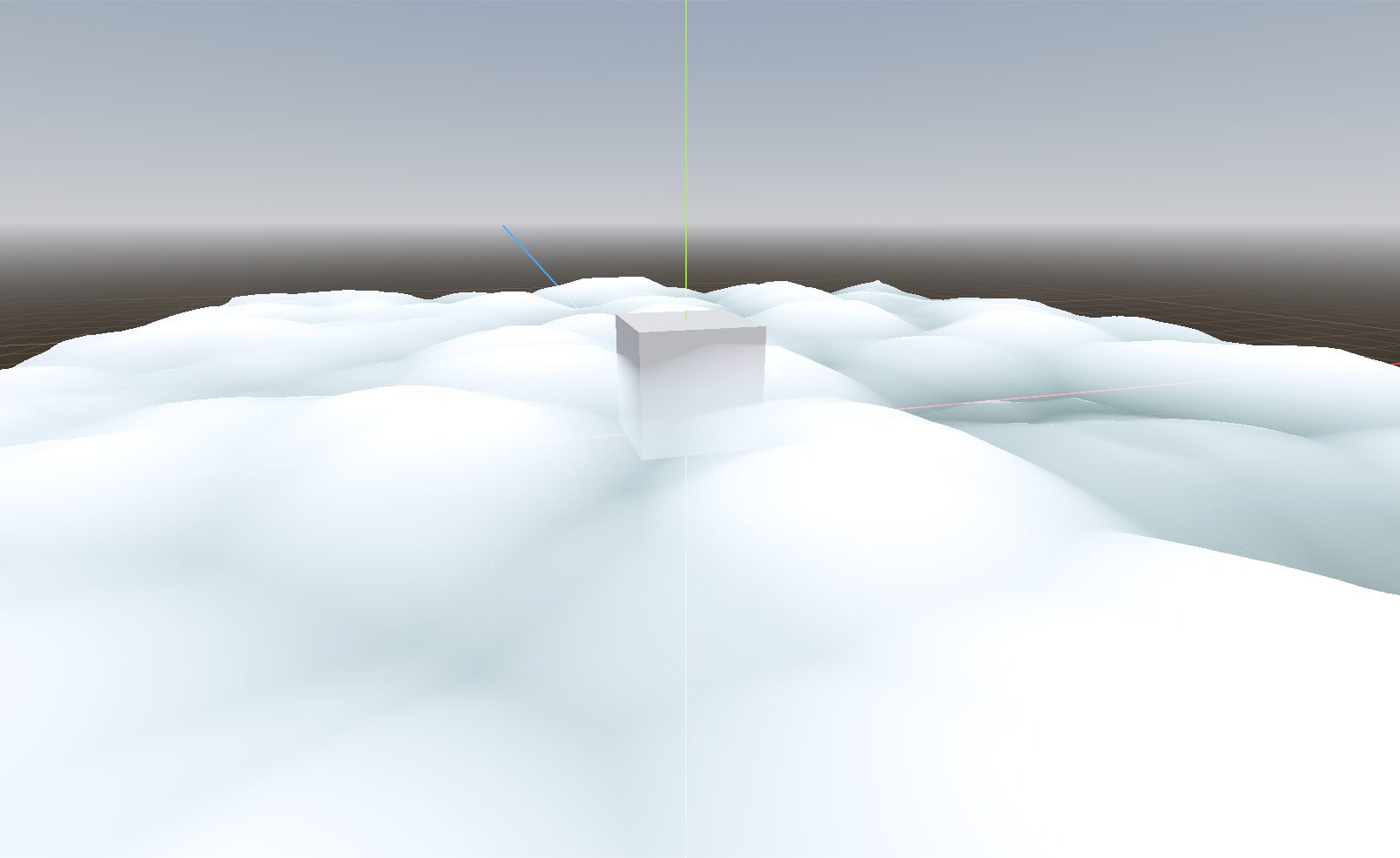
Cloud bed w/ depth & coloring

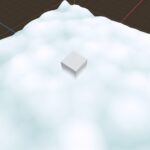
Simple visual shader made to generate a bed of clouds from a singular plane in a MeshInstance3D.
Inspired by https://www.youtube.com/shorts/7FpD93N14do
Supports up to 2 textures with two different velocities to generate the clouds.
Uses UV coords, has depth fade and it covers the objects that are completely or partially behind the plane.
If the plane looks like it’s floating without any ripple nor effect, try to increase subdivision.
Be aware that a subdivision too high WILL cause lag.
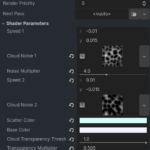
Suggested settings (If you don’t know where to start you can always refere to these suggestions):
– Speed 1: Tweak to your liking
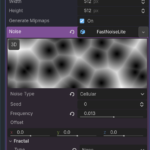
– Texture 1: NoiseTexture2D With FastNoiseLight with Cellular noise, then tweak to your liking
– Noise Multiplier: Tweak to your liking
– Speed 2: Tweak to your liking
– Texture 2: Same thing as Texture 1, unless you want to add another effect to the clouds, in that case experiment by yourself
– Scatter Color: Very light blue hue, near to white to make it look like actual clouds
– Base Color: White or close to it
– Transparency Threshold: between 0.1 and 1.0. All values here can look good depending on the setup so ti’s really up to you. In the screenshots i use 1.0 but it may depend.
– Transparency Multiplier: 1.0. However can be reduced/increased over its limits to allow particular effects like glow, color overflow, etc.
– Cloud Thickness: between 0.1 and 100 but really depends on the size of the plane and of the objects which interact with it. A nice intermediate value is 10
Here’s the tres file for the visual shader. Sorry for the late intervention!!
[gd_resource type="VisualShader" load_steps=43 format=3 uid="uid://knd3xqygwmxn"]

[sub_resource type="VisualShaderNodeVaryingGetter" id="VisualShaderNodeVaryingGetter_iqyht"]
varying_name = "cloud_texture"

[sub_resource type="VisualShaderNodeMix" id="VisualShaderNodeMix_iqyht"]
default_input_values = [0, Vector3(0, 0, 0), 1, Vector3(1, 1, 1), 2, Vector3(0.5, 0.5, 0.5)]
op_type = 3

[sub_resource type="VisualShaderNodeFloatOp" id="VisualShaderNodeFloatOp_iqyht"]
operator = 2

[sub_resource type="VisualShaderNodeFloatParameter" id="VisualShaderNodeFloatParameter_dtnj7"]
parameter_name = "transparency_multiplier"
default_value_enabled = true
default_value = 1.0

[sub_resource type="VisualShaderNodeFloatOp" id="VisualShaderNodeFloatOp_dtnj7"]

[sub_resource type="VisualShaderNodeFloatParameter" id="VisualShaderNodeFloatParameter_t1mh1"]
parameter_name = "cloud_transparency_threshold"
hint = 1
default_value_enabled = true
default_value = 0.1

[sub_resource type="VisualShaderNodeRemap" id="VisualShaderNodeRemap_t1mh1"]

[sub_resource type="VisualShaderNodeVaryingGetter" id="VisualShaderNodeVaryingGetter_5dkub"]
varying_name = "max_noise_val"

[sub_resource type="VisualShaderNodeProximityFade" id="VisualShaderNodeProximityFade_iqyht"]

[sub_resource type="VisualShaderNodeFloatParameter" id="VisualShaderNodeFloatParameter_5dkub"]
parameter_name = "cloud_thickness"
hint = 1
min = 0.1
max = 100.0
default_value_enabled = true
default_value = 5.0

[sub_resource type="VisualShaderNodeFloatOp" id="VisualShaderNodeFloatOp_7ltwc"]
operator = 2

[sub_resource type="VisualShaderNodeColorParameter" id="VisualShaderNodeColorParameter_iqyht"]
parameter_name = "scatter_color"
default_value_enabled = true
default_value = Color(0.81663287, 0.91197634, 0.9290082, 1)

[sub_resource type="VisualShaderNodeColorParameter" id="VisualShaderNodeColorParameter_dtnj7"]
parameter_name = "base_color"
default_value_enabled = true
default_value = Color(0.92535293, 0.9253528, 0.9253529, 1)

[sub_resource type="VisualShaderNodeInput" id="VisualShaderNodeInput_dtnj7"]
input_name = "vertex"

[sub_resource type="VisualShaderNodeInput" id="VisualShaderNodeInput_5dkub"]
input_name = "normal"

[sub_resource type="VisualShaderNodeVectorOp" id="VisualShaderNodeVectorOp_icn5j"]
operator = 2

[sub_resource type="VisualShaderNodeFloatParameter" id="VisualShaderNodeFloatParameter_iqyht"]
parameter_name = "noise_multiplier"
hint = 1
min = 0.001
max = 10.0
default_value_enabled = true
default_value = 1.0

[sub_resource type="VisualShaderNodeInput" id="VisualShaderNodeInput_7ltwc"]
input_name = "time"

[sub_resource type="VisualShaderNodeVec2Parameter" id="VisualShaderNodeVec2Parameter_icn5j"]
parameter_name = "Speed_2"
default_value_enabled = true
default_value = Vector2(-0.01, 0.015)

[sub_resource type="VisualShaderNodeInput" id="VisualShaderNodeInput_bot5m"]
input_name = "uv"

[sub_resource type="VisualShaderNodeInput" id="VisualShaderNodeInput_iqyht"]
input_name = "time"

[sub_resource type="VisualShaderNodeVectorOp" id="VisualShaderNodeVectorOp_6t53p"]
operator = 2

[sub_resource type="VisualShaderNodeVectorOp" id="VisualShaderNodeVectorOp_blbbm"]

[sub_resource type="VisualShaderNodeTexture2DParameter" id="VisualShaderNodeTexture2DParameter_h8wj2"]
parameter_name = "Cloud_Noise_2"

[sub_resource type="VisualShaderNodeVectorOp" id="VisualShaderNodeVectorOp_r4w1m"]
operator = 2

[sub_resource type="VisualShaderNodeVec2Parameter" id="VisualShaderNodeVec2Parameter_dtnj7"]
parameter_name = "Speed_1"
default_value_enabled = true
default_value = Vector2(-0.01, 0.015)

[sub_resource type="VisualShaderNodeTexture" id="VisualShaderNodeTexture_y0fwt"]
source = 5

[sub_resource type="VisualShaderNodeVectorOp" id="VisualShaderNodeVectorOp_bot5m"]

[sub_resource type="VisualShaderNodeVectorOp" id="VisualShaderNodeVectorOp_h8wj2"]
operator = 2

[sub_resource type="VisualShaderNodeVectorOp" id="VisualShaderNodeVectorOp_iqyht"]

[sub_resource type="VisualShaderNodeVaryingSetter" id="VisualShaderNodeVaryingSetter_iqyht"]
varying_name = "cloud_texture"

[sub_resource type="VisualShaderNodeRemap" id="VisualShaderNodeRemap_iqyht"]
default_input_values = [1, Vector3(0, 0, 0), 2, Vector3(1, 1, 1), 3, Vector3(0, -1, 0), 4, Vector3(1, 1, 1), 0, Vector3(0, 0, 0)]
op_type = 3

[sub_resource type="VisualShaderNodeRemap" id="VisualShaderNodeRemap_dtnj7"]
default_input_values = [1, Vector3(0, 0, 0), 2, Vector3(1, 1, 1), 3, Vector3(0, -1, 0), 4, Vector3(1, 1, 1), 0, Vector3(0, 0, 0)]
op_type = 3

[sub_resource type="VisualShaderNodeVectorFunc" id="VisualShaderNodeVectorFunc_iqyht"]
function = 4

[sub_resource type="VisualShaderNodeInput" id="VisualShaderNodeInput_t1mh1"]
input_name = "uv"

[sub_resource type="VisualShaderNodeVectorOp" id="VisualShaderNodeVectorOp_dtnj7"]
default_input_values = [0, Vector3(0, 0, 0), 1, Vector3(2, 2, 2)]
operator = 3

[sub_resource type="VisualShaderNodeVectorDecompose" id="VisualShaderNodeVectorDecompose_iqyht"]
output_port_for_preview = 1

[sub_resource type="VisualShaderNodeVaryingSetter" id="VisualShaderNodeVaryingSetter_dtnj7"]
varying_name = "max_noise_val"

[sub_resource type="VisualShaderNodeVectorOp" id="VisualShaderNodeVectorOp_5dkub"]
operator = 2

[sub_resource type="VisualShaderNodeVectorOp" id="VisualShaderNodeVectorOp_7ltwc"]

[sub_resource type="VisualShaderNodeTexture" id="VisualShaderNodeTexture_icn5j"]
source = 5

[sub_resource type="VisualShaderNodeTexture2DParameter" id="VisualShaderNodeTexture2DParameter_bot5m"]
parameter_name = "Cloud_Noise_1"

[resource]
code = "shader_type spatial;
render_mode blend_mix, depth_draw_opaque, depth_test_default, cull_back, diffuse_lambert, specular_schlick_ggx;


// Varyings
varying float var_cloud_texture;
varying float var_max_noise_val;

uniform vec2 Speed_1 = vec2(-0.010000, 0.015000);
uniform sampler2D Cloud_Noise_1;
uniform float noise_multiplier : hint_range(0.0010000000475, 10.0) = 1.0;
uniform vec2 Speed_2 = vec2(-0.010000, 0.015000);
uniform sampler2D Cloud_Noise_2;
uniform vec4 scatter_color : source_color = vec4(0.816633, 0.911976, 0.929008, 1.000000);
uniform vec4 base_color : source_color = vec4(0.925353, 0.925353, 0.925353, 1.000000);
uniform float cloud_transparency_threshold : hint_range(0.0, 1.0) = 0.10000000149012;
uniform float transparency_multiplier = 1.0;
uniform float cloud_thickness : hint_range(0.10000000149012, 100.0) = 5.0;
uniform sampler2D depth_tex_frg_30 : hint_depth_texture;


void vertex() {
// Input:11
	vec3 n_out11p0 = VERTEX;


// Input:13
	vec3 n_out13p0 = NORMAL;


// Vector2Parameter:3
	vec2 n_out3p0 = Speed_1;


// Input:2
	float n_out2p0 = TIME;


// VectorOp:5
	vec3 n_out5p0 = vec3(n_out3p0, 0.0) * vec3(n_out2p0);


// Input:4
	vec2 n_out4p0 = UV;


// VectorOp:6
	vec3 n_out6p0 = n_out5p0 + vec3(n_out4p0, 0.0);


	vec4 n_out7p0;
// Texture2D:7
	n_out7p0 = texture(Cloud_Noise_1, vec2(n_out6p0.xy));


	vec3 n_out37p0;
// Remap:37
	vec3 n_in37p1 = vec3(0.00000, 0.00000, 0.00000);
	vec3 n_in37p2 = vec3(1.00000, 1.00000, 1.00000);
	vec3 n_in37p3 = vec3(0.00000, -1.00000, 0.00000);
	vec3 n_in37p4 = vec3(1.00000, 1.00000, 1.00000);
	{
		vec3 __input_range = n_in37p2 - n_in37p1;
		vec3 __output_range = n_in37p4 - n_in37p3;
		n_out37p0 = n_in37p3 + __output_range * ((vec3(n_out7p0.xyz) - n_in37p1) / __input_range);
	}


// FloatParameter:16
	float n_out16p0 = noise_multiplier;


// VectorOp:14
	vec3 n_out14p0 = n_out37p0 * vec3(n_out16p0);


// Vector2Parameter:18
	vec2 n_out18p0 = Speed_2;


// Input:17
	float n_out17p0 = TIME;


// VectorOp:20
	vec3 n_out20p0 = vec3(n_out18p0, 0.0) * vec3(n_out17p0);


// Input:19
	vec2 n_out19p0 = UV;


// VectorOp:21
	vec3 n_out21p0 = n_out20p0 + vec3(n_out19p0, 0.0);


	vec4 n_out31p0;
// Texture2D:31
	n_out31p0 = texture(Cloud_Noise_2, vec2(n_out21p0.xy));


	vec3 n_out38p0;
// Remap:38
	vec3 n_in38p1 = vec3(0.00000, 0.00000, 0.00000);
	vec3 n_in38p2 = vec3(1.00000, 1.00000, 1.00000);
	vec3 n_in38p3 = vec3(0.00000, -1.00000, 0.00000);
	vec3 n_in38p4 = vec3(1.00000, 1.00000, 1.00000);
	{
		vec3 __input_range = n_in38p2 - n_in38p1;
		vec3 __output_range = n_in38p4 - n_in38p3;
		n_out38p0 = n_in38p3 + __output_range * ((vec3(n_out31p0.xyz) - n_in38p1) / __input_range);
	}


// VectorOp:28
	vec3 n_out28p0 = vec3(n_out16p0) * n_out38p0;


// VectorOp:33
	vec3 n_out33p0 = n_out14p0 + n_out28p0;


// VectorOp:40
	vec3 n_in40p1 = vec3(2.00000, 2.00000, 2.00000);
	vec3 n_out40p0 = n_out33p0 / n_in40p1;


// VectorFunc:39
	vec3 n_out39p0 = abs(n_out40p0);


// VectorOp:34
	vec3 n_out34p0 = n_out13p0 * n_out39p0;


// VectorOp:35
	vec3 n_out35p0 = n_out11p0 + n_out34p0;


// Output:0
	VERTEX = n_out35p0;


// VectorDecompose:41
	float n_out41p0 = n_out39p0.x;
	float n_out41p1 = n_out39p0.y;
	float n_out41p2 = n_out39p0.z;


// VaryingSetter:36
	var_cloud_texture = n_out41p1;


// VaryingSetter:42
	var_max_noise_val = n_out16p0;


}

void fragment() {
// ColorParameter:7
	vec4 n_out7p0 = scatter_color;


// ColorParameter:8
	vec4 n_out8p0 = base_color;


// VaryingGetter:22
	float n_out22p0 = var_cloud_texture;


// VaryingGetter:29
	float n_out29p0 = var_max_noise_val;


	float n_out28p0;
// Remap:28
	float n_in28p1 = 0.00000;
	float n_in28p3 = 0.00000;
	float n_in28p4 = 1.00000;
	{
		float __input_range = n_out29p0 - n_in28p1;
		float __output_range = n_in28p4 - n_in28p3;
		n_out28p0 = n_in28p3 + __output_range * ((n_out22p0 - n_in28p1) / __input_range);
	}


// Mix:23
	vec3 n_out23p0 = mix(vec3(n_out7p0.xyz), vec3(n_out8p0.xyz), vec3(n_out28p0));


// FloatParameter:27
	float n_out27p0 = cloud_transparency_threshold;


// FloatOp:26
	float n_out26p0 = n_out28p0 + n_out27p0;


// FloatParameter:25
	float n_out25p0 = transparency_multiplier;


// FloatOp:24
	float n_out24p0 = n_out26p0 * n_out25p0;


// FloatParameter:31
	float n_out31p0 = cloud_thickness;


	float n_out30p0;
// ProximityFade:30
	{
		float __depth_tex = texture(depth_tex_frg_30, SCREEN_UV).r;
		vec4 __depth_world_pos = INV_PROJECTION_MATRIX * vec4(SCREEN_UV * 2.0 - 1.0, __depth_tex, 1.0);
		__depth_world_pos.xyz /= __depth_world_pos.w;
		n_out30p0 = clamp(1.0 - smoothstep(__depth_world_pos.z + n_out31p0, __depth_world_pos.z, VERTEX.z), 0.0, 1.0);
	}


// FloatOp:32
	float n_out32p0 = n_out24p0 * n_out30p0;


// Output:0
	ALBEDO = n_out23p0;
	ALPHA = n_out32p0;


}
"
varyings/cloud_texture = "0,0"
varyings/max_noise_val = "0,0"
nodes/vertex/0/position = Vector2(3400, 780)
nodes/vertex/2/node = SubResource("VisualShaderNodeInput_iqyht")
nodes/vertex/2/position = Vector2(-1100, 100)
nodes/vertex/3/node = SubResource("VisualShaderNodeVec2Parameter_dtnj7")
nodes/vertex/3/position = Vector2(-1100, -180)
nodes/vertex/4/node = SubResource("VisualShaderNodeInput_t1mh1")
nodes/vertex/4/position = Vector2(-1100, 260)
nodes/vertex/5/node = SubResource("VisualShaderNodeVectorOp_5dkub")
nodes/vertex/5/position = Vector2(-680, -60)
nodes/vertex/6/node = SubResource("VisualShaderNodeVectorOp_7ltwc")
nodes/vertex/6/position = Vector2(-360, -20)
nodes/vertex/7/node = SubResource("VisualShaderNodeTexture_icn5j")
nodes/vertex/7/position = Vector2(-40, 220)
nodes/vertex/8/node = SubResource("VisualShaderNodeTexture2DParameter_bot5m")
nodes/vertex/8/position = Vector2(-1100, 380)
nodes/vertex/11/node = SubResource("VisualShaderNodeInput_dtnj7")
nodes/vertex/11/position = Vector2(2560, 580)
nodes/vertex/13/node = SubResource("VisualShaderNodeInput_5dkub")
nodes/vertex/13/position = Vector2(2140, 580)
nodes/vertex/14/node = SubResource("VisualShaderNodeVectorOp_icn5j")
nodes/vertex/14/position = Vector2(800, 580)
nodes/vertex/16/node = SubResource("VisualShaderNodeFloatParameter_iqyht")
nodes/vertex/16/position = Vector2(-1100, 1020)
nodes/vertex/17/node = SubResource("VisualShaderNodeInput_7ltwc")
nodes/vertex/17/position = Vector2(-1100, 1780)
nodes/vertex/18/node = SubResource("VisualShaderNodeVec2Parameter_icn5j")
nodes/vertex/18/position = Vector2(-1100, 1480)
nodes/vertex/19/node = SubResource("VisualShaderNodeInput_bot5m")
nodes/vertex/19/position = Vector2(-1100, 1880)
nodes/vertex/20/node = SubResource("VisualShaderNodeVectorOp_6t53p")
nodes/vertex/20/position = Vector2(-700, 1480)
nodes/vertex/21/node = SubResource("VisualShaderNodeVectorOp_blbbm")
nodes/vertex/21/position = Vector2(-380, 1480)
nodes/vertex/22/node = SubResource("VisualShaderNodeTexture2DParameter_h8wj2")
nodes/vertex/22/position = Vector2(-1100, 2000)
nodes/vertex/28/node = SubResource("VisualShaderNodeVectorOp_r4w1m")
nodes/vertex/28/position = Vector2(800, 1200)
nodes/vertex/31/node = SubResource("VisualShaderNodeTexture_y0fwt")
nodes/vertex/31/position = Vector2(-60, 1740)
nodes/vertex/33/node = SubResource("VisualShaderNodeVectorOp_bot5m")
nodes/vertex/33/position = Vector2(1260, 880)
nodes/vertex/34/node = SubResource("VisualShaderNodeVectorOp_h8wj2")
nodes/vertex/34/position = Vector2(2640, 880)
nodes/vertex/35/node = SubResource("VisualShaderNodeVectorOp_iqyht")
nodes/vertex/35/position = Vector2(3000, 880)
nodes/vertex/36/node = SubResource("VisualShaderNodeVaryingSetter_iqyht")
nodes/vertex/36/position = Vector2(2340, 1180)
nodes/vertex/37/node = SubResource("VisualShaderNodeRemap_iqyht")
nodes/vertex/37/position = Vector2(380, 340)
nodes/vertex/38/node = SubResource("VisualShaderNodeRemap_dtnj7")
nodes/vertex/38/position = Vector2(360, 1540)
nodes/vertex/39/node = SubResource("VisualShaderNodeVectorFunc_iqyht")
nodes/vertex/39/position = Vector2(1740, 880)
nodes/vertex/40/node = SubResource("VisualShaderNodeVectorOp_dtnj7")
nodes/vertex/40/position = Vector2(1500, 880)
nodes/vertex/41/node = SubResource("VisualShaderNodeVectorDecompose_iqyht")
nodes/vertex/41/position = Vector2(2040, 1100)
nodes/vertex/42/node = SubResource("VisualShaderNodeVaryingSetter_dtnj7")
nodes/vertex/42/position = Vector2(-60, 1040)
nodes/vertex/connections = PackedInt32Array(8, 0, 7, 2, 3, 0, 5, 0, 4, 0, 6, 1, 5, 0, 6, 0, 6, 0, 7, 0, 17, 0, 20, 1, 18, 0, 20, 0, 19, 0, 21, 1, 20, 0, 21, 0, 21, 0, 31, 0, 16, 0, 14, 1, 14, 0, 33, 0, 28, 0, 33, 1, 35, 0, 0, 0, 7, 0, 37, 0, 37, 0, 14, 0, 31, 0, 38, 0, 13, 0, 34, 0, 11, 0, 35, 0, 34, 0, 35, 1, 33, 0, 40, 0, 40, 0, 39, 0, 39, 0, 34, 1, 39, 0, 41, 0, 22, 0, 31, 2, 16, 0, 28, 0, 38, 0, 28, 1, 41, 1, 36, 0, 16, 0, 42, 0, 2, 0, 5, 1)
nodes/fragment/0/position = Vector2(1520, -560)
nodes/fragment/7/node = SubResource("VisualShaderNodeColorParameter_iqyht")
nodes/fragment/7/position = Vector2(-320, -1120)
nodes/fragment/8/node = SubResource("VisualShaderNodeColorParameter_dtnj7")
nodes/fragment/8/position = Vector2(-320, -860)
nodes/fragment/22/node = SubResource("VisualShaderNodeVaryingGetter_iqyht")
nodes/fragment/22/position = Vector2(-320, -500)
nodes/fragment/23/node = SubResource("VisualShaderNodeMix_iqyht")
nodes/fragment/23/position = Vector2(860, -900)
nodes/fragment/24/node = SubResource("VisualShaderNodeFloatOp_iqyht")
nodes/fragment/24/position = Vector2(840, -220)
nodes/fragment/25/node = SubResource("VisualShaderNodeFloatParameter_dtnj7")
nodes/fragment/25/position = Vector2(-320, 180)
nodes/fragment/26/node = SubResource("VisualShaderNodeFloatOp_dtnj7")
nodes/fragment/26/position = Vector2(520, -340)
nodes/fragment/27/node = SubResource("VisualShaderNodeFloatParameter_t1mh1")
nodes/fragment/27/position = Vector2(-320, -160)
nodes/fragment/28/node = SubResource("VisualShaderNodeRemap_t1mh1")
nodes/fragment/28/position = Vector2(138.42775, -529.6314)
nodes/fragment/29/node = SubResource("VisualShaderNodeVaryingGetter_5dkub")
nodes/fragment/29/position = Vector2(-320, -380)
nodes/fragment/30/node = SubResource("VisualShaderNodeProximityFade_iqyht")
nodes/fragment/30/position = Vector2(228.05505, 325.3322)
nodes/fragment/31/node = SubResource("VisualShaderNodeFloatParameter_5dkub")
nodes/fragment/31/position = Vector2(-320, 440)
nodes/fragment/32/node = SubResource("VisualShaderNodeFloatOp_7ltwc")
nodes/fragment/32/position = Vector2(1200, -120)
nodes/fragment/connections = PackedInt32Array(7, 0, 23, 0, 8, 0, 23, 1, 23, 0, 0, 0, 25, 0, 24, 1, 26, 0, 24, 0, 27, 0, 26, 1, 22, 0, 28, 0, 29, 0, 28, 2, 28, 0, 23, 2, 28, 0, 26, 0, 31, 0, 30, 0, 30, 0, 32, 1, 24, 0, 32, 0, 32, 0, 0, 1)
Shader code
shader_type spatial;
render_mode blend_mix, depth_draw_opaque, depth_test_default, cull_back, diffuse_lambert, specular_schlick_ggx;


// Varyings
varying float var_cloud_texture;
varying float var_max_noise_val;

uniform vec2 Speed_1 = vec2(-0.010000, 0.015000);
uniform sampler2D Cloud_Noise_1;
uniform float noise_multiplier : hint_range(0.00999999977648, 10.0) = 0.10000000149012;
uniform vec2 Speed_2 = vec2(-0.010000, 0.015000);
uniform sampler2D Cloud_Noise_2;
uniform vec4 scatter_color : source_color = vec4(0.816633, 0.911976, 0.929008, 1.000000);
uniform vec4 base_color : source_color = vec4(0.925353, 0.925353, 0.925353, 1.000000);
uniform float cloud_transparency_threshold : hint_range(0.0, 1.0) = 0.10000000149012;
uniform float transparency_multiplier = 1.0;
uniform float cloud_thickness : hint_range(0.10000000149012, 100.0) = 5.0;
uniform sampler2D depth_tex_frg_30 : hint_depth_texture;


void vertex() {
// Input:11
	vec3 n_out11p0 = VERTEX;


// Input:13
	vec3 n_out13p0 = NORMAL;


// Vector2Parameter:3
	vec2 n_out3p0 = Speed_1;


// Input:2
	float n_out2p0 = TIME;


// VectorOp:5
	vec3 n_out5p0 = vec3(n_out3p0, 0.0) * vec3(n_out2p0);


// Input:4
	vec2 n_out4p0 = UV;


// VectorOp:6
	vec3 n_out6p0 = n_out5p0 + vec3(n_out4p0, 0.0);


	vec4 n_out7p0;
// Texture2D:7
	n_out7p0 = texture(Cloud_Noise_1, vec2(n_out6p0.xy));


	vec3 n_out37p0;
// Remap:37
	vec3 n_in37p1 = vec3(0.00000, 0.00000, 0.00000);
	vec3 n_in37p2 = vec3(1.00000, 1.00000, 1.00000);
	vec3 n_in37p3 = vec3(0.00000, -1.00000, 0.00000);
	vec3 n_in37p4 = vec3(1.00000, 1.00000, 1.00000);
	{
		vec3 __input_range = n_in37p2 - n_in37p1;
		vec3 __output_range = n_in37p4 - n_in37p3;
		n_out37p0 = n_in37p3 + __output_range * ((vec3(n_out7p0.xyz) - n_in37p1) / __input_range);
	}


// FloatParameter:16
	float n_out16p0 = noise_multiplier;


// VectorOp:14
	vec3 n_out14p0 = n_out37p0 * vec3(n_out16p0);


// Vector2Parameter:18
	vec2 n_out18p0 = Speed_2;


// Input:17
	float n_out17p0 = TIME;


// VectorOp:20
	vec3 n_out20p0 = vec3(n_out18p0, 0.0) * vec3(n_out17p0);


// Input:19
	vec2 n_out19p0 = UV;


// VectorOp:21
	vec3 n_out21p0 = n_out20p0 + vec3(n_out19p0, 0.0);


	vec4 n_out31p0;
// Texture2D:31
	n_out31p0 = texture(Cloud_Noise_2, vec2(n_out21p0.xy));


	vec3 n_out38p0;
// Remap:38
	vec3 n_in38p1 = vec3(0.00000, 0.00000, 0.00000);
	vec3 n_in38p2 = vec3(1.00000, 1.00000, 1.00000);
	vec3 n_in38p3 = vec3(0.00000, -1.00000, 0.00000);
	vec3 n_in38p4 = vec3(1.00000, 1.00000, 1.00000);
	{
		vec3 __input_range = n_in38p2 - n_in38p1;
		vec3 __output_range = n_in38p4 - n_in38p3;
		n_out38p0 = n_in38p3 + __output_range * ((vec3(n_out31p0.xyz) - n_in38p1) / __input_range);
	}


// VectorOp:28
	vec3 n_out28p0 = vec3(n_out16p0) * n_out38p0;


// VectorOp:33
	vec3 n_out33p0 = n_out14p0 + n_out28p0;


// VectorOp:40
	vec3 n_in40p1 = vec3(2.00000, 2.00000, 2.00000);
	vec3 n_out40p0 = n_out33p0 / n_in40p1;


// VectorFunc:39
	vec3 n_out39p0 = abs(n_out40p0);


// VectorOp:34
	vec3 n_out34p0 = n_out13p0 * n_out39p0;


// VectorOp:35
	vec3 n_out35p0 = n_out11p0 + n_out34p0;


// Output:0
	VERTEX = n_out35p0;


// VectorDecompose:41
	float n_out41p0 = n_out39p0.x;
	float n_out41p1 = n_out39p0.y;
	float n_out41p2 = n_out39p0.z;


// VaryingSetter:36
	var_cloud_texture = n_out41p1;


// VaryingSetter:42
	var_max_noise_val = n_out16p0;


}

void fragment() {
// ColorParameter:7
	vec4 n_out7p0 = scatter_color;


// ColorParameter:8
	vec4 n_out8p0 = base_color;


// VaryingGetter:22
	float n_out22p0 = var_cloud_texture;


// VaryingGetter:29
	float n_out29p0 = var_max_noise_val;


	float n_out28p0;
// Remap:28
	float n_in28p1 = 0.00000;
	float n_in28p3 = 0.00000;
	float n_in28p4 = 1.00000;
	{
		float __input_range = n_out29p0 - n_in28p1;
		float __output_range = n_in28p4 - n_in28p3;
		n_out28p0 = n_in28p3 + __output_range * ((n_out22p0 - n_in28p1) / __input_range);
	}


// Mix:23
	vec3 n_out23p0 = mix(vec3(n_out7p0.xyz), vec3(n_out8p0.xyz), vec3(n_out28p0));


// FloatParameter:27
	float n_out27p0 = cloud_transparency_threshold;


// FloatOp:26
	float n_out26p0 = n_out28p0 + n_out27p0;


// FloatParameter:25
	float n_out25p0 = transparency_multiplier;


// FloatOp:24
	float n_out24p0 = n_out26p0 * n_out25p0;


// FloatParameter:31
	float n_out31p0 = cloud_thickness;


	float n_out30p0;
// ProximityFade:30
	{
		float __depth_tex = texture(depth_tex_frg_30, SCREEN_UV).r;
		vec4 __depth_world_pos = INV_PROJECTION_MATRIX * vec4(SCREEN_UV * 2.0 - 1.0, __depth_tex, 1.0);
		__depth_world_pos.xyz /= __depth_world_pos.w;
		n_out30p0 = clamp(1.0 - smoothstep(__depth_world_pos.z + n_out31p0, __depth_world_pos.z, VERTEX.z), 0.0, 1.0);
	}


// FloatOp:32
	float n_out32p0 = n_out24p0 * n_out30p0;


// Output:0
	ALBEDO = n_out23p0;
	ALPHA = n_out32p0;


}
Live Preview

Can you share the whole .tres file ? with visual nodes positions, etc … in it ?
Thanks
Sure, sorry for the late reply, i’ll update the post soon
I would also love to see the tres file if you could post this on github. My cloud comes out looking like a sheet with sharp angles. Even after many subdivisions. Thank you!
Sure, sorry for the late reply, i’ll update the post soon
Thank you so much!
I can’t get it to render anything 🙁