
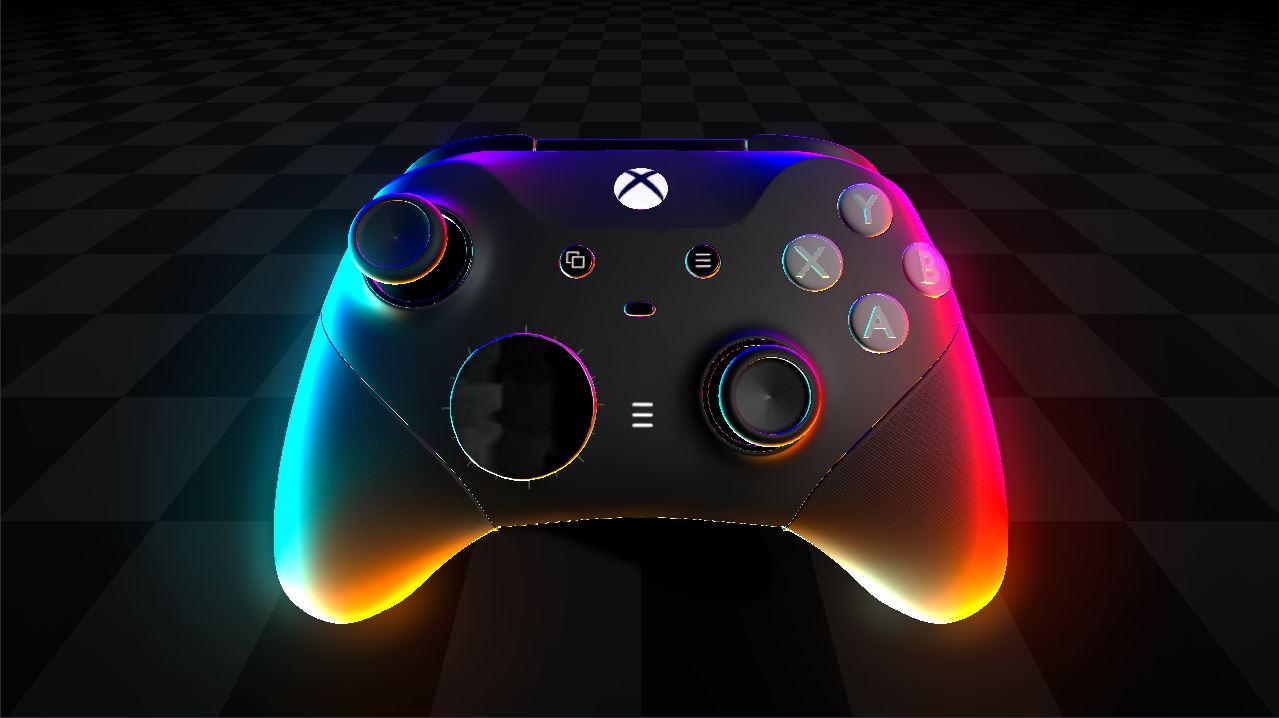
Colored Fresnel Shader

How to use:
1.Create Shader Material As an [material_overlay] not [material_override].
2.Pass the Shader code into it in the shader editor.
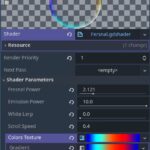
3.In Shader Parameters set [Color Texture] to a new GradiantTexture1D.
4.Play with the colors as you want.
Extra:
for a better looking effect make sure that the color on the far right of your gradiant is the same as the one on the far left , a loop like effect.
Enjoy!
Shader code
shader_type spatial;
render_mode blend_mix;

uniform float fresnel_power : hint_range(0.1, 10.0) = 3.0;
uniform float emission_power : hint_range(0.1, 10.0) = 3.0;
uniform float white_lerp : hint_range(0.0, 0.5) = 0.2;
uniform float scroll_speed = 0.2;
uniform sampler2D colors_texture:filter_nearest;


void fragment() {
	float f = clamp(pow(1.0 - dot(NORMAL, VIEW), fresnel_power), 0.0, 1.0);
	ALPHA = f;
	float t = clamp(f * white_lerp, 0.0, 1.0);
	float angle = atan(NORMAL.y, NORMAL.x);
	float u = (angle / (2.0 * 3.14159)) + 0.5;
	vec2 new_uv = vec2(mod(u + TIME * scroll_speed,1.0), 0.0);
	vec3 color = texture(colors_texture,new_uv).rgb;
	ALBEDO = mix(vec3(0.0),color , f);
	EMISSION = mix(color * f, vec3(1.0), t) * emission_power;
}
Live Preview


Wow This Is Awsom! I Cant Wait To Try This On Keep Going
This is so fire holy shit. Thanks a million, this is an incredibly useful shader even beyond its intended use case