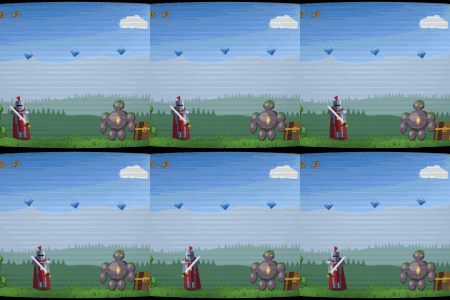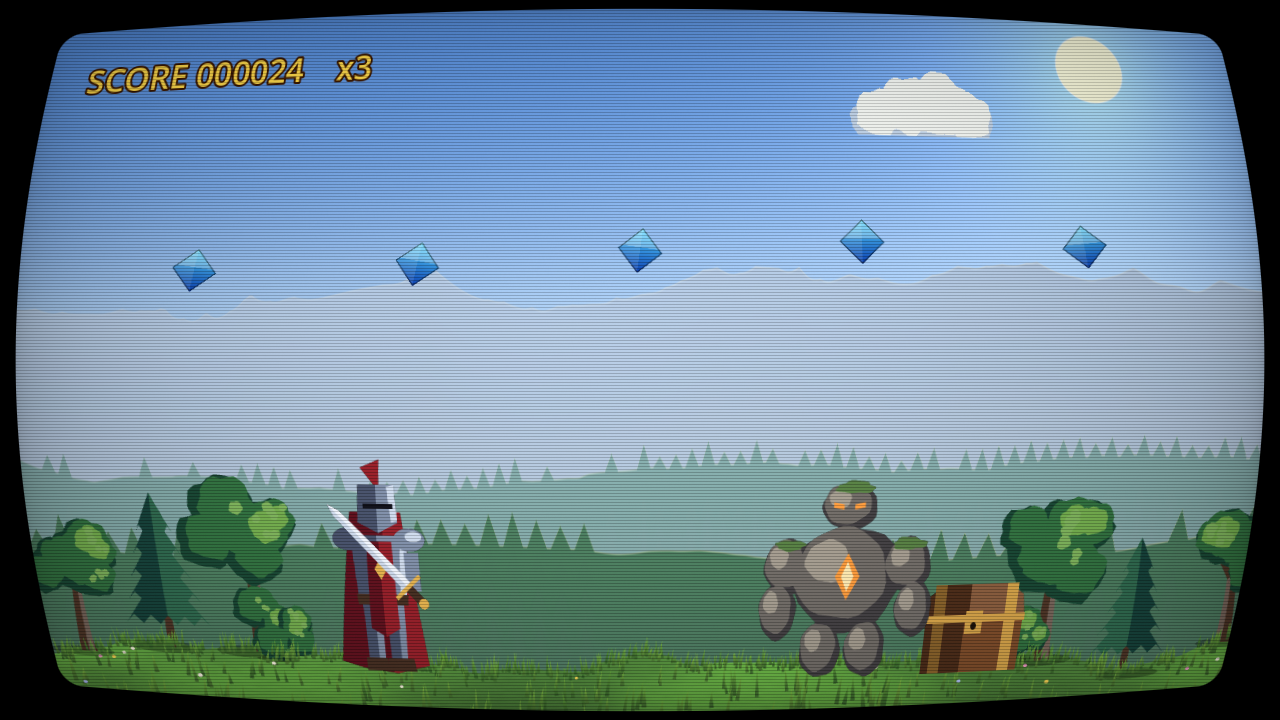
CRT Lite: scanlines, curved glass and vignette

A light CRT screen for the whole game: scanlines that stay even at any resolution, a curved glass with clean rounded corners, a vignette and an optional RGB mask.
How to use: add a CanvasLayer on top of your game, put a full-screen ColorRect in it (anchors: full rect, mouse filter: ignore) and give it this shader. Keep interface elements that must stay sharp on a higher layer.
Settings:
- curvature, corner_radius, border_color.
- scanlines, scanline_size (in screen pixels, so no moire).
- vignette, brightness.
- rgb_mask, mask_strength.
Works with the Compatibility renderer.
Free download with a demo project (MIT): https://dimensionalmios.itch.io/almios-free-crt-lite
Want more screens? Retro Display FX has ten: CRT with aberration and bloom, arcade monitor, composite video, VHS, Game Boy, limited palettes, LCD, glitch and a glowing terminal: https://dimensionalmios.itch.io/almios-retro-display-fx
Shader code
shader_type canvas_item;

// CRT Lite (free) by Dimension Almios, MIT licence.
// A light CRT look for the whole screen: curved glass with rounded corners,
// scanlines, vignette and an optional RGB mask. Put it on a ColorRect that covers
// the screen, inside a CanvasLayer drawn above your game (layer 100, for
// example): it reads what is already on screen. Anything on a higher layer (your
// interface, if you like) stays clean.

uniform sampler2D screen_tex : hint_screen_texture, filter_linear_mipmap;

uniform float curvature : hint_range(0.0, 0.3) = 0.1;       // 0 = flat screen
uniform float corner_radius : hint_range(0.0, 0.3) = 0.06;  // as a fraction of the screen height
uniform vec4 border_color : source_color = vec4(0.0, 0.0, 0.0, 1.0);
group_uniforms Scanlines;
uniform float scanlines : hint_range(0.0, 1.0) = 0.35;      // how dark the gaps between lines are
uniform float scanline_size : hint_range(2.0, 8.0) = 3.0;   // height of one line, in screen pixels
group_uniforms Look;
uniform float vignette : hint_range(0.0, 1.0) = 0.35;
uniform float brightness : hint_range(0.5, 2.0) = 1.1;      // makes up for the darker gaps
uniform bool rgb_mask = false;                               // red, green and blue stripes like a real tube
uniform float mask_strength : hint_range(0.0, 1.0) = 0.3;

float hash(vec2 p) {
	p = fract(p * vec2(0.1031, 0.1030));
	p += dot(p, p.yx + 33.33);
	return fract((p.x + p.y) * p.x);
}

void fragment() {
	vec4 node_tint = COLOR;
	vec2 screen_px = 1.0 / SCREEN_PIXEL_SIZE;
	float aspect = screen_px.x / screen_px.y;

	// barrel curvature: each axis bends by the square of the other, so the edges
	// bow inward and the corners fall off the glass
	vec2 cc = SCREEN_UV * 2.0 - 1.0;
	vec2 bent = cc + cc * cc.yx * cc.yx * curvature;
	bent *= 1.0 + curvature * 0.25;   // a little overscan: a thin frame shows all round
	vec2 uv = bent * 0.5 + 0.5;

	// the glass: a rounded rectangle, anti-aliased by its own screen-space slope
	vec2 half_size = vec2(aspect, 1.0);
	vec2 p = bent * half_size;
	float rad = corner_radius;
	vec2 q = abs(p) - (half_size - rad);
	float d = length(max(q, 0.0)) + min(max(q.x, q.y), 0.0) - rad;
	float inside = clamp(0.5 - d / max(fwidth(d), 1e-5), 0.0, 1.0);

	vec3 col = textureLod(screen_tex, clamp(uv, 0.0, 1.0), 0.0).rgb;

	// scanlines are laid on the screen's own pixel rows: every line has the same
	// height and a soft cosine profile, so they never beat into moire bands
	float line = FRAGCOORD.y / scanline_size;
	float s = 0.5 + 0.5 * cos(line * 6.2832);
	// bright pixels bloom across the gap, like a real beam
	float lum = dot(col, vec3(0.3, 0.59, 0.11));
	col *= mix(1.0, mix(1.0 - scanlines, 1.0, s), 1.0 - lum * 0.4);

	if (rgb_mask) {
		float k = mod(floor(FRAGCOORD.x), 3.0);
		vec3 m = k < 1.0 ? vec3(1.0, 0.7, 0.7) : (k < 2.0 ? vec3(0.7, 1.0, 0.7) : vec3(0.7, 0.7, 1.0));
		col *= mix(vec3(1.0), m * 1.18, mask_strength);
	}

	vec2 v = uv * (1.0 - uv);
	col *= mix(1.0, pow(clamp(v.x * v.y * 16.0, 0.0, 1.0), 0.3), vignette);
	col *= brightness;
	col += (hash(FRAGCOORD.xy) - 0.5) / 255.0;                 // dither: no banding in the vignette

	COLOR = vec4(mix(border_color.rgb, col, inside), 1.0);
	COLOR *= node_tint;
}
Live Preview