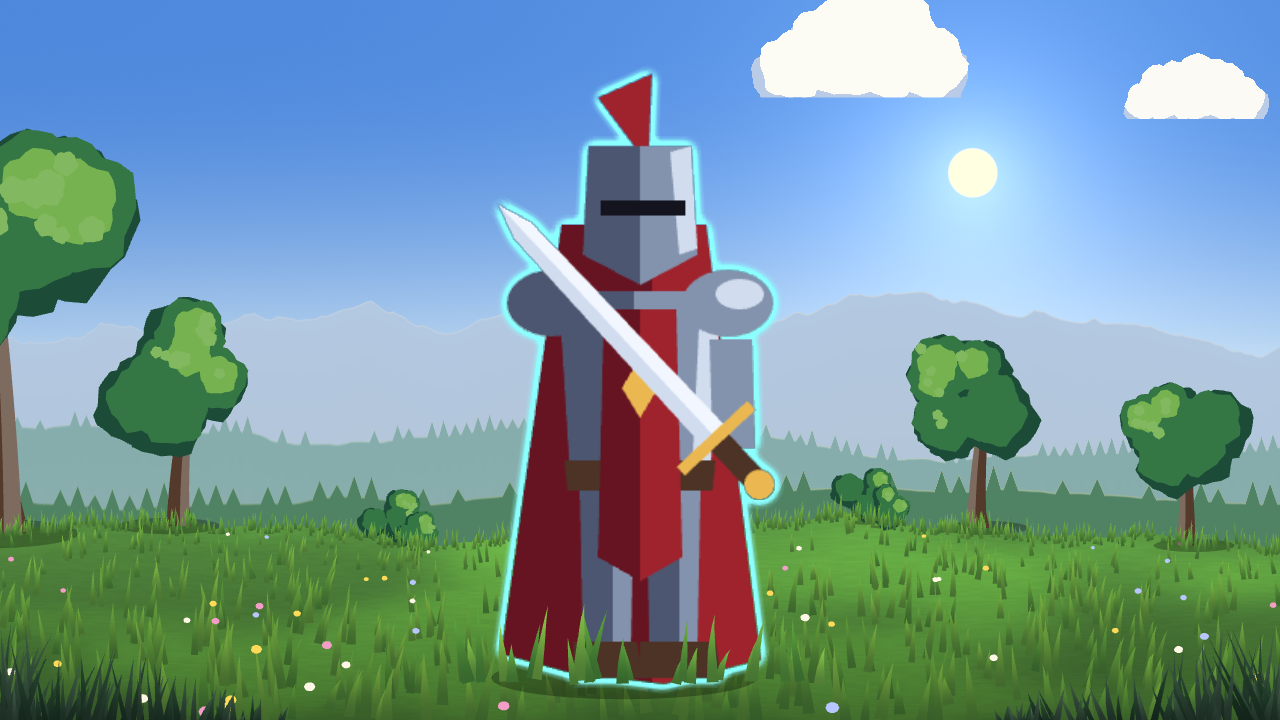
Smooth anti-aliased sprite outline

A clean border around the sprite silhouette, anti-aliased at any zoom, with an optional soft falloff.
How to use: put the shader on a Sprite2D (or any CanvasItem). Give the texture a few pixels of transparent padding so the outline has room.
Settings:
- outline_color, outline_width (0-8, in texture pixels).
- softness (0-1): 0 gives a hard edge, higher a gentler falloff.
Works with the Compatibility renderer and respects the node modulate.
This shader is part of the free 2D FX Essentials pack (9 sprite shaders with a demo scene): https://dimensionalmios.itch.io/almios-2d-fx-essentials
Shader code
shader_type canvas_item;

// Smooth sprite outline for any Sprite2D or TextureRect. The texture needs a little
// transparent padding for the outline to fit. A full ring of directions (not just
// 8) keeps the outline round and anti-aliased instead of blocky.
group_uniforms Outline;
uniform vec4 outline_color : source_color = vec4(1.0, 1.0, 1.0, 1.0);
uniform float outline_width : hint_range(0.0, 8.0) = 2.0;
uniform float softness : hint_range(0.0, 1.0) = 0.55;

// Past the texture border counts as empty, so on a sprite without padding the
// ring never wraps the opposite edge back into the outline.
float samp_a(sampler2D tex, vec2 uv) {
	if (uv.x < 0.0 || uv.x > 1.0 || uv.y < 0.0 || uv.y > 1.0) { return 0.0; }
	return texture(tex, uv).a;
}

varying vec4 vertex_tint;   // modulate and self_modulate, applied at the end

void vertex() {
	vertex_tint = COLOR;
}

void fragment() {
	vec4 col = texture(TEXTURE, UV);
	vec2 ps = TEXTURE_PIXEL_SIZE * outline_width;
	// coverage over 16 directions at two radii: a round dilation that keeps the
	// sprite's own anti-aliasing. The direction turns by a fixed step (TAU / 16)
	// instead of a sine and cosine per sample.
	const int N = 16;
	const vec2 STEP = vec2(0.92387953, 0.38268343);   // cos and sin of TAU / 16
	vec2 dir = vec2(1.0, 0.0);
	float acc = 0.0;
	for (int i = 0; i < N; i++) {
		acc += samp_a(TEXTURE, UV + dir * ps);
		acc += samp_a(TEXTURE, UV + dir * ps * 0.6);
		dir = vec2(dir.x * STEP.x - dir.y * STEP.y, dir.x * STEP.y + dir.y * STEP.x);
	}
	acc /= float(N * 2);
	float edge = smoothstep(0.0, clamp(softness, 0.02, 1.0), acc);
	float outline = edge * (1.0 - col.a);
	vec3 rgb = mix(outline_color.rgb, col.rgb, col.a);
	COLOR = vec4(rgb, max(col.a, outline * outline_color.a));
	COLOR *= vertex_tint;
}
Live Preview