
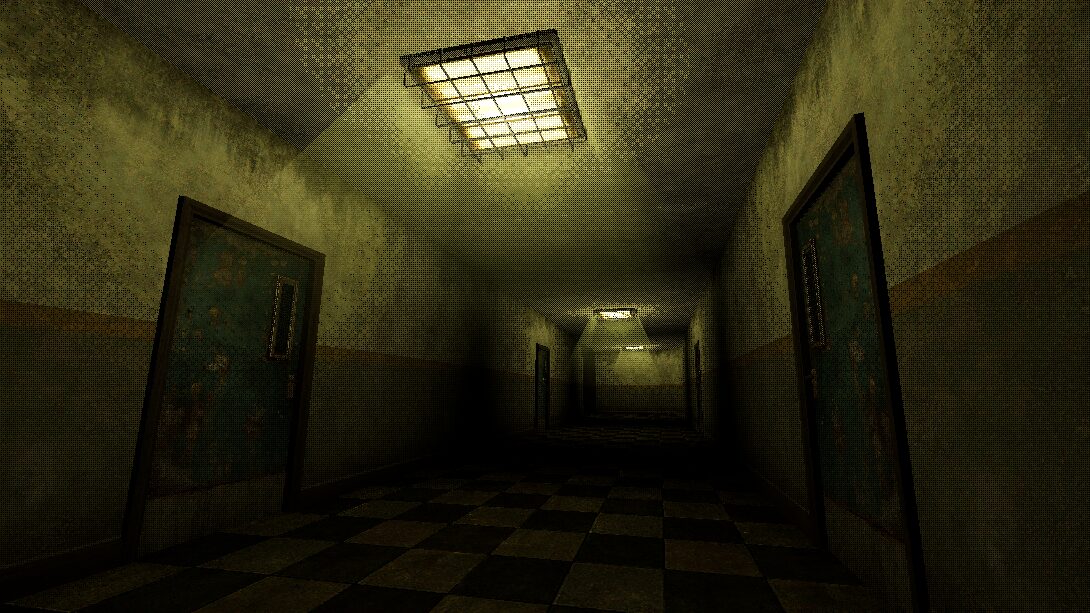
Dithered Light Shader

This will override how light affects your meshes, just apply it to any MeshInstance3D with a light in the scene and you can see it in effect.
- Get any dither texture
- upload the dither texture in your shader globals
- set shader scale/strength/levels
- apply to mesh
Shader code
global uniform sampler2D dither_texture: filter_nearest;
global uniform float dither_scale;
global uniform float dither_strength;
global uniform float dither_levels;

void light() {
    float light = (dot(NORMAL, LIGHT) + 1.0) * 0.5;
    vec2 ts = vec2(textureSize(dither_texture, 0)) * dither_scale;
    vec2 uv = mod(FRAGCOORD.xy, ts) / ts;
    light += (texture(dither_texture, uv).r) * dither_strength;
    light = floor(light * dither_levels) / dither_levels;

    DIFFUSE_LIGHT += (light * LIGHT_COLOR) * ATTENUATION;

}
Live Preview


Hey I know this one :3
Love me some dithers