
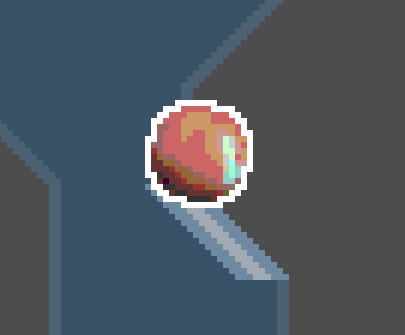
Efficient 2D Pixel Outlines

2D pixel outline shader without “if” statements, since branching code is wildly inefficient on GPUs (as I understand it)
Adjustable thickness, supports transparent outline colors
Use the “type” uniform to switch between outline types — 1 for 4-way/”round”, 2 for 8-way/”square” (default), 0 to disable
update, may 25 2025: fixed the mix() factor reaching negative values and counter-blending, expanded “type” to include 0 for easy toggling at runtime
update, jun 13 2025: simplified mix() factor math
update, jan 1 2026: changes “type” uniform to an enum, per MakingGames101’s suggestion in the comments
Shader code
shader_type canvas_item;

uniform vec4 clr : source_color = vec4(0.0, 0.0, 0.0, 1.0);
uniform int type : hint_enum("Disable", "Round", "Square") = 2;
uniform float thickness = 1.0;

const vec2[8] DIRECTIONS = {
	vec2(1.0, 0.0),
	vec2(0.0, 1.0),
	vec2(-1.0, 0.0),
	vec2(0.0, -1.0),
	vec2(1.0, 1.0),
	vec2(-1.0, 1.0),
	vec2(-1.0, -1.0),
	vec2(1.0, -1.0)
};

float gtz(float input) { return max(0, sign(input)); }
// returns 1 if input > 0, else 0

float check(sampler2D tex, vec2 from, vec2 size) {
	float result = 0.0;
	for (int i = 0; i < 4 * type; i++) {
		result += texture(tex, from + DIRECTIONS[i] * size * thickness).a;
	}
	return gtz(result);
}

void fragment() {
	COLOR = mix( COLOR, clr, check(TEXTURE, UV, TEXTURE_PIXEL_SIZE) * (1.0 - gtz(COLOR.a)) );
}

i made an account just to thank you for making this. it solves the issue every similar shader has had for years. the one where pixels without cardinal neighbors would be discolored. it had been following me between engines. it seems my soul can finally rest knowing there exists a solution.
tysm!!! <3
that actually DID exist in the first version, i hadn’t tested it on a sprite with super-thin segments LMAO. that’s the first part of the may 25 patchnote
Thanks for this. I think it’s better than the solution I had here, but I have a question, how would one solve the issue where the the outline would have to be drawn “outside” the UV, for example a case where the image goes until the edge? Would I always have to leave margins on the UVs for that? or something else I’m missing?
i just leave margins personally, not familiar w/any solutions for drawing outside of UVs ( but i ain’t an expert )
the only thing i can think of is drawing to a ViewportTexture and applying the outline shader there, but that’s usually used for downscaled / tweened art, or flattened 3d
It works great, only problem I had is the ends of a sprite not outlining, if a sprite is 32×32 for example, and any part of the sprite is touching that 32 it does not outline it.
Thanks for the shader. May I suggest to change the type variable to an enum.
uniform int type : hint_enum("Disable", "Round", "Square") = 2;This way it looks better in the inspector.
oh wow, wasnt aware that enums were available for shaders LMAO
tyvm, added the change
Does this support tilemaps? (TileMapLayer)
I made a modification where you can select between outline and inline, but this modification does not outline a pixel if it is surrounded by pixels that are not fully transparent.
shader_type canvas_item;

uniform vec4 clr : source_color = vec4(0.0, 0.0, 0.0, 1.0);
uniform int type : hint_enum("Disable", "Round", "Square") = 2;
uniform int stroke_type : hint_enum("Outline", "Inline") = 0;
uniform float thickness = 1.0;

const vec2[8] DIRECTIONS = {
    vec2(1.0, 0.0),
    vec2(0.0, 1.0),
    vec2(-1.0, 0.0),
    vec2(0.0, -1.0),
    vec2(1.0, 1.0),
    vec2(-1.0, 1.0),
    vec2(-1.0, -1.0),
    vec2(1.0, -1.0)
};

float gtz(float input) { return max(0, sign(input)); }
// returns 1 if input > 0, else 0

float check(sampler2D tex, vec2 from, vec2 size) {
    float result = 0.0;
    float reverse = 1.0;
    float adj_a;
    for (int i = 0; i < 4 * type; i++) {
        adj_a = texture(tex, from + DIRECTIONS[i] * size * thickness).a;
        result += adj_a;
        reverse *= gtz(adj_a);
    }
    return gtz(result * abs((1.0 - reverse)));
}

void fragment() {
    COLOR = mix( COLOR, clr, check(TEXTURE, UV, TEXTURE_PIXEL_SIZE) * abs((1.0 - float(stroke_type)) - gtz(COLOR.a)) );
}