
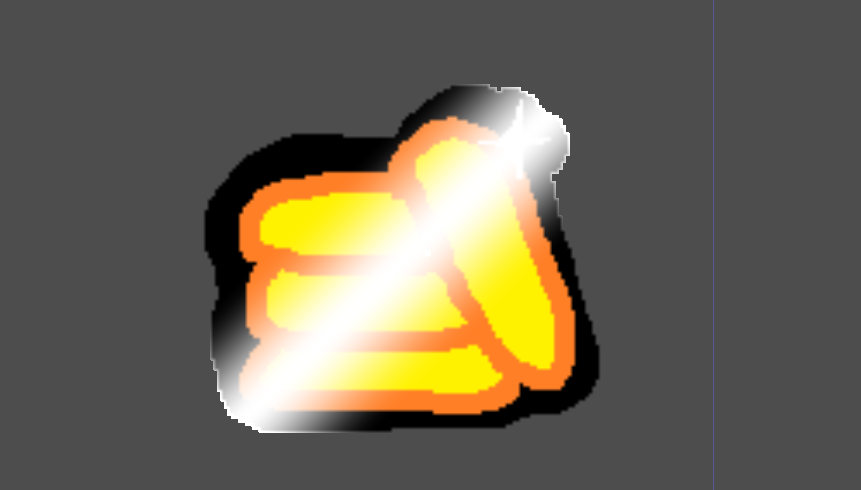
Highlight Shader (Good version)

( I SPEAK SPANISH )
Hello! I tested this shader: Highlight CanvasItem
But this don’t worked for me, and i try to make a new shader for this,
For use this shader, the unique thing you need to do is have you sprite
[SPRITE with texture “texture.png” or any]
Go to Material (in you sprite) > material > New Shader material > Shader; and paste the shader
You can modify the width, height, velocity of the shader, and more.
If the shader doesn’t fully reach the end, all you need to do is adjust the offset (e.g., uniform float offset = 5.0;) on line 19. Adjust it to an appropriate value
PLEASE, ACCESS TO MY WEB PAGE
//////////////////////////////////////////////////////////////
Para usar este shader, lo único que necesitas hacer es tener tu sprite:
[SPRITE con la textura “texture.png” o cualquier otra]
Ve a Material (en tu sprite) > material > Nuevo material Shader > Shader; y pega el shader.
Puedes modificar el ancho, la altura, la velocidad del shader y más.
Si el shader no llega completamente al final, lo único que tienes que hacer es ajustar el offset (por ejemplo, uniform float offset = 5.0;) en la línea 19. Ajustalo a un valor apropiado.
¡Gracias latinos y a todos! Visiten mi sitio.
Shader code
shader_type canvas_item;
render_mode blend_premul_alpha;

// EVERTHING ARE MAKED IN SPANISH, IF
// YOU WANT YOU CAN TRANSLATE IT, BUT
// KEEP EVERTHING

// CREATED BY oLe Studios (Oficial Material)
// 2024 7/11/2024
// Please give credit for oLe Studios

uniform float speed : hint_range(0.0, 5.0) = 1.0; // Velocidad de movimiento de la línea
uniform float line_width : hint_range(0.0, 0.2) = 0.15; // Ancho de la línea de brillo
uniform vec4 line_color : hint_color = vec4(1.0, 1.0, 1.0, 1.0); // Color de la línea de brillo
uniform float pause_duration : hint_range(0.0, 2.0) = 0.15; // Duración de la pausa al final del recorrido
uniform float offset = 2.0;

void fragment() {
    // Configuración del tiempo con pausa al final del recorrido
    float cycle_duration = offset + pause_duration; // Duración total del ciclo
    float adjusted_time = mod(TIME * speed, cycle_duration);

    // Movimiento de la línea con pausa (invertido, de derecha a izquierda)
    float line_position;
    if (adjusted_time <= offset) {
        line_position = offset - adjusted_time; // Movimiento de la línea hacia la izquierda (invertido)
    } else {
        line_position = -0.3; // Pausa
    }

    // Rotación diagonal de la línea
    vec2 rotated_uv = vec2(UV.x + UV.y, UV.y - UV.x) * 0.5;
    float dist = abs(rotated_uv.x - line_position);

    // Control de ancho y suavidad de la línea
    float line_intensity = smoothstep(line_width, 0.0, dist);

    // Máscara de alfa del `Sprite` para limitar el área de la línea solo a los píxeles opacos
    vec4 base_texture = texture(TEXTURE, UV); // Color base del `Sprite`
    float alpha_mask = step(0.01, base_texture.a); // Máscara de alfa (evita completamente los píxeles transparentes)

    // Aplicar el color de la línea solo a los píxeles opacos
    vec3 final_color = mix(base_texture.rgb, line_color.rgb, line_intensity * alpha_mask);

    // Combinar la transparencia del sprite original y la intensidad de la línea
    COLOR = vec4(final_color, base_texture.a * alpha_mask);
}
Live Preview

Ohhh, so nice, thank u i really need it!!!!!!
No hay de que!!!
Hola buenas!
Hoy he empezado a aprender el tema de shaders y me ha gustado tu post!
Un par de cosas/dudas a comentar:
En la linea 14 hint_color da error, como que no reconoce/ no existe ese tipo de dato.En la line_color ya que estas usando un vector4 para crearlo es una pena no usar el alpha. si la linea 43 la modificas asivec3 final_color = mix(base_texture.rgb, line_color.rgb, line_intensity * alpha_mask*line_color.a); Se consigue que el brillo pueda estar mas suavizado, cierto?
Podemos meter fácilmente una variable de control de giro no? Con meter una variable para el ángulo y que sea la que determine el giro valdría.Muchas gracias por las molestias de subir shaders!
Un saludo
¡Ah! pero mirá vos, tenés razón, aunque lo que no entiendo es por qué no te funcionó… Ah, creo que es posible que usaste la versión 4 de godot, este shader es para la versión 3.5, disculpá la confusión. En cuanto a lo que decís, tal vez no te funcionó ya que en godot 4 cambia mucho el GDScript y los shaders. Salu2 mi camarada!!!.
Hi!
Using this shader will invalidate the transparent part of my sprite.(godot v3.5.2)
so i changed last line
to
Thank you! This is the only highlight shader that actually works (using Godot 4.4).
Is there a way to change the rotation of the line?
Hi! Thanks for this shader, tested in Godot 4.5 and It has few issues:
This is my fixed version with a bonus – it automatically “pixelate” the line to match the texture pixels (if you render pixel art it’s important)
shader_type canvas_item;
uniform float speed : hint_range(0.0, 5.0) = 1.0;
uniform float line_width : hint_range(0.0, 0.2) = 0.15;
uniform vec4 line_color : source_color = vec4(1.0, 1.0, 1.0, 1.0);
uniform float pause_duration : hint_range(0.0, 2.0) = 0.15;
uniform float offset = 2.0;
uniform int pixelate_line : hint_range(0, 1) = 1;
void fragment() {
vec4 base_texture = texture(TEXTURE, UV);
// Skip fully transparent pixels
if (base_texture.a < 0.01) {
discard;
}
// Cycle timing with pause at end
float cycle_duration = offset + pause_duration;
float adjusted_time = mod(TIME * speed, cycle_duration);
// Line movement with pause (right to left)
float line_position;
if (adjusted_time <= offset) {
line_position = offset – adjusted_time;
} else {
line_position = -0.3;
}
// Use UV directly for diagonal calculation
vec2 uv_for_line = UV;
// Pixelate the line position calculation (not the texture sampling)
if (pixelate_line == 1) {
vec2 texture_size = 1.0 / TEXTURE_PIXEL_SIZE;
uv_for_line = floor(UV * texture_size) / texture_size;
}
// Diagonal line rotation
vec2 rotated_uv = vec2(uv_for_line.x + uv_for_line.y, uv_for_line.y – uv_for_line.x) * 0.5;
float dist = abs(rotated_uv.x – line_position);
// Line width and smoothness
float line_intensity = smoothstep(line_width, 0.0, dist);
// Mix base texture with line color (respecting line_color alpha)
vec3 final_color = mix(base_texture.rgb, line_color.rgb, line_intensity * line_color.a);
// Preserve original alpha
COLOR = vec4(final_color, base_texture.a);
}
Uploaded it here https://godotshaders.com/shader/highlight-shader-godot-4-5-compat/