
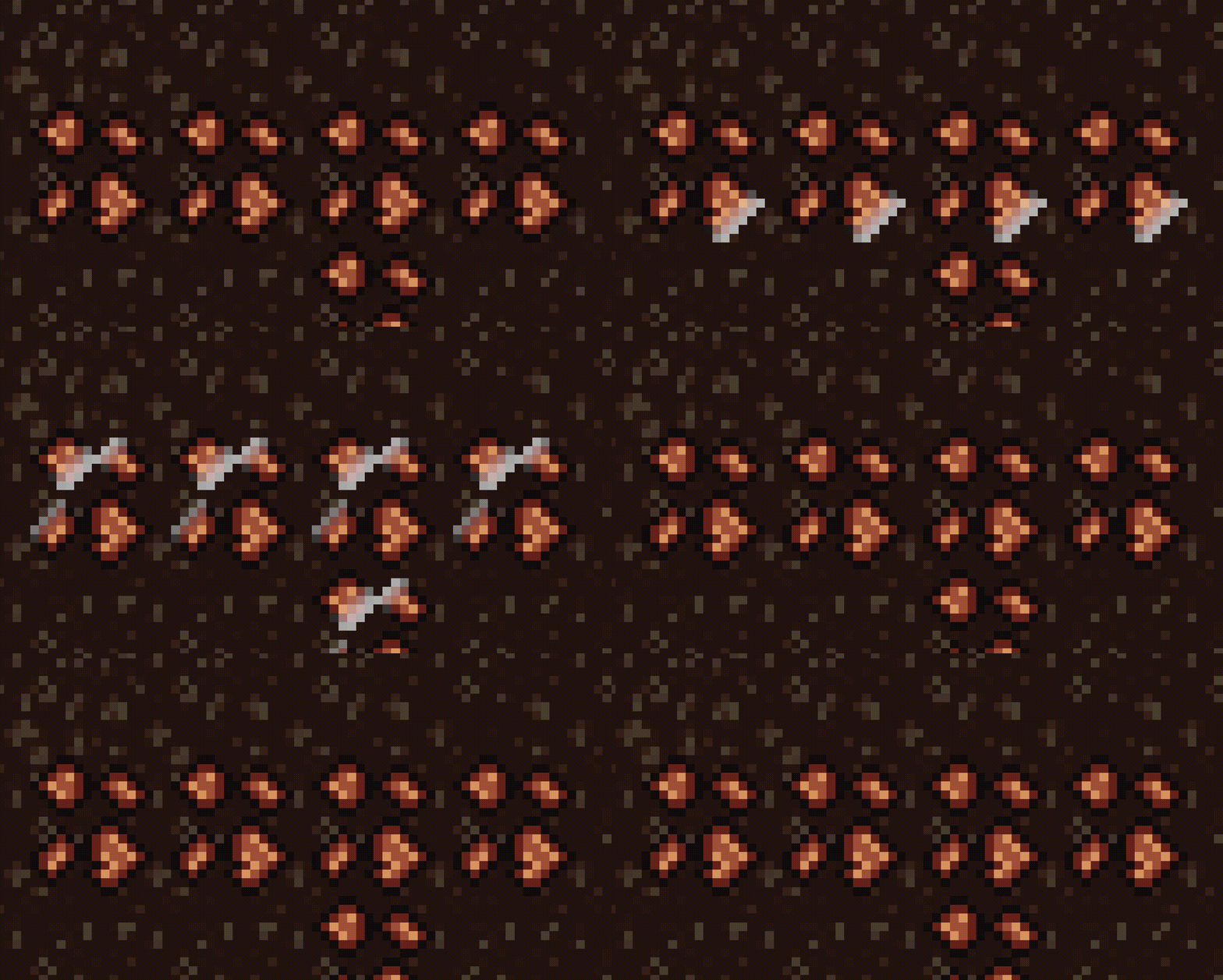
Highlight Shader (Godot 4.5 compat)

This is a fixed and working version of this shader: Highlight Shader (Good version) – Godot Shaders
What’s fixed:
– hint_color -> source_color
– line color now use alpha channel correctly
Bonus:
Automatically pixelate line to match the texture pixel size (It’s important to pixel art effect).
Pixellation can be turn on/off with pixelate_line uniform (0 – disable, 1 – enable)
Shader code
shader_type canvas_item;

uniform float speed : hint_range(0.0, 5.0) = 1.0;
uniform float line_width : hint_range(0.0, 0.2) = 0.15;
uniform vec4 line_color : source_color = vec4(1.0, 1.0, 1.0, 1.0);
uniform float pause_duration : hint_range(0.0, 2.0) = 0.15;
uniform float offset = 2.0;
uniform int pixelate_line : hint_range(0, 1) = 1;

void fragment() {
    vec4 base_texture = texture(TEXTURE, UV);

    // Skip fully transparent pixels
    if (base_texture.a < 0.01) {
        discard;
    }

    // Cycle timing with pause at end
    float cycle_duration = offset + pause_duration;
    float adjusted_time = mod(TIME * speed, cycle_duration);

    // Line movement with pause (right to left)
    float line_position;
    if (adjusted_time <= offset) {
        line_position = offset - adjusted_time;
    } else {
        line_position = -0.3;
    }

    // Use UV directly for diagonal calculation
    vec2 uv_for_line = UV;

    // Pixelate the line position calculation (not the texture sampling)
    if (pixelate_line == 1) {
        vec2 texture_size = 1.0 / TEXTURE_PIXEL_SIZE;
        uv_for_line = floor(UV * texture_size) / texture_size;
    }

    // Diagonal line rotation
    vec2 rotated_uv = vec2(uv_for_line.x + uv_for_line.y, uv_for_line.y - uv_for_line.x) * 0.5;
    float dist = abs(rotated_uv.x - line_position);

    // Line width and smoothness
    float line_intensity = smoothstep(line_width, 0.0, dist);

    // Mix base texture with line color (respecting line_color alpha)
    vec3 final_color = mix(base_texture.rgb, line_color.rgb, line_intensity * line_color.a);

    // Preserve original alpha
    COLOR = vec4(final_color, base_texture.a);
}