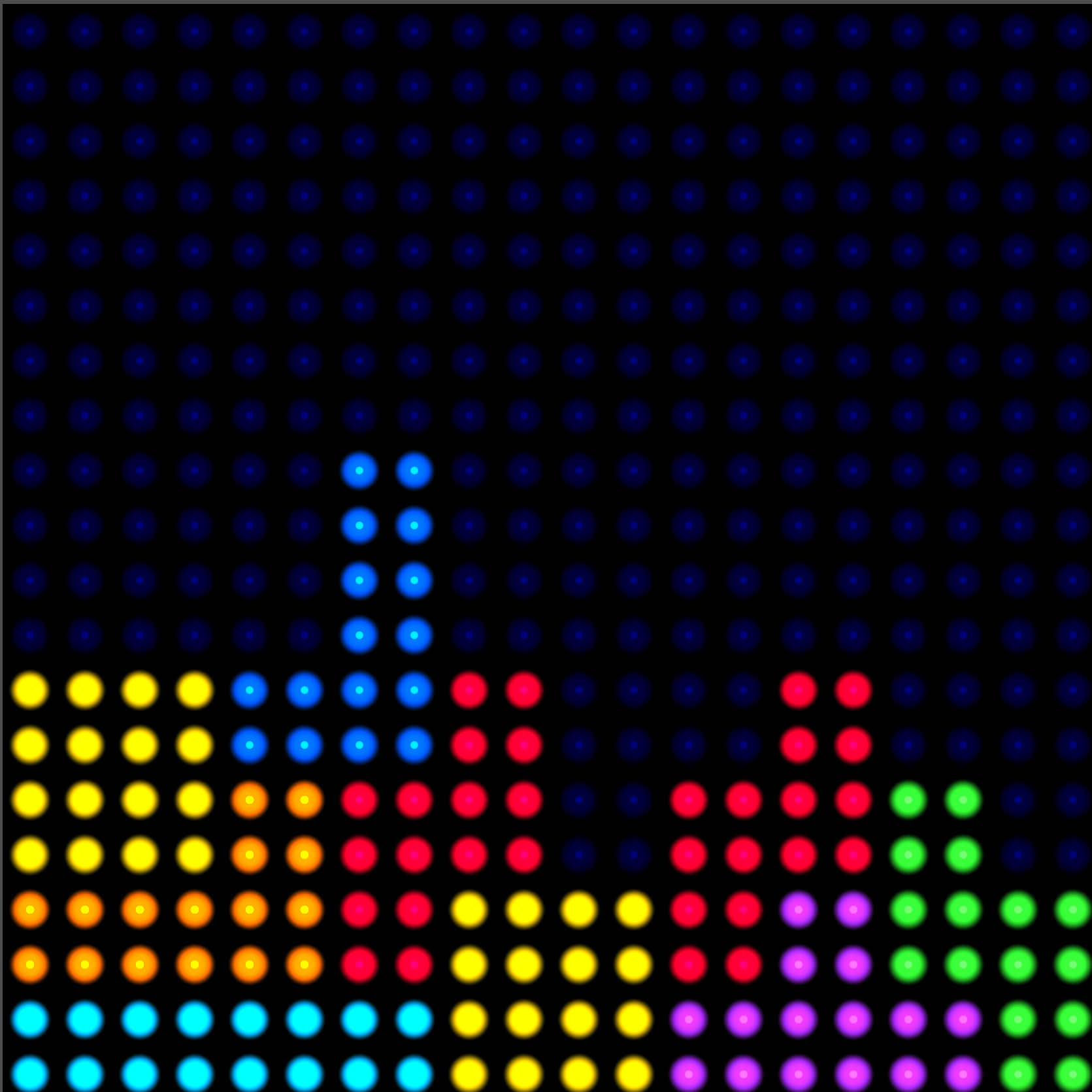
LED Grid Overlay Shader (Adjustable Aspect Ratio) v.2.0

LED Grid Overlay Shader (v2.0 – Retro FX Update)
This canvas_item shader, created for Godot 4.x, transforms your screen content into a highly convincing, customizable LED display. It samples colors from the underlying scene and renders them as bright, circular LEDs on a dark background, making it perfect for retro arcade cabinets, low-resolution screens, or sci-fi UI elements.
🌟 Key Features
-
Adjustable Aspect Ratio: Control the X and Y resolution independently (
grid_columnsandgrid_rows). This allows for non-square grid cells (like widescreen low-res effects) while guaranteeing the LEDs themselves are always perfectly circular. -
Authentic Screen Sampling: Uses the
SCREEN_TEXTUREfor accurate and reliable sampling of the game content underneath the overlay. -
Adaptive Glow: The glow intensity now dynamically adjusts based on the sampled color’s brightness, giving brighter LEDs a more noticeable bloom.
✨ New in v2.0: Retro Effects & Animation
⚙️ Usage & Parameters
Usage: Apply this shader to a ColorRect or Control node that is positioned above your game content.
Feel free to use, improve, and change this shader according to your needs, and consider sharing your modifications on godotshaders.com!
Shader code
// LED Grid Overlay Shader (v2.0)
// Created for Godot 4.x
//
// Creates a highly customizable LED display effect by sampling colors from the
// underlying scene content and rendering them as bright circular LEDs on a dark
// background.
// Perfect for retro arcade cabinet effects, sci-fi UI elements, or low-res display simulation.
//
// Key Feature: Independent X/Y resolution for non-square grid cells while maintaining circular LEDs.
//
// Usage:
// - Apply to a ColorRect or Control node positioned above your game content.
// - Ensure the parent viewport has 'Disable RTT' turned OFF and 'Screen Space AA' set to 'Disabled'
//   or 'FXAA' for best results.
//
// ----------------------------------------------------------------------------------------------
// PARAMETERS:
//
// --- CORE GRID & LED ---
// - grid_columns/rows: Number of LED cells horizontally/vertically (8-256, default 32).
// - led_brightness: Brightness multiplier for LED colors (1.0-5.0, default 2.5).
// - led_radius: Size of each LED relative to its grid cell (0.1-0.8, default 0.4).
//
// --- GLOW & BACKGROUND ---
// - glow_size: Extra falloff for the glow effect (0.0-1.0, default 0.3).
// - glow_strength: Intensity of the glow effect (0.0-1.0, default 0.5). Glow is now adaptive to LED brightness.
// - background_color: Color of the dark areas between LEDs (default black).
// - background_opacity: Opacity of the background (0.0-1.0, default 0.9).
//
// --- RETRO FX ---
// - curvature: Adds a subtle lens/barrel distortion for a CRT-like curve (0.0=off, default 0.05).
// - color_quantization: Optional color posterization (0.0=off, 8-32 typical, default 0.0).
// - enable_dither: If quantization is on, adds a simple dither pattern to smooth color banding.
// - enable_flicker: Adds subtle, randomized, per-cell brightness flicker for an analog look.
//
// --- ANIMATION / GAMEPLAY ---
// - glow_pulse: Animates the overall intensity of the LEDs/glow (0.0=no pulse, 1.0=max pulse).
// ----------------------------------------------------------------------------------------------

shader_type canvas_item;

// --- Built-in needed for screen sampling ---
uniform sampler2D SCREEN_TEXTURE : hint_screen_texture; // MUST be added

// --- LED Grid Dimensions ---
uniform int grid_columns : hint_range(8, 256) = 32;
uniform int grid_rows	: hint_range(8, 256) = 32;

// --- LED Display Parameters ---
uniform float led_brightness : hint_range(1.0, 5.0) = 2.5;
uniform float led_radius : hint_range(0.1, 0.8) = 0.4;
uniform float glow_size  : hint_range(0.0, 1.0) = 0.3;
uniform float glow_strength : hint_range(0.0, 1.0) = 0.5;
uniform float color_quantization : hint_range(0.0, 32.0) = 0.0;

uniform vec3 background_color : source_color = vec3(0.0, 0.0, 0.0);
uniform float background_opacity : hint_range(0.0,1.0) = 0.9;

// --- Gameplay / animation / Retro FX ---
uniform float glow_pulse : hint_range(0.0,1.0) = 0.0;
uniform float curvature : hint_range(0.0,0.2) = 0.05;
uniform bool enable_dither = true;
uniform bool enable_flicker = true;

void fragment() {
     // --- 1. Optional curvature warp ---
     vec2 centered = UV * 2.0 - 1.0;
     vec2 warped_uv = UV + centered * dot(centered, centered) * curvature;

     // --- 2. Grid setup ---
     vec2 cell_count = vec2(float(grid_columns), float(grid_rows));
     vec2 cell_size = 1.0 / cell_count;

     // Quantize UV to find the cell's center
     vec2 grid_pos = floor(warped_uv / cell_size + 0.0001);
     vec2 cell_center = (grid_pos + 0.5) * cell_size;

     // --- 3. Sample base color from screen texture (modified to account for cell center) ---
     vec2 screen_uv_cell_center = SCREEN_UV + (cell_center - UV);
     vec4 sampled_color = texture(SCREEN_TEXTURE, screen_uv_cell_center);

     // --- 4. Color quantization and dithering ---
     if (color_quantization > 0.0) {
   if (enable_dither) {
    // Simple pseudo-random noise for dithering (from a fixed UV seed)
    vec2 noise = vec2(fract(sin(dot(UV.xy, vec2(12.9898,78.233)))*43758.5453));
    float dither = (noise.x + noise.y) * 0.5 / color_quantization;
    sampled_color.rgb = floor((sampled_color.rgb + dither) * color_quantization) / color_quantization;
   } else {
    sampled_color.rgb = round(sampled_color.rgb * color_quantization) / color_quantization;
   }
     }

     // --- 5. Per-cell flicker effect ---
     if (enable_flicker) {
   float flicker = 0.95 + 0.05 * sin(TIME * 6.283 + dot(grid_pos, vec2(13.37, 42.42)));
   sampled_color.rgb *= flicker;
     }

     // --- 6. Cell-local coordinates for circular LED rendering ---
     vec2 cell_uv = fract(warped_uv / cell_size) - 0.5;
     float cell_aspect = cell_size.x / cell_size.y;
     cell_uv.x /= cell_aspect; // Normalize X based on cell aspect ratio to ensure perfectly round LEDs

     float dist2 = dot(cell_uv, cell_uv);

     // --- 7. LED & Glow Falloff Calculation ---
     float r = led_radius * 0.5;
     float r_sq = r * r;
     float led_intensity = 1.0 - smoothstep(r_sq * 0.95, r_sq * 1.05, dist2);

     float glow_r = (led_radius + glow_size) * 0.5;
     float glow_r_sq = glow_r * glow_r;

     // Adaptive glow: Brighter colors get a stronger glow effect
     float lum = dot(sampled_color.rgb, vec3(0.299,0.587,0.114));
     float adaptive_glow = mix(0.2, 1.0, lum);

     float glow_intensity = (1.0 - smoothstep(r_sq, glow_r_sq, dist2)) * glow_strength * adaptive_glow;

     // Pulse multiplier for gameplay
     float pulse_multiplier = 1.0 + glow_pulse * 0.3;

     // --- 8. Final Color Mix ---
     float total_intensity = max(led_intensity, glow_intensity) * pulse_multiplier;

     vec3 brightened_color = sampled_color.rgb * led_brightness;
     vec3 final_color = mix(background_color, brightened_color, total_intensity);
     float final_alpha = mix(background_opacity, sampled_color.a, total_intensity);

     COLOR = vec4(final_color, final_alpha);
}
Live Preview