
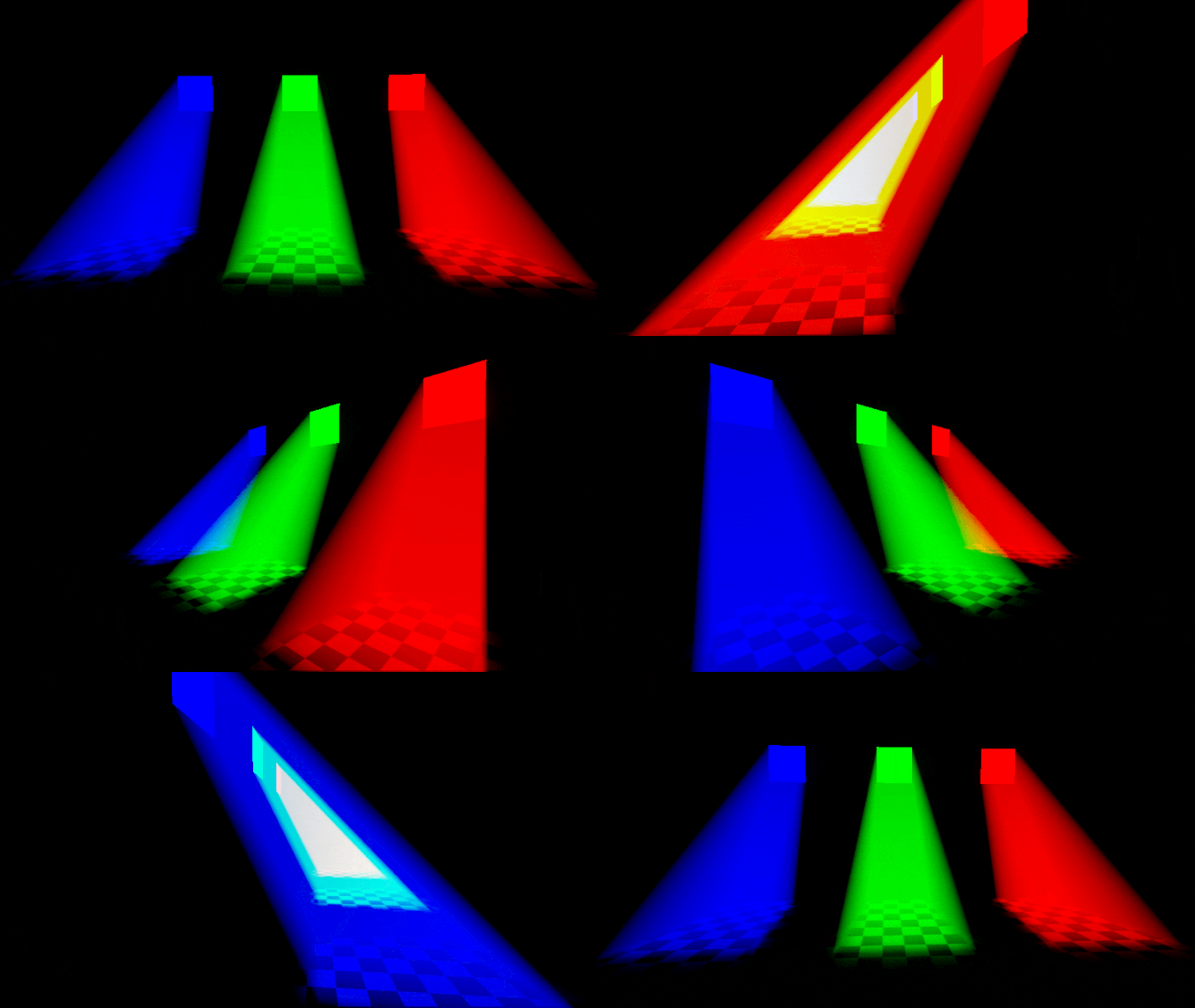
Additive Constant Volume

Simple method for increasing overdraw volumetric lighting effects, inspired by the logic behind stencil shadows:
Back face distance – front face distance = total distance through mesh
This works with any closed mesh, whether the camera is inside or outside.
The shader as given is mainly useful for retro/NPR visuals. For more advanced use cases you can take the same method and generate a separate accumulation buffer, then use that as input to a physically based transmission model.
Shader code
shader_type spatial;
render_mode unshaded, fog_disabled, blend_add, cull_disabled, depth_test_disabled;

uniform sampler2D depth_texture : hint_depth_texture;
uniform vec3 color : source_color = vec3(1.0, 0.0, 0.0);
uniform float density = 1.0;

void fragment() {
	// Distance to mesh surface
	float dist = length(VERTEX);

	// Distance to scene geometry
	vec3 scene_clip_pos = vec3(SCREEN_UV * 2.0 - 1.0, texture(depth_texture, SCREEN_UV).r);
	vec4 scene_view_pos = INV_PROJECTION_MATRIX * vec4(scene_clip_pos, 1.0);
	scene_view_pos.xyz /= scene_view_pos.w;
	float scene_dist = length(scene_view_pos.xyz);

	dist = min(dist, scene_dist);

	// Add density on back faces, subtract on front faces
	dist *= FRONT_FACING ? -1.0 : 1.0;

    ALBEDO = dist * color * density;
}
Live Preview
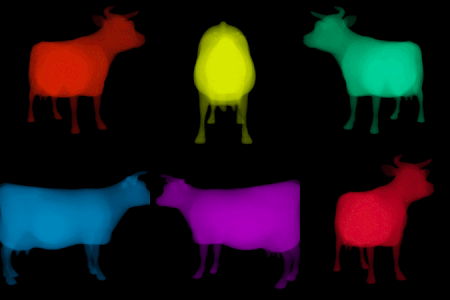
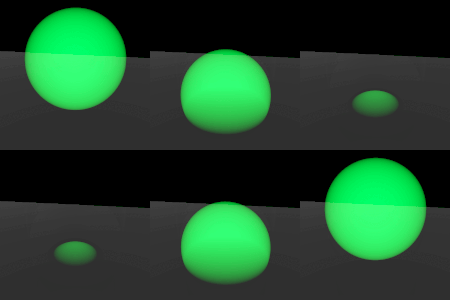
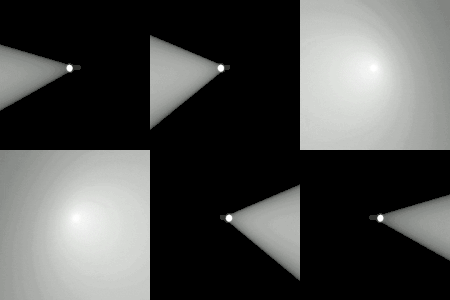

this looks SICK
Thanks, I really need to brush up on my integrals to make it support more effects lol
any idea how to make this work in compatibility? or why it doesn’t work?
to answer my own question, it has to do with the way OpenGL3 (the backend for the compatibility renderer) handles the NDC (scene_clip_pos in your shader). In Vulkan the range for these coordinates goes from 0 to 1 but in OpenGL3 it goes from -1 to 1.
The correct math then becomes:
Shader works mostly the same after that but volumetric effect is not as pronounced, probably due to limitations of the renderer.
All in all, took me a while to wrap my head around the code but congrats on the awesome shader!
And I hope this comment helps someone in the future!
Me coming back with a small shader preprocessor snippet that should fix compatibility for all renderers.
Just replace the one line with these.
me again, bearing some bad(?) news…
turns out using FRAGCOORD removes all need to play around with the depth texture.
simply switch:
for
and get the exact same results in just two lines!
good or bad? well certainly less fun..
yo its me again… sorry to be that person but something here is really fishy…
now im not really sure whats up ive been hitting my head against this for hours now but ive managed to replicate the exact same results with just this code
shader_type spatial;
render_mode unshaded, blend_add, cull_disabled;

uniform float density = 1.0;
uniform vec3 color : source_color = vec3(1.0, 0.0, 0.0);

void fragment() {
  // Distance from origin to fragment
  float origin_to_frag = length(VERTEX);

  // da clever bit
  float dist = FRONT_FACING
    ? -origin_to_frag
    : origin_to_frag;

  ALBEDO = dist * color * density;
}
seems all that worry about depth was sorta misguided i tried various values for the scene_dist, and all i managed to do was fade the object with distance, im afraid all of that contributes nothing to the look of the object.
what seems to be happening is an effect from having a negative and positive values of distance to origin interacting to create a volume
i still havent managed to get it working correctly in compatibility i suspect its because the VERTEX values are in view space, I tried converting them to world space (havent tried local yet) and it seemed to work more or less (altough its a much less pronounced effect) in compatibility, but created some weird effects in forward+, whenever the camera turned, making the vertex coordinates negative, it inverted the colors of the object!
well ill leave this shortened code here in case its helpful and keep trying to get it to work.
all of this probably also applies to the more advanced shader you made. I tested it out using FRAGCOORD instead of scene_view_pos, and it worked just as fine, leading me to believe that said variable is also not doing much, same as here
Ahh.. So I must own up to my mistakes! While the code above works fine, it only works as long as the mesh doesen’t intersect with any other geometry. So if that’s your case, go for it, otherwise it’s better to use the original code.
Well just in case, I took the liberty of cleaning it up a smidge.
shader_type spatial;
render_mode unshaded, blend_add, cull_disabled, depth_test_disabled;

// A cleaner version of tentabroby's Additive Constant Volume shader.
// Cleanup by tomi
// This one only works in Forward+

uniform vec3 color : source_color = vec3(1.0, 1.0, 1.0);
uniform sampler2D tex_depth : hint_depth_texture, filter_nearest, repeat_disable;

void fragment() {
    float depth = texture(tex_depth, SCREEN_UV).x;
    vec3 ndc = vec3(SCREEN_UV * 2.0 - 1.0, depth);
    vec4 view_position = INV_PROJECTION_MATRIX * vec4(ndc, 1.0);
    view_position.xyz /= view_position.w;

    // Distance from camera.
    float dist_depth = -view_position.z;

    // Distance from mesh origin.
    float dist_frag = -VERTEX.z;

    float dist = min(dist_frag, dist_depth);

    //da clever bit
    vec3 final = FRONT_FACING
    ? dist * -color
    : dist * color;

    ALBEDO = final;
}
I’ll keep trying to make it work in compatibility, but it seems to have issues with blending.
If I ever get it working I’ll be sure to post it!
Looks like I missed all your comments in the last week, I was busy with game jam stuff haha. The depth texture is indeed there to account for objects in the scene. As to problems with the Compatibility renderer: besides the difference in NDC coordinates you mentioned, Compatibility uses a lower precision frame buffer than Forward+ so the effect breaks down over a shorter distance. It’s honestly a very niche and hacky method, YMMV when it comes to stability.
Also you were right to take another look at the formatting, idk why I did it like that before lol. I’ve changed it to be more in line with the updated version (that one has an additional optimization courtesy of vilmt, but I want this one to be as easy to understand as possible).
Hey! Mind if I ask some questions?
Any reason for using
instead of
?
While I couldn’t find any mention of compatibility having a lower precision depth buffer in the docs,it seems that in general opengl has a 24bit depth buffer instead of the 32bit in vulkan.. But I think the real reason why it doesen’t work is that in vulkan and blend_add a color multiplied by a negative will show as the negative of that color, while in opengl it will just not show.
From what i understand this shader relies on the color values for front and back faces cancelling each other out, am I correct?
I can get the correct values for front and back faces in compatibility and blend_mix, but when I disable culling I get a lot of transparency sorting errors 🙁
Honestly it might be time to give it up I’ve been on this shader for way too long hehe
A point’s Z coordinate in view space will change drastically if the camera rotates, whereas its actual distance from the camera (AKA the length of its view space position) will not. Depending on your purposes, e.g. you’re on mobile or don’t expect the camera to move much, this can be an acceptable approximation.
I was talking about the frame buffer, not the depth buffer. You can read about it here in the docs (see sections on Mobile and Compatibility). This technique relies on front and back face colors “cancelling out” like you said, since we’re literally adding and subtracting colors we’re very much limited by frame buffer format and precision.
The docs also specify that Mobile and Compatibility use an unsigned format for their frame buffers. Comments in this thread suggest that OpenGL will clamp color writes outside the range of the target format, so that might explain why negative colors don’t work in Compatibility.
so does that mean the frame buffer doesen’t have enough precision to represent the negative numbers required?
I’ve noticed that if I am really close to the model, the volumetric effect is visible but as soon as I move away it disappears completely.There is a slight volumetric effect on the back faces and from very close, but not nearly as pronounced.
do you think I would have better luck adapting your other shader?
or is there another technique for volumetrics that you know?
The other shader won’t work either. The problem seems to be that Compatibility and Mobile use unsigned formats for their frame buffers, meaning they can’t represent negative numbers.
More common volumetric techniques either involve raymarching or use simple primitives with analytic density functions (see: sphere, box). Often it’s better just to fake it with particles, textures, or fog.
I managed to get it to work in compatibility with a 2 pass shader (one pass add one pass subtract) and also managed to do some raymarched volumes but those lack flexibility since you need a specific function for each primitive hmmm
The biggest issue I’m having now is figuring out the exit point for a ray on an arbitrary mesh, but I’m yet to try your technique for figuring out distance through the volume.
As a heads up, if you’re using fog you’ll need to add fog_disabled to the rendermode or you’ll get very strange results.
Otherwise, this really does look fantastic!
Thanks for catching that, fixed!