
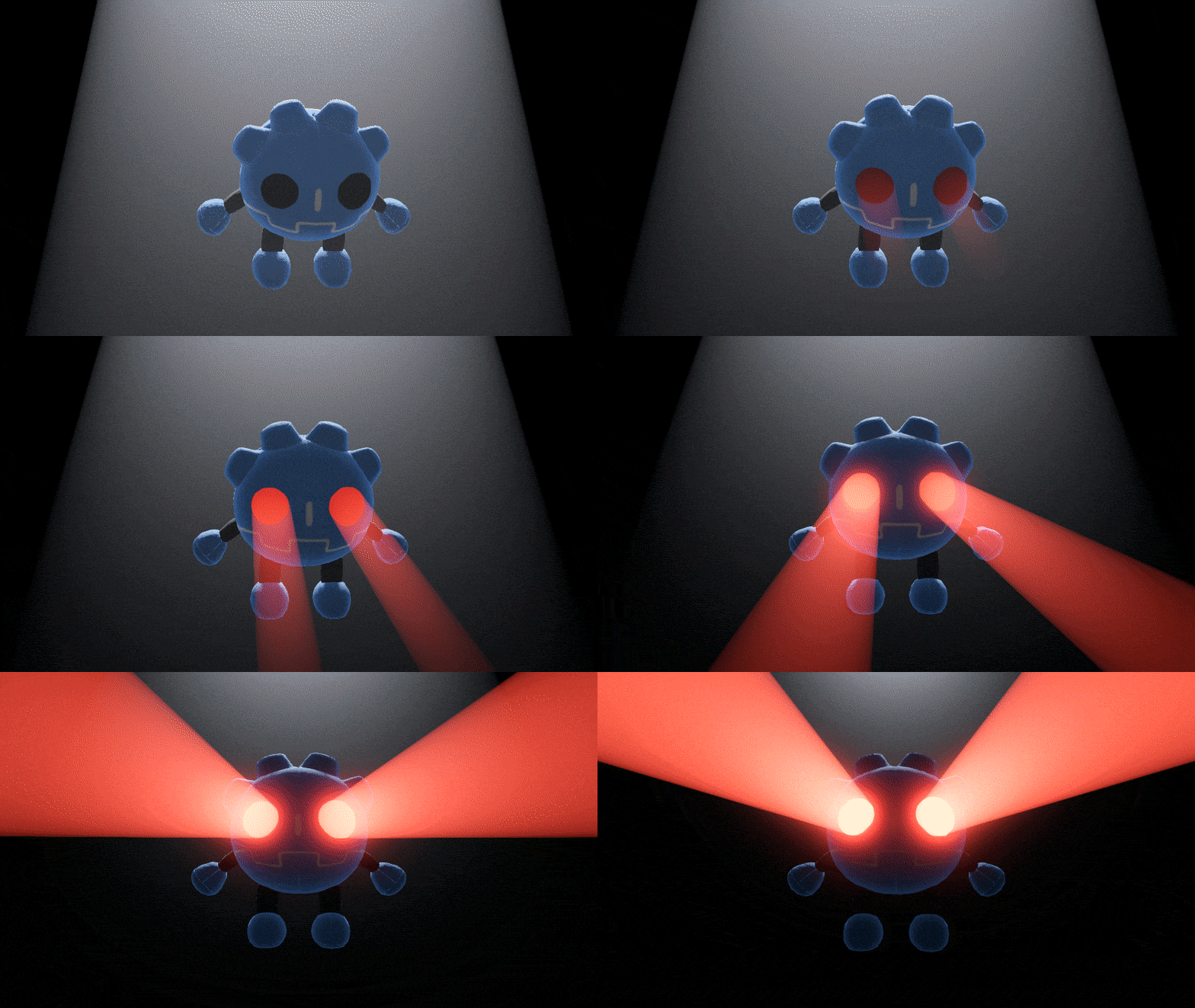
Additive Volume Integral

An updated version of my previous shader supporting arbitrary density functions.
Template
To use this shader, take the following template and replace the density function F with one of the functions listed below.
shader_type spatial;
render_mode unshaded, fog_disabled, blend_add, cull_disabled, depth_test_disabled;

uniform sampler2D depth_texture : hint_depth_texture;
uniform vec3 color : source_color = vec3(1.0);
uniform float intensity = 1.0;

// Antiderivative of density function, parameterized by distance t along ray
float F(vec3 o, vec3 d, float t) {
	...
}

// Line integral over ray
float ray_integral(vec3 o, vec3 d, float t) {
	return F(o, d, t) - F(o, d, 0.0);
}

varying mat4 inv_modelview_matrix;

void vertex() {
	inv_modelview_matrix = inverse(MODELVIEW_MATRIX);
}

void fragment() {
	// Ray origin and direction in model space
	vec3 o = inv_modelview_matrix[3].xyz;
	vec3 d = (inv_modelview_matrix * vec4(-VIEW, 0.0)).xyz;

	// Sample depth buffer
	vec3 scene_clip_pos = vec3(SCREEN_UV * 2.0 - 1.0, texture(depth_texture, SCREEN_UV).r);
	vec4 scene_view_pos = INV_PROJECTION_MATRIX * vec4(scene_clip_pos, 1.0);
	scene_view_pos.xyz /= scene_view_pos.w;

	// If ray hit scene geometry use distance from depth buffer, otherwise use distance to surface
	float t = sqrt(min(dot(scene_view_pos.xyz, scene_view_pos.xyz), dot(VERTEX, VERTEX)));

	float integral = ray_integral(o, d, t);

	// Add density on back faces, subtract front faces
	integral *= FRONT_FACING ? -1.0 : 1.0;

	ALBEDO = integral * color * intensity;
}
The template samples the density function in model space, meaning it will rotate and scale along with the model. If you want your density function to work in world space instead, you can remove the vertex function and modify the ray definition:
void fragment() {
	// Ray origin and direction in world space
	vec3 o = CAMERA_POSITION_WORLD;
	vec3 d = (INV_VIEW_MATRIX * vec4(-VIEW, 0.0)).xyz;
	...
Density Functions
Constant – Same behavior as the original shader.
float F(vec3 o, vec3 d, float t) {
	return t;
}
Sine wave – Hologram or tractor beam effect.
uniform float speed = 8.0;
uniform float frequency = 16.0;

float F(vec3 o, vec3 d, float t) {
	float a = o.y * frequency - TIME * speed;
	float b = d.y * frequency;
	return 0.5 * (t - cos(a + b * t) / b);
}
Clamped falloff – Spot light/flashlight effect. For a standard CylinderMesh, set range to the mesh’s height and offset to half the height.
uniform float range = 2.0;
uniform float offset = 1.0;

float F(vec3 o, vec3 d, float t) {
	float a = o.y + range - offset;
	float b = d.y;

	float min_y = 0.0;
	float max_y = range;

	float t0 = (min_y - a) / b;
	float t1 = (max_y - a) / b;

	float edge = clamp(t, min(t0, t1), max(t0, t1));

	//return a * edge + b * edge * edge * 0.5; // Linear
	return pow(a + b * edge, 3.0) / (3.0 * b); // Quadratic
}
IOU more functions
To create a new function, the general process is:
- Define a function f(p) which assigns a density value to every point in space
- Swap out p for the ray equation, origin + direction * t
- Find the antiderivative F(t) = ∫f(t)dt
If you come up with any, please leave them in the comments below and I’ll consider adding them to the list (an integral for something like this would be nice).
Limitations
This trick only really works on Forward+ due to issues with the frame buffer format used by Compatibility and Mobile. Even then, it can run up against floating point precision limits pretty quickly. If you start seeing artifacts I’d suggest lowering the intensity or keeping the volume close to the camera. Alternatively, support this proposal.
Things affecting the mesh’s surface like texture and lighting will produce mathematically incorrect results. But if you do this and it looks awesome anyway then more power to you. :3
Pile of Links
- https://www.shadertoy.com/view/lX3cz8
- https://www.youtube.com/watch?v=z0g_nTp12YU
- https://www.mathsisfun.com/calculus/integration-definite.html
Shader code
// Wiggly rainbow tunnel

shader_type spatial;
render_mode unshaded, fog_disabled, blend_add, cull_disabled, depth_test_disabled;

uniform sampler2D depth_texture : hint_depth_texture;
uniform vec3 color : source_color = vec3(1.0, 0.0, 0.0);
uniform float intensity = 1.0;

float F(vec3 o, vec3 d, float t) {
	float a = o.y + TIME * TAU;
	float b = d.y;
	return 0.5 * (t - cos(a + b * t) / b);
}

float ray_integral(vec3 o, vec3 d, float t) {
	return F(o, d, t) - F(o, d, 0.0);
}

varying mat4 inv_modelview_matrix;

void vertex() {
	VERTEX.z += sin(VERTEX.y + NODE_POSITION_WORLD.x * 0.5 + TIME * PI * 4.0);
	inv_modelview_matrix = inverse(MODELVIEW_MATRIX);
}

void fragment() {
	vec3 o = inv_modelview_matrix[3].xyz;
	vec3 d = (inv_modelview_matrix * vec4(-VIEW, 0.0)).xyz;

	vec3 scene_clip_pos = vec3(SCREEN_UV * 2.0 - 1.0, texture(depth_texture, SCREEN_UV).r);
	vec4 scene_view_pos = INV_PROJECTION_MATRIX * vec4(scene_clip_pos, 1.0);
	scene_view_pos.xyz /= scene_view_pos.w;

	float t = sqrt(min(dot(scene_view_pos.xyz, scene_view_pos.xyz), dot(VERTEX, VERTEX)));

	vec3 integral = vec3(
		ray_integral(o, d, t),
		ray_integral(o + vec3(0.0, TAU / 3.0, 0.0), d, t),
		ray_integral(o - vec3(0.0, TAU / 3.0, 0.0), d, t)
	);

	integral *= FRONT_FACING ? -1.0 : 1.0;

	ALBEDO = integral * intensity;
}
Live Preview


I really love this sort of analytical stuff! As your local shader optimizer, I took the liberty of cleaning up 1 sqrt() call and the branch from your fragment().
void fragment() { vec3 p = inv_modelview_matrix[3].xyz; vec3 d = (inv_modelview_matrix * vec4(-VIEW, 0.0)).xyz; vec3 scene_clip_p = vec3(SCREEN_UV * 2.0 - 1.0, texture(depth_texture, SCREEN_UV).r); vec4 scene_view_p = INV_PROJECTION_MATRIX * vec4(scene_clip_p, 1.0); scene_view_p.xyz /= scene_view_p.w; float t = sqrt(min(dot(VERTEX, VERTEX), dot(scene_view_p.xyz, scene_view_p.xyz))); float integral = ray_integral(p, d, t); float s = float(!FRONT_FACING) * 2.0 - 1.0; ALBEDO = color * s * integral * intensity; }Sine wave pattern using 1 cos()
float F(vec3 o, vec3 d, float t) {
float a = o.y * frequency – TIME * speed;
float b = d.y * frequency;
return 0.5 * (t – cos(a + b * t) / b);
}
Absolutely boss, thank you. I’m very amused by this technique because it’s halfway between “neat analytical stuff” and “weird, inadvisable hack”
I modified the shader a bit (including multiplying it against the screen texture before it gets added to the scene) and somehow wrangled my way into creating light volumes:
(with the volumes turned off:)

I’ve been working on a procedural dungeon generator and fighting trying to light it properly without lights bleeding through into the neighboring rooms and corridors: this has helped so, so much; thank you.