
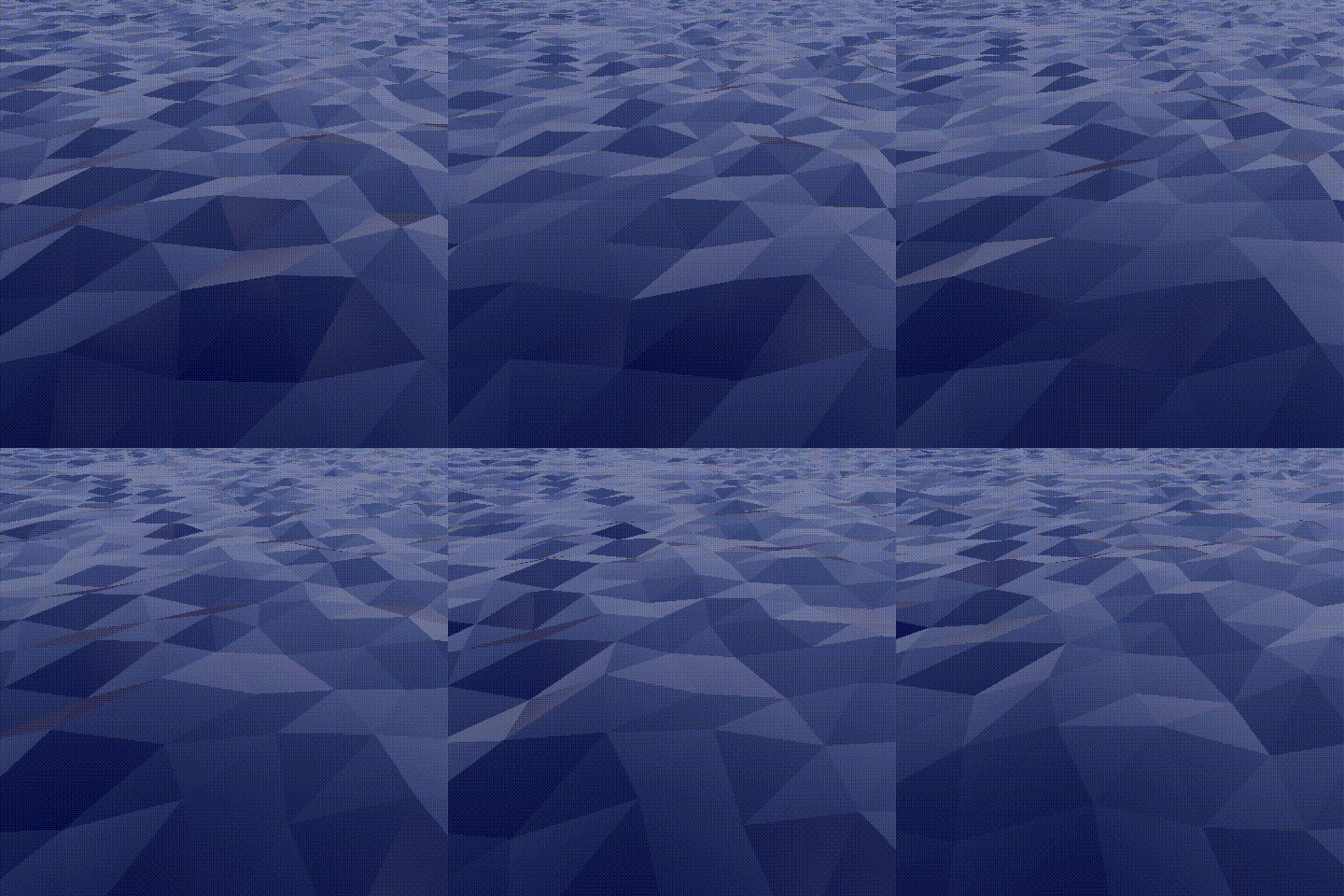
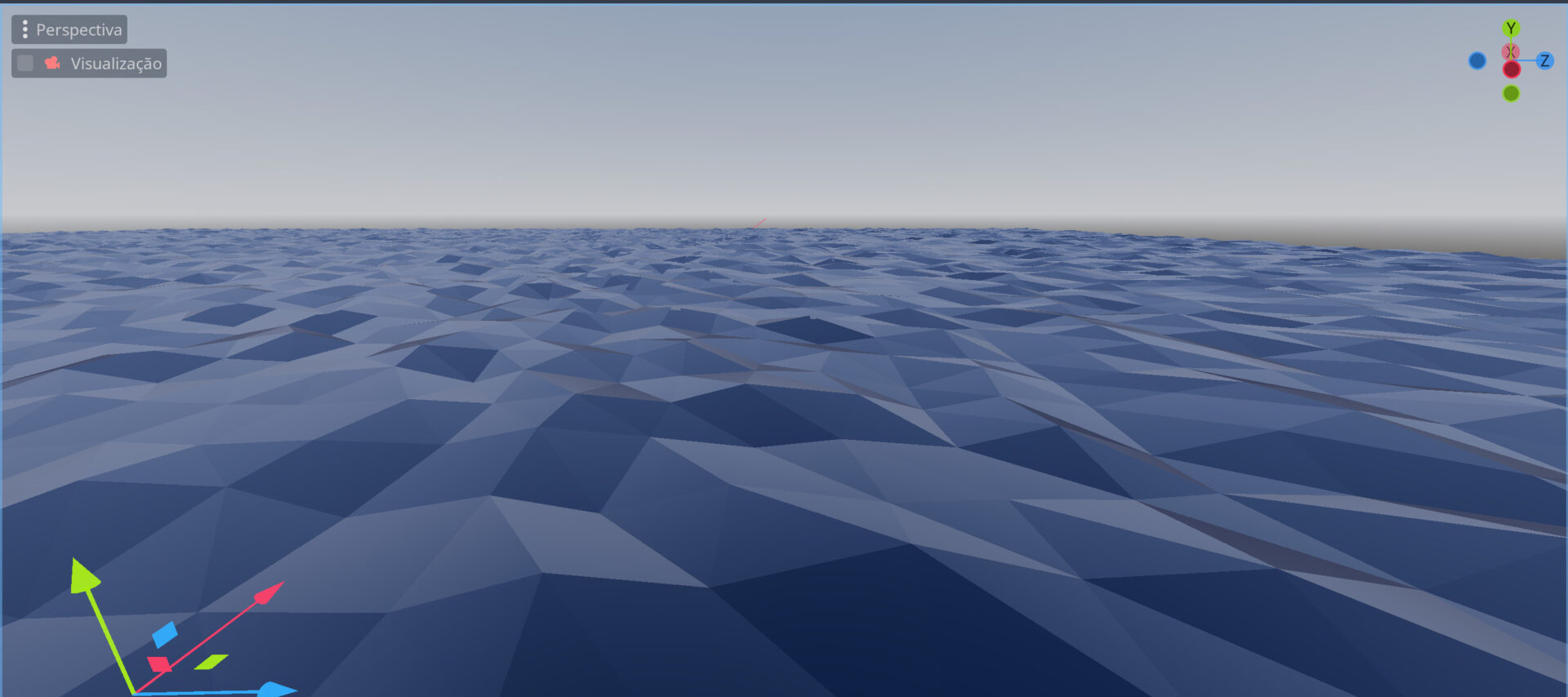
Low poly water

Low poly water shader, testes in godot 4 (probably works fine in godot3) very configurable and with great default settings.
This shader wasn’t created by me, I saw a video on the youtube, that video didn’t provided the shader file so I decided to write it make some tweaks and share here for more people to find it.
Original youtube video: https://youtu.be/5MfcliFqjnE
Shader code
shader_type spatial;

// Water color
uniform vec4 out_color: source_color = vec4(0.0, 0.2, 1.0, 1.0);
// Amount of height for each triangle
uniform float amount: hint_range(0.2, 5.0, 0.1) = 0.8;
// The speed of the trangles height change
uniform float speed: hint_range(0.1, 5.0, 0.1) = 1;
// Beer factor (used to calculate how transparent the water is going to be) if equals to 0.0 then the alpha is going to be the out_color's alpha
uniform float beer_factor = 0.2;
uniform float metallic = 0.6;
uniform float specular = 0.5;
uniform float roughness = 0.2;

float generateOffset(float x, float z, float val1, float val2, float time) {
	float radiansX = ((mod(x + z * x * val1, amount) / amount) + (time * speed) * mod(x * 0.8 + z, 1.5)) * 2.0 * 3.14;
	float radiansZ = ((mod(val2 * (z * x + x * z), amount) / amount) + (time * speed) * 2.0 * mod(x, 2.0)) * 2.0 * 3.14;

	return amount * 0.5 * (sin(radiansZ) * cos(radiansX));
}

vec3 applyDistortion(vec3 vertex, float time) {
	float xd = generateOffset(vertex.x, vertex.z, 0.2, 0.1, time);
	float yd = generateOffset(vertex.x, vertex.z, 0.1, 0.3, time);
	float zd = generateOffset(vertex.x, vertex.z, 0.15, 0.2, time);

	return vertex + vec3(xd, yd, zd);
}

void vertex() {
	VERTEX = applyDistortion(VERTEX, TIME * 0.1);
}

void fragment() {
	NORMAL = normalize(cross(dFdx(VERTEX), dFdy(VERTEX)));
	METALLIC = metallic;
	SPECULAR = specular;
	ROUGHNESS = roughness;
	ALBEDO = out_color.rgb;

	if (beer_factor != 0.0) {
		float depth = texture(DEPTH_TEXTURE, SCREEN_UV).r;

		depth = depth * 2.0 - 1.0;
		depth = PROJECTION_MATRIX[3][2] / (depth + PROJECTION_MATRIX[2][2]);
		depth = depth + VERTEX.z;

		depth = exp(-depth * beer_factor);
		ALPHA = clamp(1.0 - depth, 0.0, 1.0);
	} else {
		ALPHA = out_color.a;
	}
}
Live Preview

Comments 11
oh i love this! looks very good!
how do I change the opacity
Added it to a sphere and the wavy effect seems to be unevenly distributed, Affecting the sphere in certain areas but no so much in other areas.
Fantastic! I've incorporated this shader into the mobile game I'm currently developing. The water initially appeared too dark, relying heavily on ambient light to achieve brightness. To address this, I introduced an Emission option, allowing adjustment of both the brightness and color for the emission effect.
Here is the code >>
v Godot 4.2.1
shader_type spatial; uniform sampler2D DEPTH_TEXTURE: hint_depth_texture; // Water color uniform vec4 out_color: source_color = vec4(0.0, 0.2, 1.0, 1.0); // Amount of height for each triangle uniform float amount: hint_range(0.2, 5.0, 0.1) = 0.8; // The speed of the trangles height change uniform float speed: hint_range(0.1, 5.0, 0.1) = 1; // Beer factor (used to calculate how transparent the water is going to be) if equals to 0.0 then the alpha is going to be the out_color's alpha uniform float beer_factor = 0.2; uniform float metallic = 0.6; uniform float specular = 0.5; uniform float roughness = 0.2; uniform vec3 emission = vec3(0.0, 0.0, 0.0); float generateOffset(float x, float z, float val1, float val2, float time) { float radiansX = ((mod(x + z * x * val1, amount) / amount) + (time * speed) * mod(x * 0.8 + z, 1.5)) * 2.0 * 3.14; float radiansZ = ((mod(val2 * (z * x + x * z), amount) / amount) + (time * speed) * 2.0 * mod(x, 2.0)) * 2.0 * 3.14; return amount * 0.5 * (sin(radiansZ) * cos(radiansX)); } vec3 applyDistortion(vec3 vertex, float time) { float xd = generateOffset(vertex.x, vertex.z, 0.2, 0.1, time); float yd = generateOffset(vertex.x, vertex.z, 0.1, 0.3, time); float zd = generateOffset(vertex.x, vertex.z, 0.15, 0.2, time); return vertex + vec3(xd, yd, zd); } void vertex() { VERTEX = applyDistortion(VERTEX, TIME * 0.1); } void fragment() { NORMAL = normalize(cross(dFdx(VERTEX), dFdy(VERTEX))); METALLIC = metallic; SPECULAR = specular; ROUGHNESS = roughness; ALBEDO = out_color.rgb; ALPHA = out_color.a; EMISSION = emission; if (beer_factor != 0.0) { float depth = texture(DEPTH_TEXTURE, SCREEN_UV).r; depth = depth * 2.0 - 1.0; depth = PROJECTION_MATRIX[3][2] / (depth + PROJECTION_MATRIX[2][2]); depth = depth + VERTEX.z; depth = exp(-depth * beer_factor); ALPHA = clamp(1.0 - depth, 0.0, 1.0); } else { ALPHA = out_color.a; } }I had to make two adjustments to make this work in Godot 4.3 (Forward+):
hey, i'm using this shader with the corrections some other people here mentioned, but the water doesn't look poly at all, it looks like just a square moving around in a water-like flow, any ideas what correction do i need to do?
nvm i altered the mesh's transform and that was it, changing it back to "normal" sizing fixed it
I think I found the reason why people are getting way darker water than it should be.
Replace line 35 (NORMAL calculation) with:
Probably could be done more optimally but this is good enough to make it work better (imo)
Forgot something, normals are flipped. There must be a minus sign before normalize(), like so:
Thanks for the cool shader!
Shader is not visible...