Pill Slider
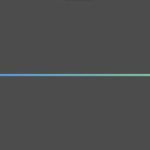
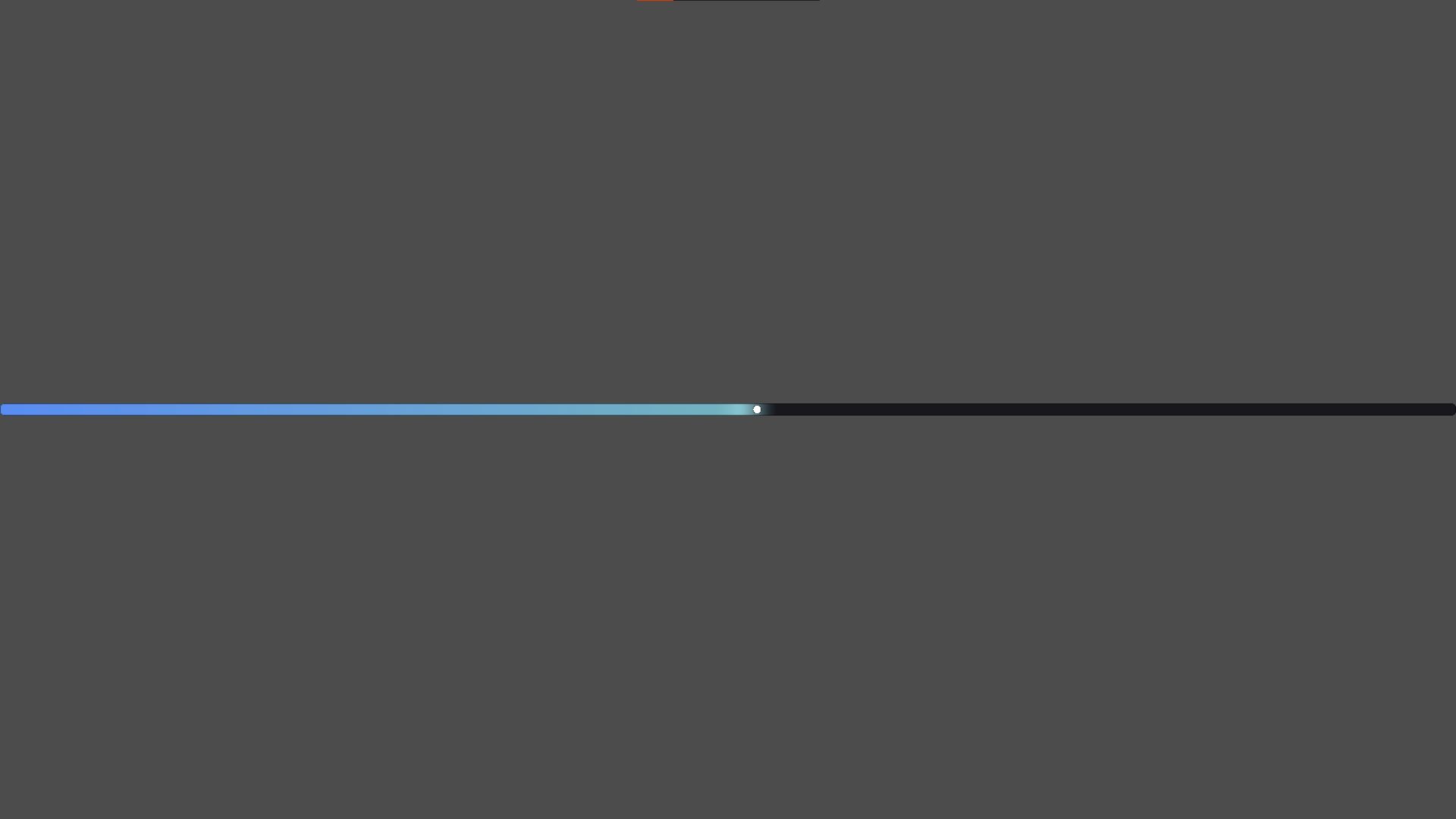
A stylized rounded-pill progress bar / slider fill shader for Godot 4. Fully self-contained in a single canvas_item shader — no scripting required to render, only to drive the fill value.
Features
- Rounded “pill” track shape (SDF-based, clean anti-aliasing, no texture needed)
- Two-color gradient fill (e.g. blue → green) that grows with the value
- Soft pulsing glow at the edge of the fill, animated automatically via
TIME - Circular handle marker that stays perfectly round regardless of the node’s width/height ratio (via the
slider_aspectuniform) - Every color and size is exposed as a uniform — fully themeable from the inspector
How to use
- Apply the shader to a
ColorRectsized to your slider (keep itscolorat white). - Set
slider_aspecttonode_width / node_heightso the handle renders as a circle. - Drive
fill_ratio(0–1) from script, e.g. on anHSlider‘svalue_changedsignal.
An optional bridge script is included that does step 2 and 3 automatically if you’d rather not wire it up yourself — just attach it to your HSlider and assign the ShaderMaterial in the inspector.
No hover/press logic is baked in on purpose — it’s meant to be dropped onto any slider and driven purely by its value, so it never fights with your existing UI feedback (button color changes, sounds, etc.).
GDSCRIPT:
extends HSlider
## Optional bridge script for pill_slider.gdshader.
## Attach to an HSlider, assign a ShaderMaterial using pill_slider.gdshader
## to `shader_material` in the inspector, and this will keep the shader's
## `fill_ratio` and `slider_aspect` in sync automatically.

@export var shader_material: ShaderMaterial
@export var fill_grow_duration: float = 0.12

var bar: ColorRect
var _tween: Tween


func _ready() -> void:
	if not shader_material:
		push_error("pill_slider_bridge: assign a ShaderMaterial in the inspector.")
		return

	bar = ColorRect.new()
	bar.color = Color.WHITE
	bar.material = shader_material
	bar.mouse_filter = Control.MOUSE_FILTER_IGNORE
	bar.z_index = 1
	add_child(bar)

	value_changed.connect(_on_value_changed)
	resized.connect(_sync_size)

	call_deferred("_sync_size")


func _sync_size() -> void:
	bar.size = size
	if size.y > 0.0:
		shader_material.set_shader_parameter("slider_aspect", size.x / size.y)
	_on_value_changed(value)


func _on_value_changed(_value: float) -> void:
	var ratio: float = (value - min_value) / max(0.001, max_value - min_value)
	if _tween:
		_tween.kill()
	_tween = create_tween()
	_tween.tween_property(shader_material, "shader_parameter/fill_ratio", ratio, fill_grow_duration)
Shader code
shader_type canvas_item;

/*
	Pill Slider
	-----------
	A stylized progress/slider fill shader: rounded "pill" shaped track,
	a color gradient fill that grows with `fill_ratio`, a soft pulsing
	glow at the fill's edge, and a clean circular handle that always
	stays round regardless of the node's width/height ratio.

	USAGE
	-----
	1. Apply this shader to a ColorRect (or any CanvasItem) that covers
	   the area of your slider. The ColorRect's `color` should stay
	   white (1,1,1,1) so it doesn't tint the shader's output.
	2. Set `slider_aspect` to (node_width / node_height) so the handle
	   renders as a perfect circle. Recalculate it whenever the node
	   is resized.
	3. Drive `fill_ratio` (0.0 - 1.0) from script to represent your
	   slider's current value, e.g.:

	   var ratio: float = (value - min_value) / (max_value - min_value)
	   material.set_shader_parameter("fill_ratio", ratio)

	   Animate it with a Tween for a smooth transition.

	All other motion (the edge glow pulse) runs automatically off TIME,
	no extra script logic required.
*/

// ---------------------------------------------------------------------
// Track (background pill shape)
// ---------------------------------------------------------------------
uniform vec4 track_color : source_color = vec4(0.09, 0.09, 0.11, 1.0);
uniform vec4 track_border_color : source_color = vec4(0.0, 0.0, 0.0, 0.5);
uniform float corner_radius : hint_range(0.0, 0.5) = 0.4; // in "height units", 0.5 = full pill
uniform float border_width : hint_range(0.0, 0.1) = 0.05;

// ---------------------------------------------------------------------
// Fill gradient
// ---------------------------------------------------------------------
uniform vec4 color_min : source_color = vec4(0.35, 0.55, 0.95, 1.0); // color at min_value
uniform vec4 color_max : source_color = vec4(0.55, 0.85, 0.55, 1.0); // color at max_value
uniform float fill_ratio : hint_range(0.0, 1.0) = 0.35; // drive this from script
uniform float edge_softness : hint_range(0.0, 0.2) = 0.015;

// ---------------------------------------------------------------------
// Edge glow (pulses gently at the tip of the fill, purely time-driven)
// ---------------------------------------------------------------------
uniform float tip_glow_width : hint_range(0.0, 0.2) = 0.03;
uniform float tip_glow_strength : hint_range(0.0, 0.5) = 0.15;
uniform float tip_pulse_speed : hint_range(0.0, 5.0) = 1.2;

// ---------------------------------------------------------------------
// Handle (always circular, independent of node aspect ratio)
// ---------------------------------------------------------------------
uniform vec4 handle_color : source_color = vec4(1.0, 1.0, 1.0, 1.0);
uniform vec4 handle_outline_color : source_color = vec4(0.15, 0.15, 0.18, 0.9);
uniform float handle_radius : hint_range(0.0, 0.5) = 0.32; // in "height units"
uniform float handle_outline_width : hint_range(0.0, 0.1) = 0.03;
uniform float handle_shadow_strength : hint_range(0.0, 1.0) = 0.25;

// Node width / node height. MUST be updated from script whenever the
// node is resized, otherwise the handle will render as an ellipse.
uniform float slider_aspect : hint_range(1.0, 100.0) = 10.0;


// Signed distance field for a rounded box, centered at origin.
float rounded_box_sdf(vec2 point, vec2 half_size, float radius) {
	vec2 q = abs(point) - half_size + radius;
	return length(max(q, 0.0)) + min(max(q.x, q.y), 0.0) - radius;
}

void fragment() {
	// --- Pill-shaped track mask (anti-aliased rounded rect) ---
	vec2 p = (UV - 0.5) * vec2(slider_aspect, 1.0);
	vec2 half_size = vec2(slider_aspect * 0.5, 0.5);
	float dist_to_edge = rounded_box_sdf(p, half_size, corner_radius);

	float shape_mask = 1.0 - smoothstep(0.0, 0.02, dist_to_edge);
	float border_mask = smoothstep(-border_width, -border_width + 0.02, dist_to_edge)
					   - smoothstep(0.0, 0.02, dist_to_edge);

	// --- Fill gradient + edge glow ---
	vec4 grad = mix(color_min, color_max, UV.x);
	float filled = 1.0 - smoothstep(fill_ratio - edge_softness, fill_ratio + edge_softness, UV.x);

	float dist_to_tip = abs(UV.x - fill_ratio);
	float pulse = 0.5 + 0.5 * sin(TIME * tip_pulse_speed);
	float tip_glow = smoothstep(tip_glow_width, 0.0, dist_to_tip) * (0.3 + 0.7 * pulse) * tip_glow_strength;

	vec3 rgb = mix(track_color.rgb, grad.rgb + tip_glow, filled);
	rgb = mix(rgb, track_border_color.rgb, border_mask * track_border_color.a);

	float alpha = shape_mask;

	// --- Handle: circular regardless of node aspect ratio ---
	vec2 centered_uv = vec2((UV.x - fill_ratio) * slider_aspect, UV.y - 0.5);
	float dist_to_center = length(centered_uv);

	float shadow = smoothstep(handle_radius + 0.12, handle_radius, dist_to_center) * handle_shadow_strength;
	rgb = mix(rgb, vec3(0.0), shadow * 0.4);

	float outline_mask = smoothstep(handle_radius + handle_outline_width, handle_radius, dist_to_center)
					   - smoothstep(handle_radius, handle_radius - handle_outline_width, dist_to_center);
	float fill_mask = smoothstep(handle_radius, handle_radius - handle_outline_width * 0.5, dist_to_center);

	rgb = mix(rgb, handle_outline_color.rgb, outline_mask * handle_outline_color.a);
	rgb = mix(rgb, handle_color.rgb, fill_mask * handle_color.a);
	alpha = max(alpha, max(outline_mask * handle_outline_color.a, fill_mask * handle_color.a));

	COLOR = vec4(rgb, alpha);
}
Live Preview