
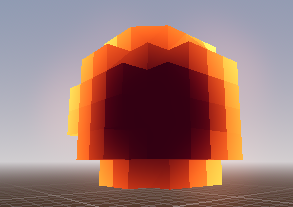
Pixelated Blackhole effect

INSPIRED BY THIS SHADER BY MOUNTAINLABS
https://godotshaders.com/shader/voxel-shader/
This shader is a mixture of a simple fresnel shader and a equally simple voxel shader.
Shader code
//Blackhole_Pixelated
shader_type spatial;
render_mode unshaded;

uniform vec3 base_colour : source_color = vec3(0.5, 0.2, 0.9);
uniform vec3 fresnel_color : source_color = vec3(0.0, 0.7, 0.9);
uniform float fresnel_intensity = 4.5;
uniform float voxel_size : hint_range(0.01, 1.0) = 0.1;

vec3 fresnel_glow(float amount, float intensity, vec3 color, vec3 normal, vec3 view)
{
    return pow((1.0 - dot(normalize(normal), normalize(view))), amount) * color * intensity;
}

void fragment()
{
    // Calculate fresnel effect
    vec3 fresnel = fresnel_glow(4.0, fresnel_intensity, fresnel_color, NORMAL, VIEW);

    // Apply the base color and fresnel effect, modulated by the ring factor
    ALBEDO = base_colour + fresnel;
}

void vertex() {
    // Decompose the MODEL_MATRIX into rotation + scale (3x3) and translation (vec3)
    mat3 basis = mat3(MODEL_MATRIX);
    vec3 origin = MODEL_MATRIX[3].xyz;

    // Convert the vertex to world space
    vec3 world_pos = basis * VERTEX + origin;

    // Snap to voxel grid (center-aligned)
    world_pos = voxel_size * floor((world_pos / voxel_size) + 0.5);

    // Convert world position back to local space
    vec3 local_pos = inverse(basis) * (world_pos - origin);

    // Assign the snapped position back to the vertex
    VERTEX = local_pos;
}
Live Preview
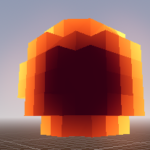
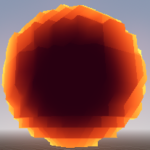

Hmm, reminds me of my voxel shader.
Yes I should credit you since your shader is what inspired me to make this one