
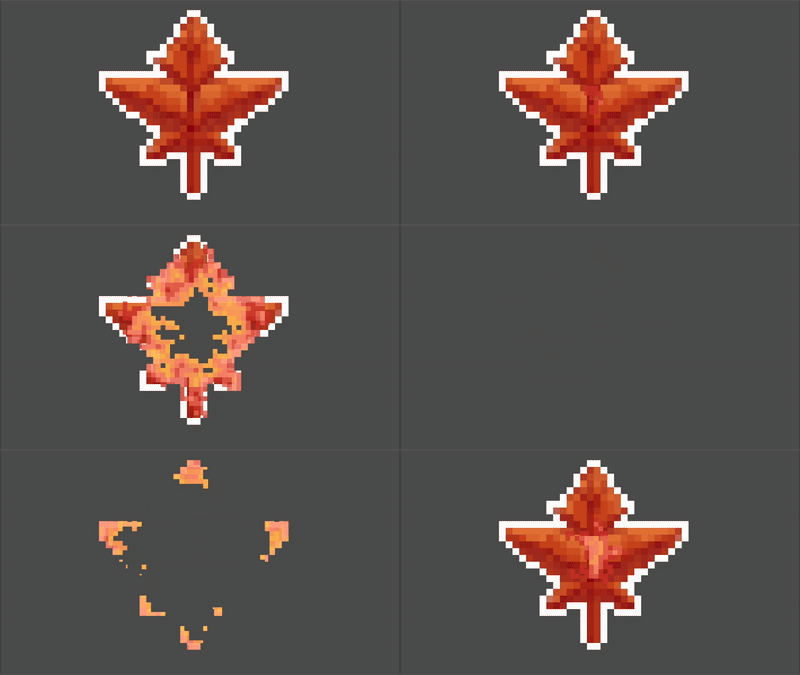
Pixelated burn

Heavily inspired by these two shaders
https://godotshaders.com/shader/burn-sprite/
https://godotshaders.com/shader/2d-burn-dissolve-from-point-v-1-0/
I needed something like this but which had both effects (from one point and multiple colors) and also was pixelated, so that it could fit better with pixel art.
Shader code
shader_type canvas_item;

uniform vec2 position;
uniform float radius;
uniform float borderWidth = 0.2;
uniform float burnMult = 0.34;
uniform sampler2D noiseTexture;
uniform vec4 burnColor : source_color;
uniform float pixel_size = 0.004;
uniform float blend_steps = 8.5; // lower number = more saturated

uniform sampler2D colorCurve;


void fragment() {
    vec2 snapped_uv = floor(UV / pixel_size) * pixel_size;

    float dist = length(position - snapped_uv) + (texture(noiseTexture, snapped_uv).b) * burnMult;
    float mask = clamp((dist - (radius - borderWidth)) / (2.0 * borderWidth), 0.0, 1.0);
    mask = 1.0 - mask;
    mask = floor(mask * blend_steps) / blend_steps;

    vec4 curve_value = texture(colorCurve, vec2(mask, 0.0));

    float blendMask = pow(mask, 0.1);
    COLOR.rgb = mix(COLOR.rgb, curve_value.rgb, blendMask);

	COLOR.a *= min(COLOR.a,1.0-(float(dist<radius)));
}
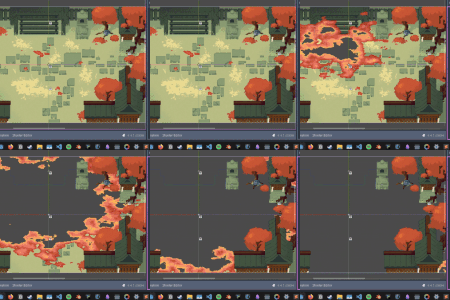
Live Preview

Very nice effect. Thank you for sharing!
You’re welcome! I’m kind of new to shaders but I’ve spent so much time here that I thought I’d share some stuff back!
Wonderful shader. I think there may be an unintended error that I wanted to bring to your attention or anyone else who may find and use this; I noticed that burnColor is an unused variable. On line 26:
can be corrected to:
I believe this was your intention, or maybe close to it at least. This should at least allow the user to blend to/from the chosen color along a curve.
I was wrong – my edit is unnecessary if you use a gradient1D in the colorCurve parameter and set all your colors within that gradient. My bad!