
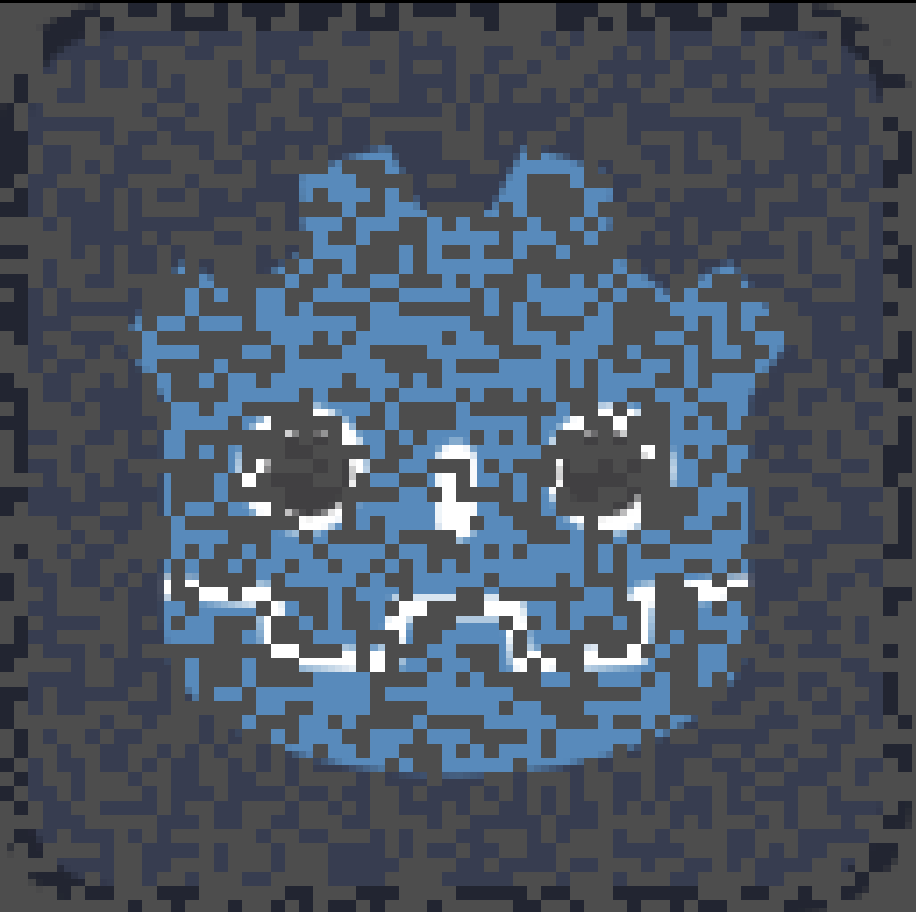
Pixelated Dissolve with Block Size

Inspired by:
https://godotshaders.com/shader/pixel-perfect-dissolving/
For pixel art games, this dissolve shader can be more suitable than a standard noise texture approach. Snapping the UV coordinates to the texel ensures that the transparency step affects the whole texel, rather than one display pixel at a time. In other words, the dissolve effect will appear to pixelate the original texture and not smoothen over fragments from the monitor display.
In addition, this shader adds a new parameter called block size. This further snaps the UV coordinates to a variable amount of texels, rather than just one. As a result, the dissolve effect can appear blockier or grainier, depending on whether the value is increased or decreased respectively.
Parameter values used below.
Cover image: progress = 0.5, block_size = 2
Screenshot 1: progress = 0.5, block_size = 1
Screenshot 2: progress = 0.5, block_size = 4
Screenshot 3: progress = 0.5, block_size = 8
Shader code
shader_type canvas_item;

uniform float progress : hint_range(0, 1);
uniform float block_size = 1;

float random(vec2 uv) {
    return fract(sin(dot(uv, vec2(12.9898, 78.233))) * 438.5453);
}

void fragment() {
	vec4 color = texture(TEXTURE, UV);
	vec2 uv_snapped = floor(UV / TEXTURE_PIXEL_SIZE / vec2(block_size));
	color.a *= step(progress, random(uv_snapped));
	COLOR = color;
}
Live Preview




When I try to use this in the editor, it works as intended. But then when I try to tween the shader in game, the pixels change position every frame instead of already invisible pixels staying invisible. solution?
I’m using tween_method to a function that is using ShaderMaterial.set_shader_parameter to set the sensitivity
I’m getting the same issue. At least on my end it’s related to having the effect play on a currently-playing animated sprite 2d. I don’t immediately have a solution, but for my use case at least I can pause the animation just before I start tweening the progress variable and it behaves much more nicely.
Ok so my issue was resolved because I’m using the shader on an animated sprite2d, so the shader was re-applying for every frame of that animation. I paused my animation so the shader is working on one sprite and that solved it which makes sense because the pixels that dissolve are random every frame.
So I guess if I wanted it to apply to an animation, the shader would have to be based on the pixel position on the screen instead of pixel from a texture.
Thanks! We’re using this shader in our next title 🙂
Take a look: https://x.com/KOVyrelliaGame/status/1978249302238441620
Let me know how to credit you if you want!
HI, this might be a stupid question, but how do I change the color of this? I used it on a black color rect but it automatically changed it to white and I’m trying to get it back to black. Thank you!!!