
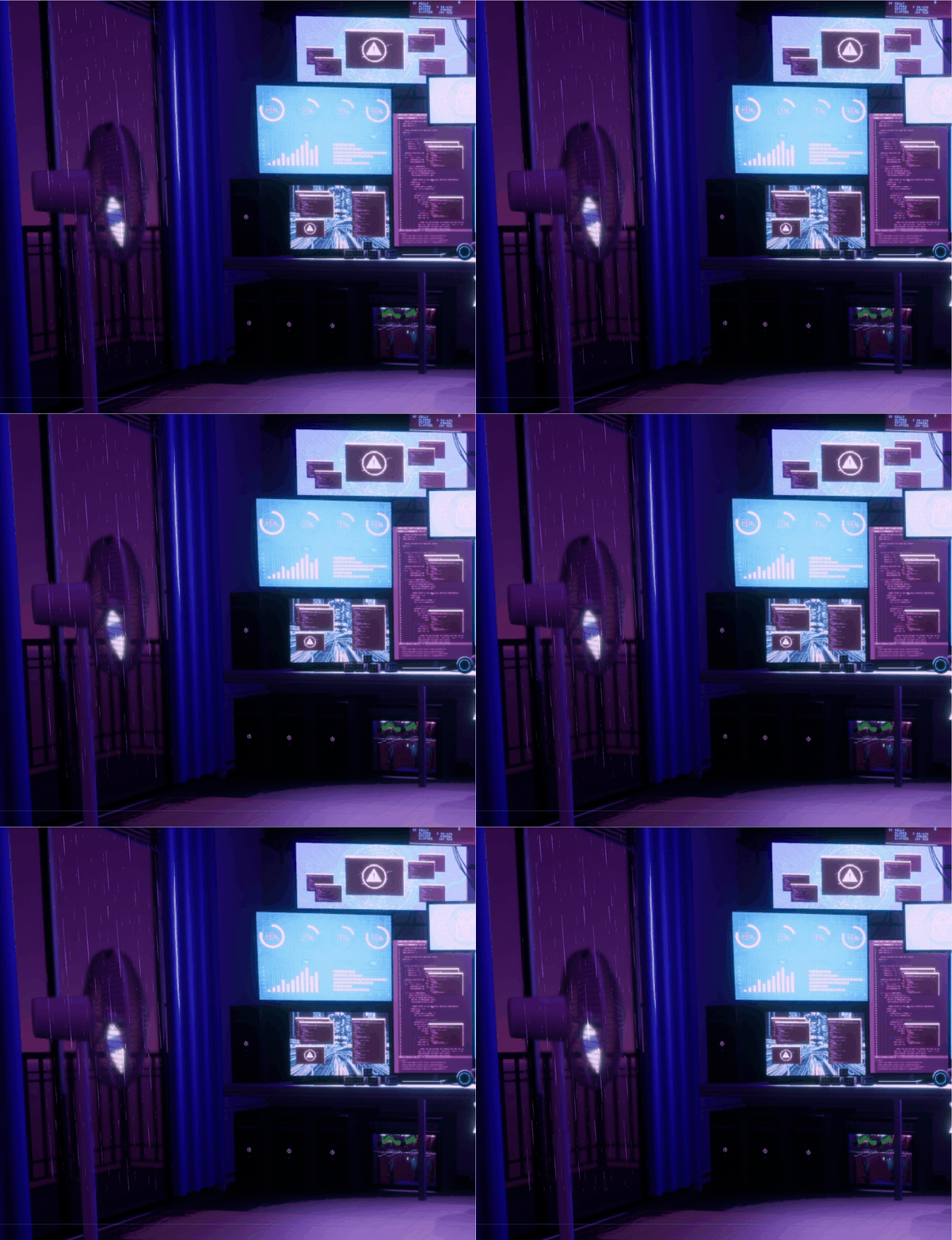
Raindrops on glass

Developed with the assistance of AI on Google Search, this Godot shader realistically simulates raindrops hitting a glass surface. It features droplet condensation, gravity-driven trailing effects, and background refraction, allowing you to create a rainy atmosphere for your projects.
Shader code
shader_type canvas_item;

uniform sampler2D SCREEN_TEXTURE : hint_screen_texture, filter_linear_mipmap;

uniform float slant_factor : hint_range(-0.5, 0.5) = 0.12;
uniform float distortion_strength : hint_range(0.0, 0.2) = 0.08;
uniform float blur_amount : hint_range(0.0, 3.0) = 1.0;

uniform float base_rain_speed : hint_range(0.1, 2.0) = 0.4;
uniform vec4 reflection_color : source_color = vec4(0.6, 0.4, 0.9, 1.0); // 匹配房间紫色

vec2 hash22(vec2 p) {
    p = vec2(dot(p, vec2(127.1, 311.7)), dot(p, vec2(269.5, 183.3)));
    return fract(sin(p) * 43758.5453123);
}

vec3 rain_layer(vec2 uv, float scale) {
    vec2 grid_uv = uv * scale;
    vec2 id = floor(grid_uv);
    vec3 rand = vec3(hash22(id), hash22(id + vec2(1.0)).x);

    // 随机速度
    float speed_mult = mix(0.5, 1.5, rand.y);
    float t = TIME * base_rain_speed * speed_mult;

    grid_uv.y += t;
    vec2 final_id = floor(grid_uv);
    vec2 final_uv = fract(grid_uv) - 0.5;

    vec2 drop_rand = hash22(final_id);
    final_uv += (drop_rand - 0.5) * 0.6;

    // 形状控制:将雨滴纵向拉伸一点,看起来更有重力感
    float d = length(final_uv * vec2(5.0, 0.5) / mix(0.4, 0.8, drop_rand.y));

    float drop = smoothstep(0.2, 0.05, d);

    // 增加一个微小的拖尾 mask
    float trail = smoothstep(0.04, 0.01, abs(final_uv.x)) * smoothstep(-0.1, 0.4, final_uv.y);
    float combined_mask = drop + trail * 0.3;

    return vec3(final_uv * combined_mask * distortion_strength, combined_mask);
}

void fragment() {
    // 1. 倾斜修正
    vec2 uv = -UV;
    uv.x -= uv.y * slant_factor;

    // 2. 混合两层雨滴
    vec3 layer1 = rain_layer(uv, 5.0);
    vec3 layer2 = rain_layer(uv + vec2(0.35), 11.0) * 0.5;
    vec3 final_effect = layer1 + layer2;

    // 3. 屏幕采样:在亮部和暗部之间产生偏移
    vec2 refraction_uv = SCREEN_UV + final_effect.xy;
    vec4 col = textureLod(SCREEN_TEXTURE, refraction_uv, blur_amount);

    // 4. 环境色彩增强 (核心优化)
    // 只有在雨滴遮罩区域,才叠加一层淡淡的紫色高光
    // final_effect.z 是我们合并的 mask
    float highlight = smoothstep(0.1, 0.5, final_effect.z);
    col.rgb += highlight * reflection_color.rgb * 0.25;

    // 5. 模拟边
缘闪烁
    // 让雨滴边缘有一点点亮色,模拟玻璃表面的反射
    col.rgb += (layer1.z + layer2.z) * 0.1 * reflection_color.rgb;

    COLOR = col;
}
love thissss
boo ai