
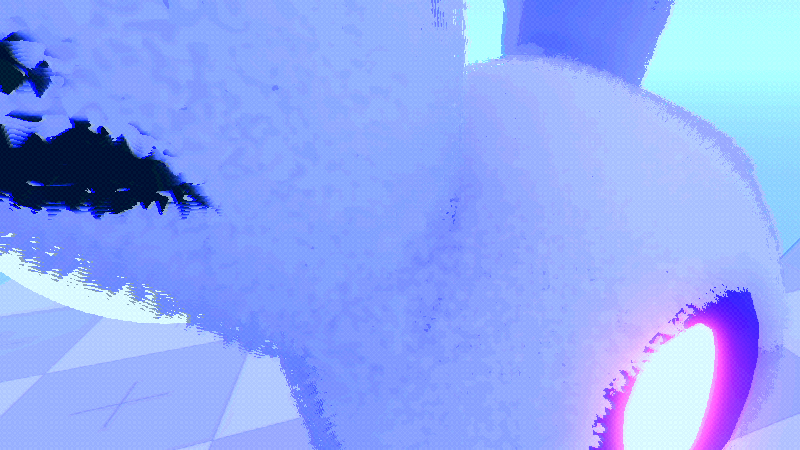
Simplest Fur Shader | Shell texturing

HOW TO USE
Step 1: Add first material with shader attached.
Step 2: Add NoiceTexture2D, and any texture you want (optional)
Step 3: Configure NoiceTexture2D and shader options on your own
Step 4: Copy material with shader, and add it to next pass (enique)
Step 5: Increase current_layer a bit
Step 6: Repeat step 4 and 5 as much as you want.
*Remember – its expensive to use it on high poly models. You literaly copying mesh for each layer.
*But its nice if you want goofy fluff balls for small games :3
Shader code
shader_type spatial;
render_mode depth_prepass_alpha;

uniform float fur_length = 0.5;
uniform float current_layer;
uniform sampler2D noise_tex;
uniform sampler2D fur_texture : source_color;
uniform vec4 fur_color : source_color = vec4(0.7, 0.5, 0.3, 1.0);
uniform float texture_strength = 0.5;

uniform float max_fur_distance = 20.0;
uniform float fade_start_distance = 15.0;
varying float dist_to_camera;

uniform float wind_strength : hint_range(0.0, 5.0) = 0.0;
uniform float wind_speed : hint_range(0.0, 10.0) = 0.1;

void vertex() {
	VERTEX += NORMAL * fur_length * current_layer;
	dist_to_camera = length(NODE_POSITION_WORLD - CAMERA_POSITION_WORLD);

	float wind = sin(TIME * wind_speed + VERTEX.x * 10.0) * wind_strength;
	VERTEX.x += wind;
}

void fragment() {
	if (dist_to_camera > max_fur_distance) {
		discard;
	}
	float alpha_fade = 1.0;
	if (fade_start_distance < max_fur_distance && dist_to_camera > fade_start_distance) {
		alpha_fade = 1.0 - smoothstep(fade_start_distance, max_fur_distance, dist_to_camera);
	}
	float noise = texture(noise_tex, UV).r;
	float thickness = mix(0.8, 0.3, current_layer);
	if (noise > thickness * alpha_fade) {
		discard;
	}

	vec4 tex_color = texture(fur_texture, UV);
	ALBEDO = mix(fur_color.rgb, tex_color.rgb, texture_strength);
}
Live Preview

awesome shader
I like the shader, but I was wondering if you could help me out with turning this into a MultiMeshInstance3D compatible shader. I’ve been trying to make my own fur shader, but I’m new to writing shaders. I understand coding in general. Working off of the premise in the “MultiMesh Shell Texturing Fur” shader, I can make a series of instances, and they all have an INSTANCE_ID in the vertex segment which should allow automatic spacing of the various shells.
I keep running into the same issue however, the mesh doesn’t display. I had it working at one point, but then it just stopped and isn’t displaying anything.