
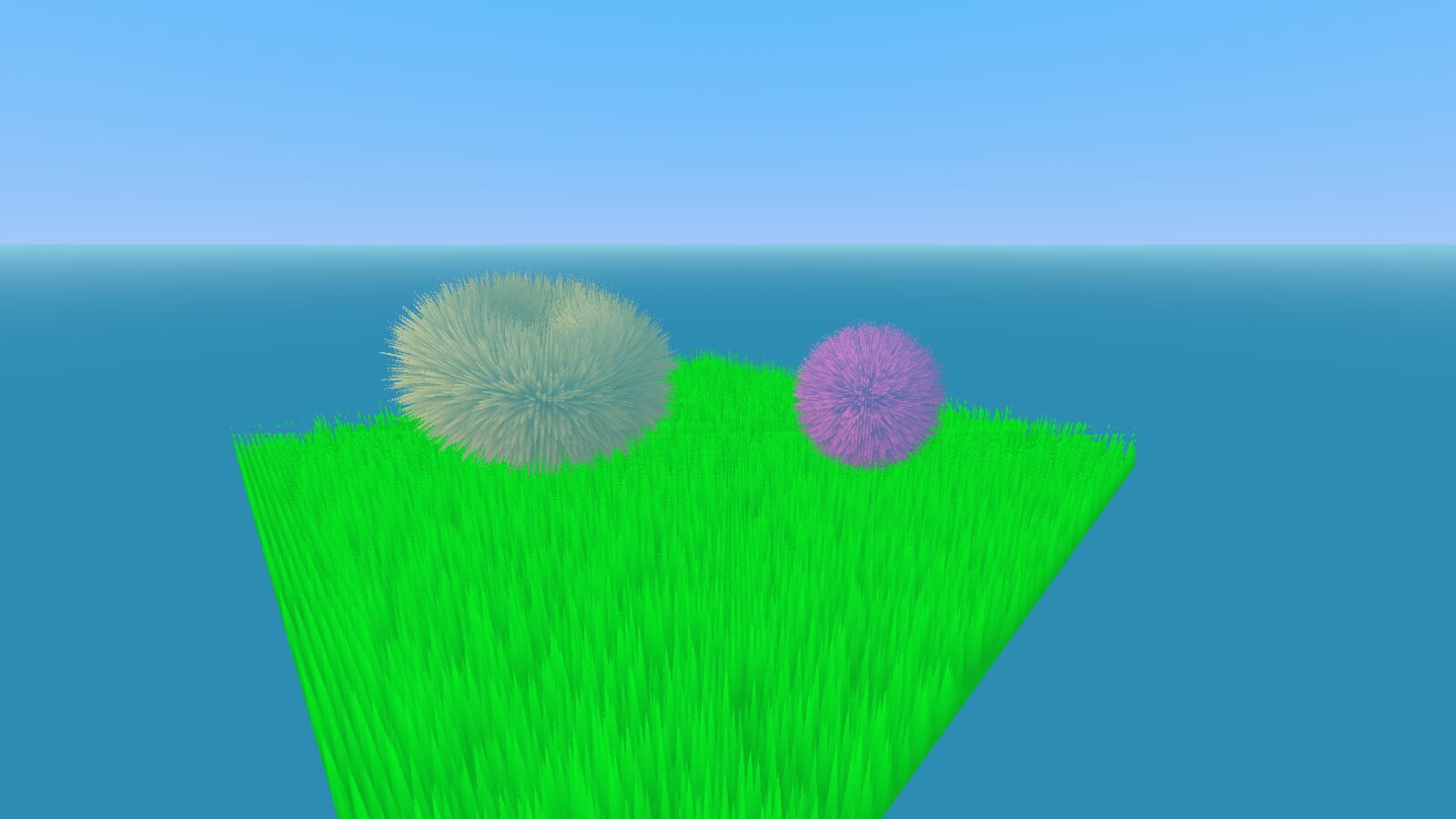
Fur/Grass with Shell Texturing

This is a basic implementation of Acerola’s shell texturing video in Godot 4.4.
Shell Texturing is a technique that uses stacked shapes to mimic the appearance of fur, grass or similar materials without large performance overhead. Due to its nature, it might look awkward when looken at with an angle.
To use the shader:
– Create a certain number of Meshes, make sure they have the same transforms
– Apply the shader to said meshes, then set the uniform “uTotalLayers” to the amount of Meshes you created, and give each one an index starting by 0
– Adjust the other parameters according to your desires.
Explanation of the uniforms:
– uDensity -> ??
– uColor -> ??
– uShellLength -> the length of a single blade
– uSpreadPow -> How should the layers be spread. Values above one will increase the distance between the outer layers and vice versa. decreasing it below one might also make the blades look more round instead.
You can customize the pattern by simply swapping the hash11 function with a function of your choice, or remove the hashing and read from a texture by changing line 45.
To make it look more as if it were real fur, try :
– Increasing the number of layers
– Decreasing the length of the shells,
-Decreasing uSpreadPow
Shader code
shader_type spatial;

//But acerola! those tutorials are too good!

uniform uint uLayerIndex;
uniform uint uTotalLayers;

uniform float uDensity = 150.0f;
uniform float uShellLength = 0.05f;
uniform float uSpreadPow = 1.1f;
uniform vec3 uColor :source_color = vec3(0, 1, 0);

varying float vHeight;

void vertex() {
	vHeight = float(uLayerIndex) / float(uTotalLayers);

	float h = pow(vHeight, uSpreadPow);
	//what is happening here -> we don't want to linearly spread our meshes.
	//so, we take their pow. if spread pow > 1 -> numbers smaller than one decrease
	//thus the closer you get to the outer most layer, the further away from 1 you get,
	//thus the greater the dist betwixt layers become. and vice versa if spread pow < 1

	VERTEX += NORMAL * h * uShellLength;
}

float hash11( uint n )
{
	// integer hash copied from Hugo Elias
	n = (n << 13U) ^ n;
	n = n * (n * n * 15731U + 789221U) + 1376312589U;
	return float( n & uint(0x7fffffffU))/float(0x7fffffff);
}

void fragment() {
	vec2 uv0 = UV * uDensity;
	uvec2 uuv = uvec2(floor(uv0));

	uint seed = uuv.x + 100u * uuv.y + 1000u; //pack x & y into a single uint seed without collisions
	//formula used -> seed = x + stride * y + offset

	float v = hash11(seed);

	vec2 loc_uv = fract(uv0) * 2.0f - 1.0f;
	float loc_dist = length(loc_uv);

	bool o = loc_dist > (1.5f * (v - vHeight));

	if (o && uLayerIndex > 0u)
	{
		discard;
	}

	ALBEDO = uColor;

}

void light()
{
	float ndot = clamp(dot(NORMAL, LIGHT), 0.0f, 1.0f) * 0.5f + 0.5f;
	ndot = ndot * ndot;
	DIFFUSE_LIGHT = vHeight * ndot * uColor;
}