
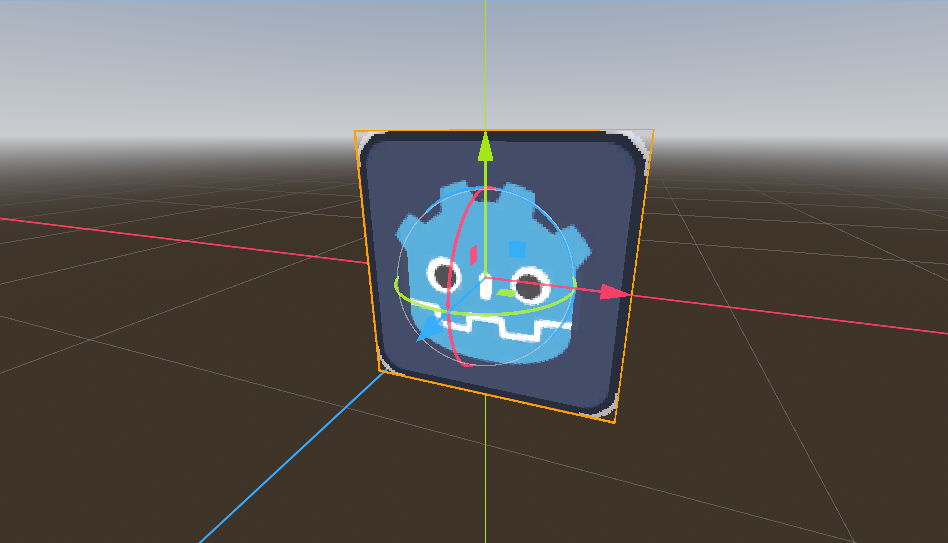
Sprite3d outline shader with twinkle for Godot4(Support Billboard)

Usage:
1. Create a 3d scene
2. Add Sprite3d with picture texture
3. Attach shadre to material overlay, attach same picture texture to `Sprite Texture`
Keyword:outline, sprite3d, sparkle,glitter,twinkle,radiate, godot4, spatial, billboard
Shader code
// ref : https://godotshaders.com/shader/sprite3d-outline-working-billboard/
// 描边+闪烁
shader_type spatial;
render_mode unshaded, blend_mix, depth_prepass_alpha, cull_disabled, specular_disabled;

uniform sampler2D sprite_texture : source_color, filter_nearest;
uniform bool enable_billboard = true;
uniform bool enable_outline = true;

// 简单像素描边参数
uniform vec4 simple_outline_color : source_color = vec4(1.0, 1.0, 1.0, 1.0);
uniform float simple_outline_width : hint_range(0, 10) = 1.0;

// 闪烁控制参数
uniform float flash_speed : hint_range(0.1, 10.0) = 5.0;
uniform float flash_min_alpha : hint_range(0.0, 1.0) = 0.2;
uniform float flash_max_alpha : hint_range(0.0, 1.0) = 0.8;

void vertex() {
    if (enable_billboard) {
        vec3 world_origin = (MODEL_MATRIX * vec4(0.0, 0.0, 0.0, 1.0)).xyz;
        float scale_x = length(MODEL_MATRIX[0].xyz);
        float scale_y = length(MODEL_MATRIX[1].xyz);
        vec3 cam_right = normalize(INV_VIEW_MATRIX[0].xyz);
        vec3 cam_up    = normalize(INV_VIEW_MATRIX[1].xyz);
        vec2 local = VERTEX.xy;
        vec3 world_billboard = world_origin
            + cam_right * local.x * scale_x
            + cam_up    * local.y * scale_y;
        POSITION = PROJECTION_MATRIX * VIEW_MATRIX * vec4(world_billboard, 1.0);
    } else {
        POSITION = PROJECTION_MATRIX * VIEW_MATRIX * (MODEL_MATRIX * vec4(VERTEX, 1.0));
    }
}

void fragment() {
    vec4 col = texture(sprite_texture, UV);

    // 初始设置为完全透明
    ALPHA = 0.0;

    if (enable_outline) {
        // 简单像素描边+闪烁模式
        vec2 pixel_size = simple_outline_width / vec2(textureSize(sprite_texture, 0));

        // 8方向采样(更平滑的描边)
        float max_alpha = 0.0;
        for (int x = -1; x <= 1; x++) {
            for (int y = -1; y <= 1; y++) {
                if (x == 0 && y == 0) continue; // 跳过中心点
                vec2 offset = vec2(float(x), float(y)) * pixel_size;
                float sample_alpha = texture(sprite_texture, UV + offset).a;
                max_alpha = max(max_alpha, sample_alpha);
            }
        }

        // 计算闪烁因子(0~1 平滑变化)
        float flash_factor = (sin(TIME * flash_speed * 3.14159) + 1.0) * 0.5;
        float flash_alpha = mix(flash_min_alpha, flash_max_alpha, flash_factor);

        // 只显示描边区域,不显示中心内容
        if (col.a < 0.99 && max_alpha > 0.01) {
            // 描边区域(应用闪烁)
            ALBEDO = simple_outline_color.rgb;
            ALPHA = simple_outline_color.a * flash_alpha; // 仅描边闪烁
        } else {
            // 中心区域保持完全透明
            ALPHA = 0.0;
        }

    } else {
        // 不启用描边时显示原纹理
        ALBEDO = col.rgb;
        ALPHA = col.a;
    }
}
