
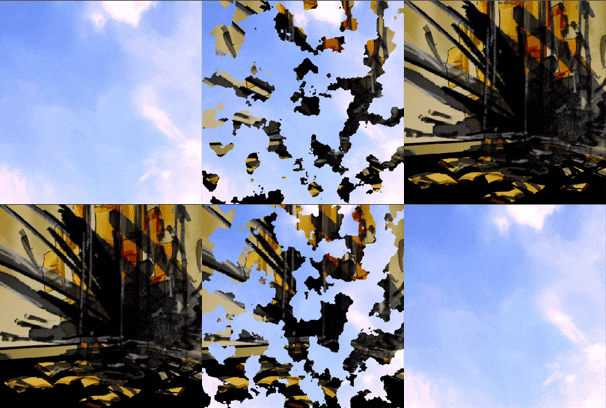
Transition from one texture to other using dissolve texture

Set texture1 and texture2, then adjust factor.
factor = 0 > show texture1
factor = 1 > show texture2
Every factor value in-between 0 and 1 will transition from one texture to the other using dissolve_map.
Set dissolve_map to any texture you want to use as dissolve image.
In the preview, I’ve used noise texture, but you can use any image you want.
Shader code
shader_type canvas_item;

uniform sampler2D texture1: filter_nearest;
uniform sampler2D texture2: filter_nearest;
uniform float factor: hint_range(0.0, 1.0);
uniform sampler2D dissolve_map: filter_nearest;
void fragment() {
	vec4 colorA = texture(texture1, UV);
	vec4 colorB = texture(texture2, UV);
	vec4 map = texture(dissolve_map, UV);
	// adding 0.1 * (1. - factor) to compensate for pure black on dissolve map
	// not disappearing when factor is 0
	COLOR = mix(colorA, colorB, step(map.r + 0.1 * (1. - factor), factor));
}