
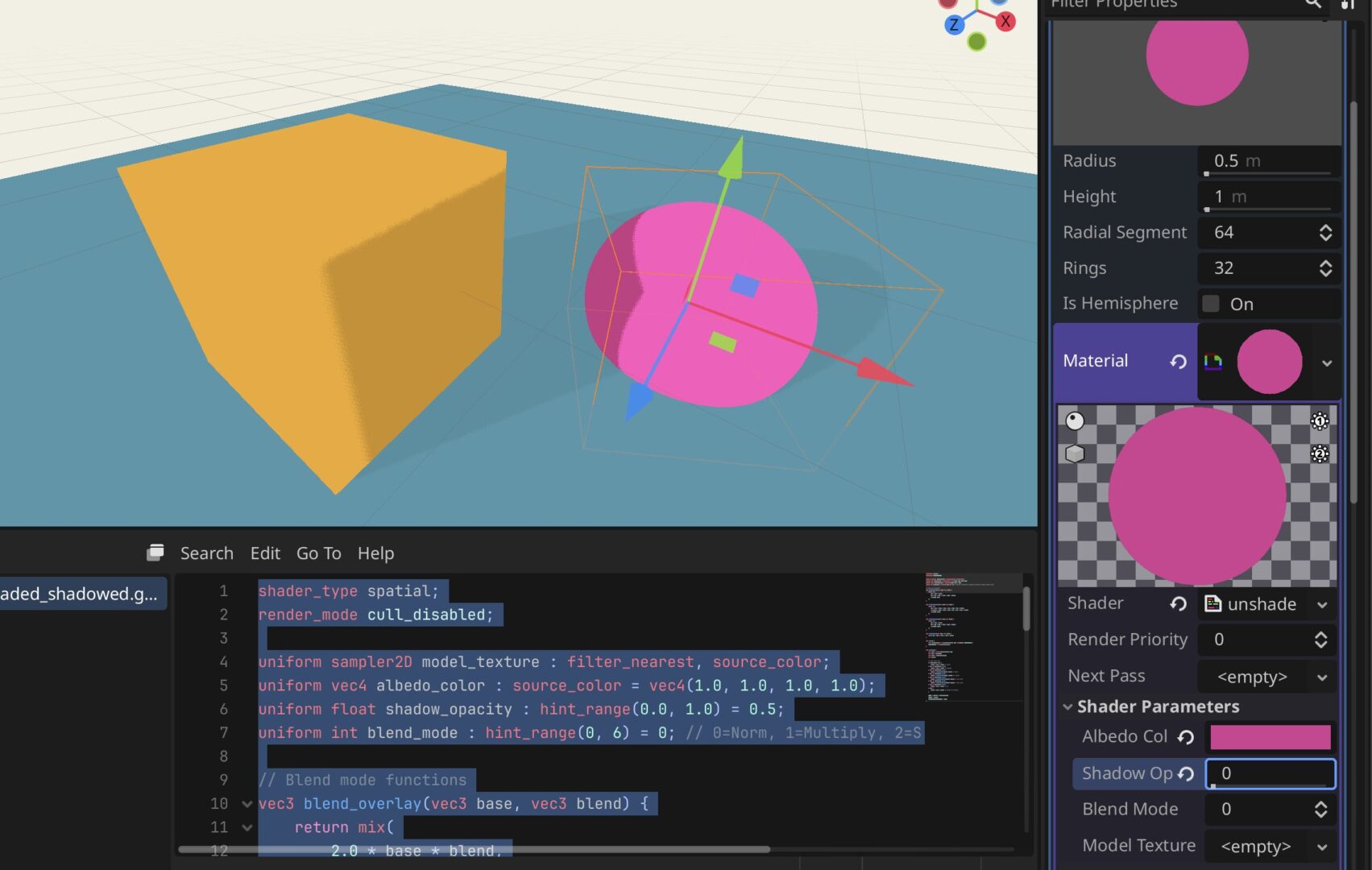
Unshaded with Shadows

An ‘unshaded, yet shadowed’ shader that allows for flat shading but still recieves and casts simple shadows. Useful for low poly and flat coloring in games where you still want to control some subtle shadows. Functions much like a stripped back toon shader.
This is just a quick shader of something that I desperately needed in my game and that I found a few people asking for in various forums.
Shader code
shader_type spatial;
render_mode cull_disabled;

uniform sampler2D model_texture : filter_nearest, source_color;
uniform vec4 albedo_color : source_color = vec4(1.0, 1.0, 1.0, 1.0);
uniform float shadow_opacity : hint_range(0.0, 1.0) = 0.5;
uniform int blend_mode : hint_range(0, 6) = 0; // 0=Norm, 1=Multiply, 2=Screen, 3=Overlay, 4=Soft, 5=Hard, 6=Add

// Blend mode functions
vec3 blend_overlay(vec3 base, vec3 blend) {
    return mix(
        2.0 * base * blend,
        1.0 - 2.0 * (1.0 - base) * (1.0 - blend),
        step(0.5, base)
    );
}

vec3 blend_soft_light(vec3 base, vec3 blend) {
    return mix(
        2.0 * base * blend + base * base * (1.0 - 2.0 * blend),
        sqrt(base) * (2.0 * blend - 1.0) + 2.0 * base * (1.0 - blend),
        step(0.5, blend)
    );
}

vec3 blend_hard_light(vec3 base, vec3 blend) {
    return mix(
        2.0 * base * blend,
        1.0 - 2.0 * (1.0 - base) * (1.0 - blend),
        step(0.5, blend)
    );
}

vec3 blend_screen(vec3 base, vec3 blend) {
    return 1.0 - (1.0 - base) * (1.0 - blend);
}

void light() {
    float shadow_factor = mix(shadow_opacity, 1.0, step(0.001, ATTENUATION));
    DIFFUSE_LIGHT = vec3(shadow_factor);
}

void fragment() {
    vec4 color = texture(model_texture, UV);
    vec3 base = color.xyz;
    vec3 blend = albedo_color.xyz;
    vec3 result;

    // Apply blend mode
    if (blend_mode == 0) {
        result = base * blend; // Normal
    } else if (blend_mode == 1) {
        result = base * blend; // Multiply
    } else if (blend_mode == 2) {
        result = blend_screen(base, blend); // Screen
    } else if (blend_mode == 3) {
        result = blend_overlay(base, blend); // Overlay
    } else if (blend_mode == 4) {
        result = blend_soft_light(base, blend); // Soft Light
    } else if (blend_mode == 5) {
        result = blend_hard_light(base, blend); // Hard Light
    } else if (blend_mode == 6) {
        result = base + blend; // Add
    } else {
        result = base * blend; // Default to multiply
    }

    ALPHA = color.a * albedo_color.a;
    ALBEDO = result;
    ALPHA_SCISSOR_THRESHOLD = 0.01;
}
Thank you for sharing<3 this sounds like exactly what I need too, but I’m having trouble with it. I applied it to a material but I don’t see the shadows happening ):
The material you are casting the shadows on still needs to be a standard material.