
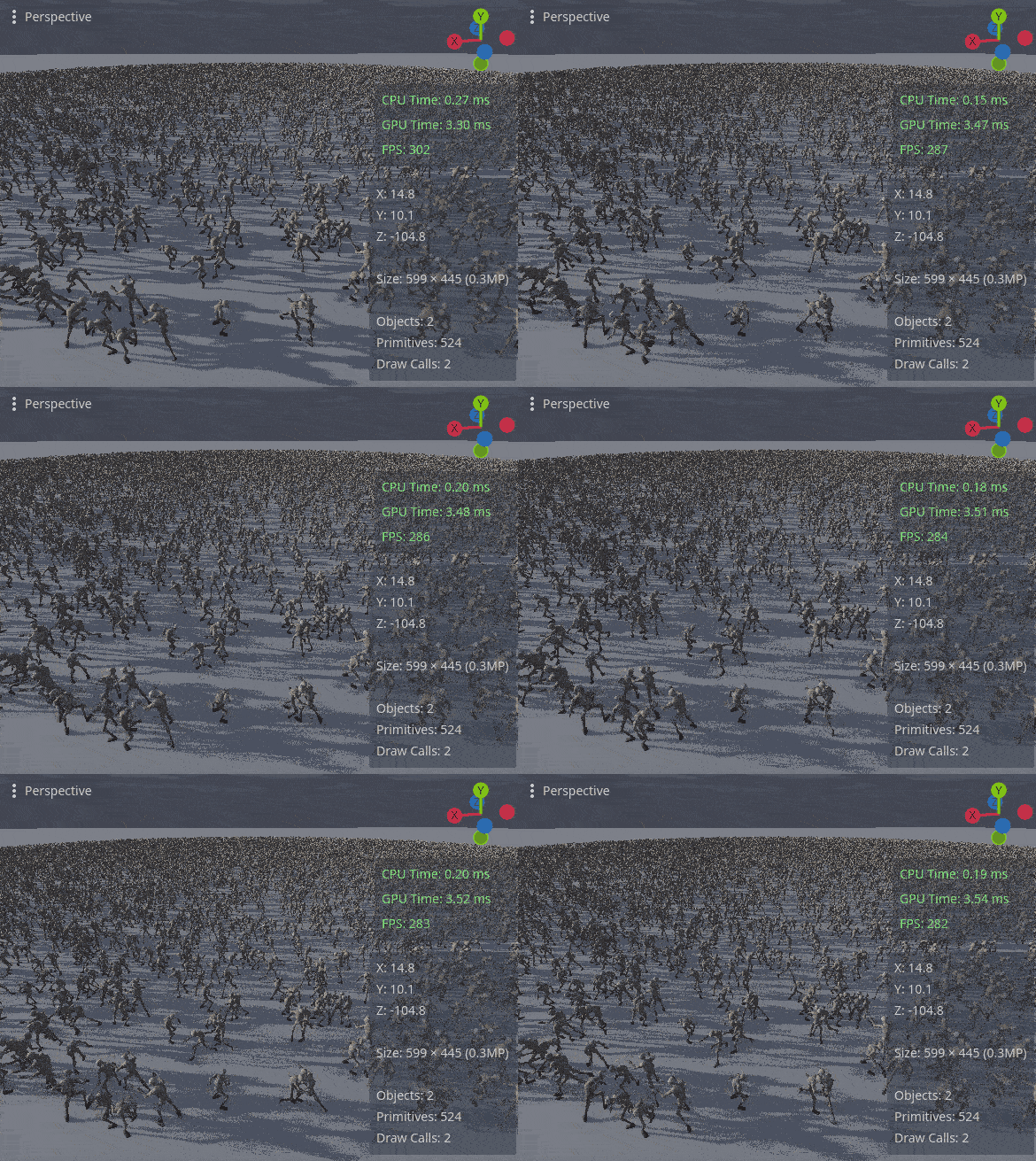
Vertex animation with instancing (VAT)

This shader allows to draw tens of thousands animated meshes with a single draw call inside MultimeshInstance3D. It also supports playing a unique animation per instance with blending.
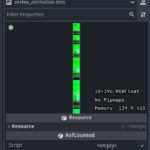
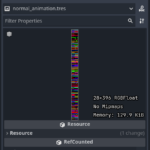
The animations are baked into a vertex and normal texture and stored on the GPU for drawing.
INSTANCE_CUSTOM buffer is used to draw and blend unique animations per instance.
I added downsampling to the animation baker to reduce animation file size. The shader interpolates vertex and normal textures back into a smooth animation.
Pros:
- Drastically reduces CPU load by removing the need to read the bone data from individual Skeleton3D instances. Shifts all the work to the GPU that instead simply reads the vertex positions from a texture.
- Baked animation is reduced to vertex positions and normals, meaning the source animation can have any kind of bone complexity.
- No data needs to be sent to between the CPU and GPU, except changing instance transform and updating INSTANCE_CUSTOM buffer when switching the animation. The data can be sent using set_buffer().
Cons:
- Mesh vertex count directly affects animation texture size.
- Requires custom processing of Multimesh transforms.
- Blending between two animations that differ too much in vertex positions causes unwanted warping.
- Multimesh doesn’t support frustrum culling and LODs. If you plan to use this shader for hundreds of thousands meshes, you will also need to implement them.
Project containing AnimatedMultimeshInstance3D addon that allows to bake and play the animations directly in Godot:
https://github.com/shadecoredev/AnimatedMultimeshInstance3D
Shader code
/*
Vertex animation with instancing.

INSTANCE_CUSTOM buffer is used to display a unique animation per instance.
It has total of 4 floats with 32 bits for Forward+ and 16 bits for Compatability renderer.

============================================  Forward+  ============================================

	Red channel:
		16 bits reserved for starting frame index for the main animation;
		16 bits reserved for length in frames for the main animation.

	Green channel:
		16 bits reserved for starting frame index for the blended animation;
		16 bits reserved for length in frames for the blended animation.

	Blue channel:
		32 bits reserved for animation blend timestamp.

	Alpha channel:
		16 bits reserved for animation blend duration.
		16 bits reserved for animation blend out time.

=========================================  Compatibility  ==========================================

	WARNING: Doesn't support animation blending.

	Red channel:
		16 bits reserved for starting frame index for the main animation;

	Green channel:
		16 bits reserved for length in frames for the main animation;

	Blue channel:
		Unreserved.

	Alpha channel:
		Unreserved.

*/

shader_type spatial;
render_mode cull_back;

/**
Change this setting to toggle blending.
Enabling it eats up performance but allows play blended animations.
Only Forward+ renderer is supported for this feature.
*/
#define USE_BLENDING true

/** Albedo texture. */
uniform sampler2D albedo : filter_nearest, hint_default_white;

/** Image containing vertex positions in the RGBF format. */
uniform sampler2D vertex_animation : filter_nearest;

/** Image containing vertex normals in the RGBF format. */
uniform sampler2D normal_animation : filter_nearest;

/** Total frame count in the animation texture (image width in pixels). */
uniform float total_frame_count: hint_range(0.0, 8192.0, 1.0);

/** Total vertex count in the animation texture (image height in pixels). */
uniform float total_vertex_count: hint_range(0.0, 8192.0, 1.0);

/** FPS the animation was downsampled to. */
uniform float sampling_fps = 5.0;

const float PER_INSANCE_TIME_OFFSET = 0.19;

void vertex() {

	float frame = 1.0 / total_frame_count;
	float pixel = 1.0 / total_vertex_count;

	float texture_frame = (TIME - float(INSTANCE_ID) * PER_INSANCE_TIME_OFFSET) * sampling_fps;

#if CURRENT_RENDERER == RENDERER_FORWARD_PLUS
	int custom_r = floatBitsToInt(INSTANCE_CUSTOM.r);
	int main_starting_frame = custom_r & 0xFF;
	int main_frame_length = (custom_r >> 16) & 0xFF;

	float y = fma(pixel, 0.5, float(VERTEX_ID) / total_vertex_count);
#endif

#if (USE_BLENDING and CURRENT_RENDERER == RENDERER_FORWARD_PLUS)
	int custom_g = floatBitsToInt(INSTANCE_CUSTOM.g);
	int blend_starting_frame = custom_g & 0xFF;
	int blend_frame_length = (custom_g >> 16) & 0xFF;

	float animation_blend_timestamp = INSTANCE_CUSTOM.b;

	int custom_a = floatBitsToInt(INSTANCE_CUSTOM.a);
	float animation_blend_duration = float(custom_a & 0xFF) * 0.0625;
	int animation_blend_out_time_bits = (custom_a >> 16) & 0xFF;
	float animation_blend_out_time = float(animation_blend_out_time_bits) * 0.0625;

	float blend_amount = smoothstep(
		0.0,
		1.0,
		(TIME - animation_blend_timestamp) / animation_blend_duration
	);

	float blend_texture_frame;
	if (animation_blend_out_time_bits == 0) {
		blend_texture_frame = texture_frame;
	} else {
		blend_texture_frame = (TIME - animation_blend_timestamp) * sampling_fps;
		blend_amount *= smoothstep(
			1.0,
			0.0,
			(TIME - animation_blend_out_time - animation_blend_timestamp) / animation_blend_duration
		);
	}

	float frame_blend = mod(texture_frame, 1.0);
	float blend_frame_blend = mod(blend_texture_frame, 1.0);

	float x_blend = (
		float(
				blend_starting_frame + int(blend_texture_frame) % blend_frame_length
			) + 0.5
		) * frame;

	float next_x_blend = (
		float(
				blend_starting_frame + (int(blend_texture_frame) + 1) % blend_frame_length
			) + 0.5
		) * frame;

	vec2 coord_blend = vec2(x_blend, y);
	vec2 next_coord_blend = vec2(next_x_blend, y);

	vec3 blend_vertex_lerp = mix(
		texture(vertex_animation, coord_blend).rgb,
		texture(vertex_animation, next_coord_blend).rgb,
		blend_frame_blend
	);
	vec3 blend_normal_lerp = mix(
		texture(normal_animation, coord_blend).rgb,
		texture(normal_animation, next_coord_blend).rgb,
		blend_frame_blend
	);
#else
	float texture_frame = (TIME - float(INSTANCE_ID) * PER_INSANCE_TIME_OFFSET) * sampling_fps;
	float frame_blend = mod(texture_frame, 1.0);
#endif

#if CURRENT_RENDERER == RENDERER_COMPATIBILITY
	int main_starting_frame = int(INSTANCE_CUSTOM.r);
	int main_frame_length = int(INSTANCE_CUSTOM.g);

	float y = float(VERTEX_ID) / total_vertex_count + pixel * 0.5;
#endif
	float x = (
		float(
				main_starting_frame + int(texture_frame) % main_frame_length
			) + 0.5
		) * frame;

	float next_x = (
		float(
				main_starting_frame + (int(texture_frame) + 1) % main_frame_length
			) + 0.5
		) * frame;

	vec2 coord = vec2(x, y);
	vec2 next_coord = vec2(next_x, y);

	vec3 vertex_lerp = mix(
		texture(vertex_animation, coord).rgb,
		texture(vertex_animation, next_coord).rgb,
		frame_blend
	);
	vec3 normal_lerp = mix(
		texture(normal_animation, coord).rgb,
		texture(normal_animation, next_coord).rgb,
		frame_blend
	);

#if (USE_BLENDING and CURRENT_RENDERER == RENDERER_FORWARD_PLUS)
	VERTEX = mix(vertex_lerp, blend_vertex_lerp, blend_amount);
	NORMAL = mix(normal_lerp, blend_normal_lerp, blend_amount);
#else
	VERTEX = vertex_lerp;
	NORMAL = normal_lerp;
#endif
}

void fragment() {
	ALBEDO = texture(albedo, UV).rgb;
}
Live Preview

Cant wait to get home and try this
i read how to do this on reddit once, i’m assuming that was you, thank you a tonne for your contribution!
I found at least 4 people on reddit and github who tried to implement this feature, but each solution lacked functionality in some aspect.
Since I’m using this shader for my own game, I made it as easy to use as possible and will debug and add new features as needed.
I liked it instead i maked my own but it works and i still summon that much enitities my PC will still explode what you have RTX 5090?🤣