
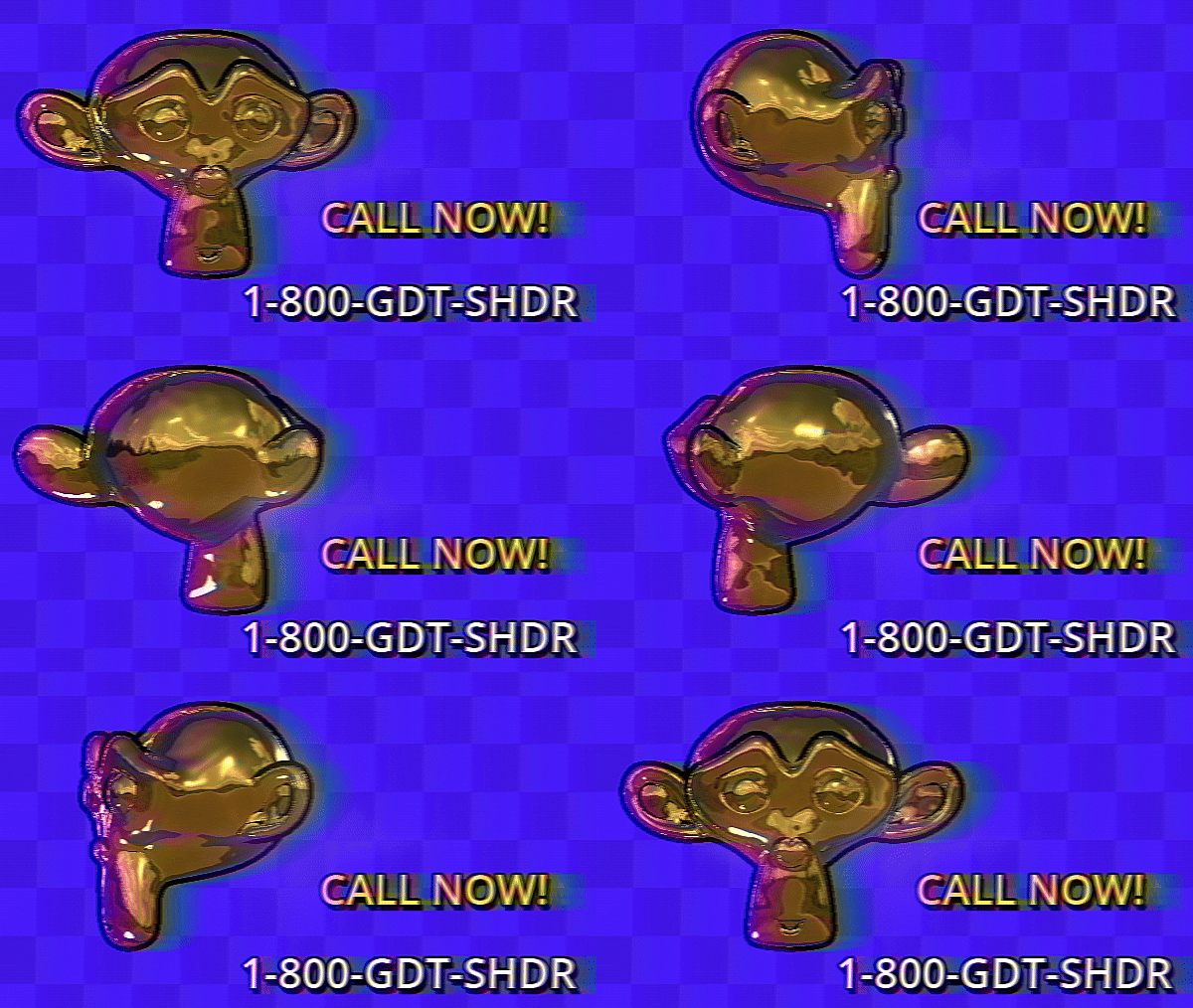
VHS with wiggle

ps: don’t actually call
Port of hunterk’s vhs shader for RetroArch. It has parameters for color smear amount, wiggle, wiggle speed and quality of blurring via samples.
If you’re having performance problems lower the blur samples. Do keep in mind that the smearing will look worse, however.
Instructions:
1- Create a CanvasLayer node
2- Add a ColorRect to the CanvasLayer node
3- Click on the ColorRect -> Material -> New ShaderMaterial -> Shader -> Create New Shader -> Paste the code below
CREDITS
- hunterk on the RetroArch GitHub https://github.com/exokitxr/emukit/blob/f3b41ed82eb5e870e3b7d7f6ffdf99f311ec37c2/assets/frontend/bundle/shaders/shaders_glsl/vhs/shaders/vhs.glsl
- Original author on ShaderToy https://www.shadertoy.com/view/XlsczN
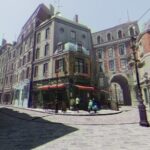
- GDQuest for the project demo (second screenshot): https://www.gdquest.com/news/2022/12/godot-4-third-person-controller/
Shader code
shader_type canvas_item;

group_uniforms Wiggle;
uniform float wiggle : hint_range(0.0, 1.5, 0.01) = 0.03;
uniform float wiggle_speed : hint_range(0.0, 100.0, 1.0) = 25;
group_uniforms Smear;
uniform float smear : hint_range(0.0, 2.0) = 1.0;

uniform sampler2D Source : hint_screen_texture, filter_linear_mipmap, repeat_disable;

group_uniforms Blur;
uniform int blur_samples : hint_range(3, 15, 1) = 15;

float onOff(float a, float b, float c, float framecount) {
    return step(c, sin((framecount * 0.001) + a * cos((framecount * 0.001) * b)));
}

vec2 jumpy(vec2 uv, float framecount) {
    vec2 look = uv;
    float window = 1.0 / (1.0 + 80.0 * (look.y - mod(framecount / 4.0, 1.0)) * (look.y - mod(framecount / 4.0, 1.0)));
    look.x += 0.05 * sin(look.y * 10.0 + framecount) / 20.0 * onOff(4.0, 4.0, 0.3, framecount) * (0.5 + cos(framecount * 20.0)) * window;
    float vShift = (0.1 * wiggle) * 0.4 * onOff(2.0, 3.0, 0.9, framecount) * (sin(framecount) * sin(framecount * 20.0) + (0.5 + 0.1 * sin(framecount * 200.0) * cos(framecount)));
    look.y = mod(look.y - 0.01 * vShift, 1.0);
    return look;
}

vec2 Circle(float Start, float Points, float Point) {
    float Rad = (3.141592 * 2.0 * (1.0 / Points)) * (Point + Start);
    return vec2(-(.3 + Rad), cos(Rad));
}

vec3 rgb2yiq(vec3 c) {
    return vec3(
        (0.2989 * c.x + 0.5959 * c.y + 0.2115 * c.z),
        (0.5870 * c.x - 0.2744 * c.y - 0.5229 * c.z),
        (0.1140 * c.x - 0.3216 * c.y + 0.3114 * c.z)
    );
}

vec3 yiq2rgb(vec3 c) {
    return vec3(
        (1.0 * c.x + 1.0 * c.y + 1.0 * c.z),
        (0.956 * c.x - 0.2720 * c.y - 1.1060 * c.z),
        (0.6210 * c.x - 0.6474 * c.y + 1.7046 * c.z)
    );
}

vec3 Blur(vec2 uv, float d, int samples) {
    vec3 sum = vec3(0.0);
    float W = 1.0 / float(samples);
    for (int i = 0; i < samples; ++i) {
        float t = (sin(TIME * 5.0 + uv.y * 5.0)) / 10.0;

        t = 0.0;
        vec2 PixelOffset = vec2(d + 0.0005 * t, 0);

        float Start = 2.0 / float(samples);
        vec2 Scale = 0.66 * 4.0 * 2.0 * PixelOffset.xy;

        vec3 N = texture(Source, uv + Circle(Start, float(samples), float(i)) * Scale).rgb;
        sum += N * W;
    }
    return sum;
}

void fragment() {
    vec2 uv = UV;

    float d=0.1-round(mod(TIME/3.0,1.0))*.1;;
    uv = jumpy(uv, mod(TIME * wiggle_speed, 7.0));

    float s = 0.0001 * -d + 0.0001 * wiggle *(sin(TIME * wiggle_speed));
    float e = min(.30,pow(max(0.0,cos(uv.y*4.0+.3)-.75)*(s+0.5)*1.0,3.0))*25.0;
    float r = (250.0*(2.0*s));
    uv.x += abs(r*pow(min(.003,(-uv.y+(.01*mod(TIME, 5.0))))*3.0,2.0)) * wiggle;

    d = 0.051+abs(sin(s/4.0));
    float c = max(0.0001,.002*d) * smear;
    vec4 final;

    final.rgb = Blur(uv, c + c * uv.x, blur_samples);
    float y = rgb2yiq(final.rgb).r;

    uv.x += 0.01 * d;
    c *= 6.0;
    final.rgb = Blur(uv, c, blur_samples);
    float i = rgb2yiq(final.rgb).g;

    uv.x += 0.005 * d;
    c *= 2.50;
    final.rgb = Blur(uv, c, blur_samples);
    float q = rgb2yiq(final.rgb).b;
    final.rgb = yiq2rgb(vec3(y, i, q)) - pow(s + e * 2.0, 3.0);

    final.a = 1.0;

    COLOR = final;
}
Live Preview


This is cool and all but could we maybe see a posterize time/frame stutter shader/script? Like a shader/script that caps the project to a set fps?
I’m pretty sure you can cap the framerate in the Project Settings, is that what you mean?
thanks for this!
i was getting a white flashing until I commented out the pow on line 93 to
final.rgb = yiq2rgb(vec3(y, i, q));// - pow(s + e * 2.0, 3.0);(rendering method Mobile on v4.3.dev5.official [c9c17d6ca])
This is exactly what I’ve been looking for. Thanks a lot.
for some reason, after applying it, I can’t control the camera, although I can still control the character
set the mouse mode of the color rect to ignore
nvm i got it
This is what I am searching for, for month. Sadly tho:
I’m using a 2D project – for me it behaves completely odd.
(I’m new to godot and actually don’t know what I am doing, so… )
It’s an empty project with just an image and a player sprite.
Is there a posibility you look into making it 2D compatible or am I just missing somthing?
I know it’s 8 months late, but I had the same issue, replace “vec2 uv = UV;” with “vec2 uv = SCREEN_UV;”
After digging through some code and playing with it I also came across another issue: The “wiggle” starts very low and over time it gets more and more heavy. Is that intended? Since I am not that familiar with godot at this point I would assume that it is due to the TIME variable used? Is there a way to make the wiggle intensity more consistant?
I don’t know if you’ve solved the issue or are even interested in this answer anymore, but I was able to find a solution:
Replace the “TIME” on line 74 with a constant and it should be consistent!
thank you very helpful. the value of “250.0” worked well for me (while retaining the same shader parameters)
fixed it ! thanks for the feedback
What an amazing shader! It add SO much charm, so easily 20/10 🌟
when the viewport is made Fullscreen the ui elements get too distorted, to a point that they become unreadable, works fine in the usual game window.
Yeah the smear parameter is heavily resolution dependent, should have some sort of scale applied to it based on the resolution.
Hey just a heads up for anyone trying to use this shader with Sub-viewports (Godot 4.4.1 btw):
For some reason this particular shader hates being in a Sub-viewport In-game/At Runtime.
The “final.a = 1.0” just breaks all transparency involved with Sub-viewports, and then some… We tried to even (after a lot of trial and error) get transparency to work with this shader so we can “overlay” it onto areas only covered in that Sub-viewport.
We still can’t get the Sub-viewport to render transparency with this shader AT ALL. All that happens is the areas that are supposed to be transparent are completely blacked out. Thus making it unusable for most applications where transparency is needed.
If anyone out there knows of a way to get this shader to work with transparency in Godot 4.4.1, please let us know!
Very very simple to use. Looks fantastic!
THIS IS SO COOL! also for some reason my game window keeps going beneath the screen automatically by itself and idk whyD:
edit: nvm I already fixed it, THANKS FOR THE SHADER!