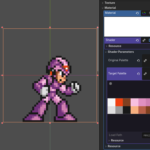
Change color palette

En:
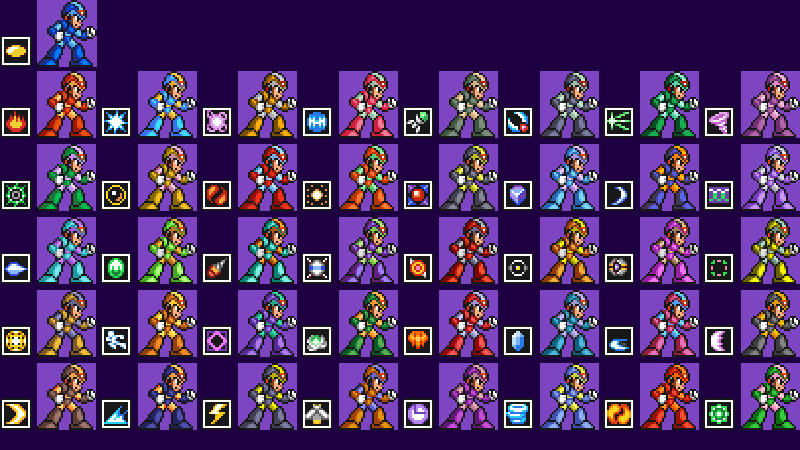
With this shader, you can easily swap your character’s colors. Ever played *Mega Man*? Well, it works the same way; this method saves you from having to create multiple identical sprites with different color schemes, thereby saving time and space in your project.
Es:
Con éste shader podrás reemplazar cómodamente los colores de tu personaje, ¿Alguna vez jugaste Megaman?, bueno, funciona de la misma manera, éste método te ayudará a no tener que crear muchos sprites exactamente iguales pero con un color diferente, ahorrando tiempo y espacio en tu proyecto.
Shader code
shader_type canvas_item;

uniform sampler2D original_palette : filter_nearest, repeat_disable;
uniform sampler2D target_palette : filter_nearest, repeat_disable;

void fragment() {
    vec4 current_color = texture(TEXTURE, UV);
    COLOR = current_color;

    // Solo procesamos si el píxel no es transparente
    if (current_color.a >= 0.05) {
        ivec2 pal_size = textureSize(original_palette, 0);

        // Validamos que la paleta esté cargada
        if (pal_size.x > 0 && pal_size.y > 0) {
            bool match_found = false;

            for (int y = 0; y < pal_size.y; y++) {
                for (int x = 0; x < pal_size.x; x++) {
                    ivec2 texel_coord = ivec2(x, y);
                    vec4 ref_color = texelFetch(original_palette, texel_coord, 0);

                    if (ref_color.a < 0.1) {
                        continue;
                    }

                    // Margen de tolerancia mínimo para float
                    if (distance(current_color.rgb, ref_color.rgb) < 0.008) {
                        vec4 new_color = texelFetch(target_palette, texel_coord, 0);
                        COLOR = vec4(new_color.rgb, current_color.a);
                        match_found = true;
                        break;
                    }
                }
                if (match_found) {
                    break;
                }
            }
        }
    }
}
Live Preview