
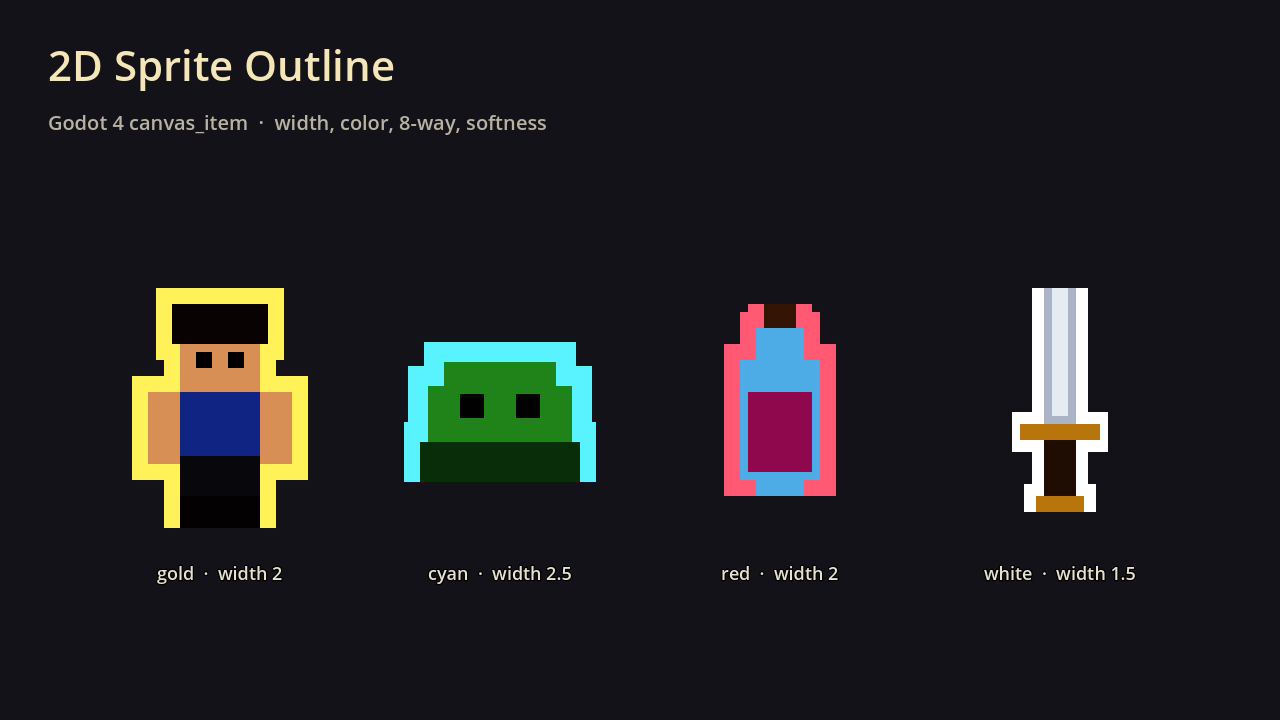
2D Sprite Outline (width, color, 8-way, softness)

A drop-in canvas_item outline for Godot 4 sprites. It samples the texture’s alpha in 4 or 8 directions and draws a solid ring around opaque pixels, so it works on any sprite with a transparent background — characters, pickups, UI icons.
USAGE:
Add a ShaderMaterial to a Sprite2D or TextureRect, assign this shader, and tune the uniforms in the Inspector:
- `outline_color` — RGBA of the ring (alpha controls outline opacity)
- `outline_width` — width in texture pixels (0 turns the outline off)
- `alpha_threshold` — what counts as “inside” the sprite
- `eight_way` — on = 8-direction samples (smoother corners); off = 4-direction
- `softness` — slight feather on the inner/outer edge
The sprite’s `modulate` / VERTEX color is respected. Works in Godot 4.3+ (Compatibility, Forward+, Mobile).
AI-assisted (code + text)
Need combat audio to go with the outline? Fantasy RPG SFX Bundle: https://assetsmithpixels.itch.io/fantasy-rpg-sfx-bundle
Shader code
// 2D Sprite Outline for Godot 4
// (c) 2026 assetsmithpixels — MIT License
shader_type canvas_item;
render_mode unshaded, blend_mix;

group_uniforms Outline;
uniform vec4 outline_color : source_color = vec4(1.0, 1.0, 1.0, 1.0);
uniform float outline_width : hint_range(0.0, 16.0) = 2.0;
uniform float alpha_threshold : hint_range(0.0, 1.0) = 0.1;
uniform bool eight_way = true;
uniform float softness : hint_range(0.0, 4.0) = 0.5;

void fragment() {
	vec4 sprite = texture(TEXTURE, UV) * COLOR;
	if (outline_width <= 0.001) {
		COLOR = sprite;
	} else {
		vec2 px = TEXTURE_PIXEL_SIZE * outline_width;
		float around = 0.0;
		around = max(around, texture(TEXTURE, UV + vec2(px.x, 0.0)).a);
		around = max(around, texture(TEXTURE, UV + vec2(-px.x, 0.0)).a);
		around = max(around, texture(TEXTURE, UV + vec2(0.0, px.y)).a);
		around = max(around, texture(TEXTURE, UV + vec2(0.0, -px.y)).a);
		if (eight_way) {
			around = max(around, texture(TEXTURE, UV + vec2(px.x, px.y)).a);
			around = max(around, texture(TEXTURE, UV + vec2(-px.x, px.y)).a);
			around = max(around, texture(TEXTURE, UV + vec2(px.x, -px.y)).a);
			around = max(around, texture(TEXTURE, UV + vec2(-px.x, -px.y)).a);
		}
		float ring = smoothstep(alpha_threshold - softness * 0.05, alpha_threshold + softness * 0.05, around);
		float inside = smoothstep(alpha_threshold - softness * 0.05, alpha_threshold + softness * 0.05, sprite.a);
		float outline_a = clamp(ring * (1.0 - inside), 0.0, 1.0) * outline_color.a;
		vec3 rgb = mix(outline_color.rgb, sprite.rgb, inside);
		float a = max(sprite.a, outline_a);
		COLOR = vec4(rgb, a);
	}
}

Comments 0
No comments yet.