
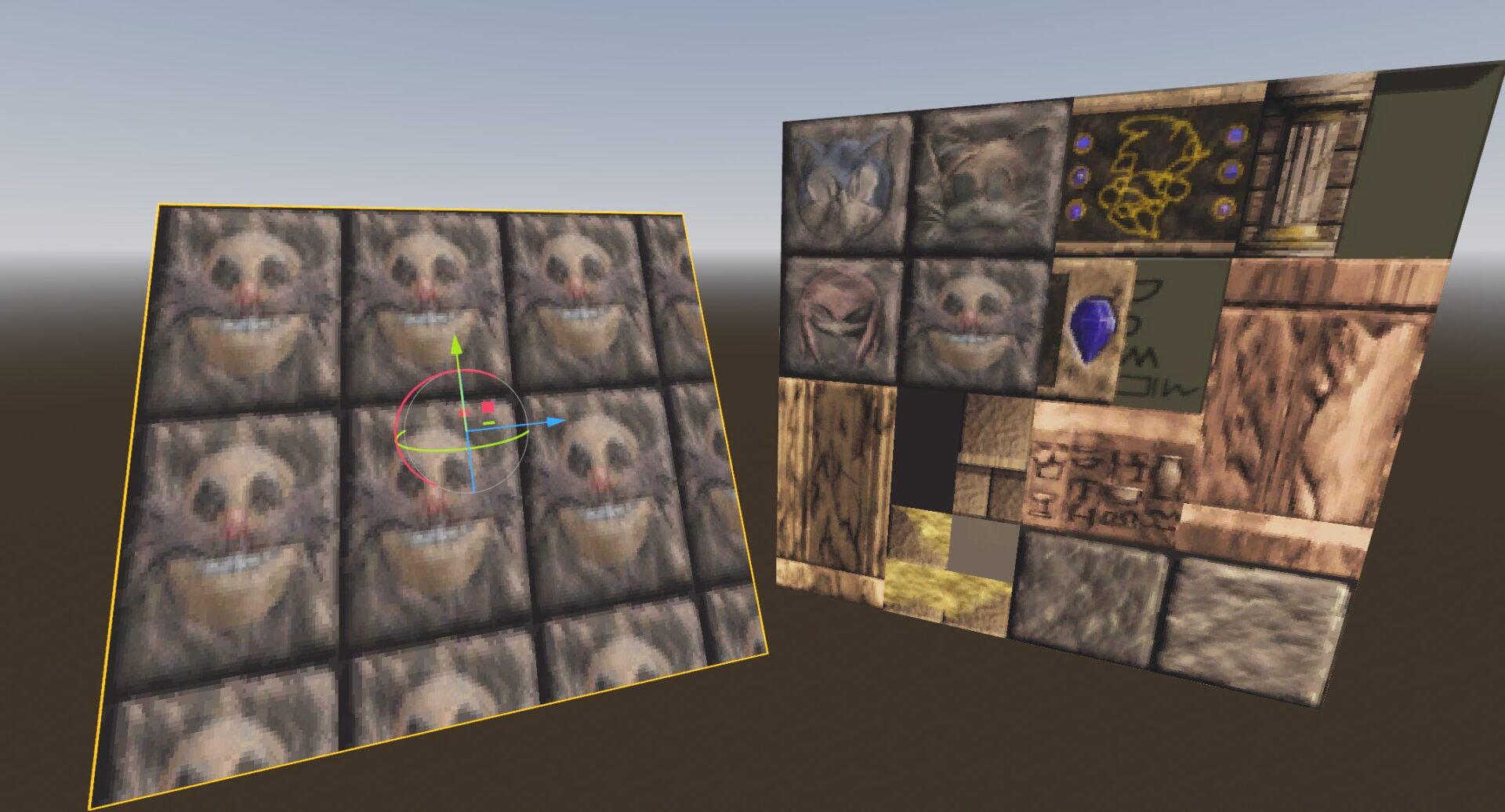
Atlas Region Tiled Repeat (3D)

This is a super simple example of how to repeat a subregion of a texture atlas when you have a quad mesh with default UVs of 0 – 1. This is like how an AtlasTexture works but the region can be repeated multiple times.
You’ll need to set the texture, region size, region offset, and tile factor (how many times to tile x and y) as shader parameters. Region size and offset are in pixels for your convenience.
Use either filter_linear or filter_nearest for the texture uniform instead of filter_linear_mipmap etc, the mipmapping breaks a bit on the edges when you repeat the UVs like this.
SEEM_HIDING is a small adjustment ~= 0.01 which avoids bleed at the edges from adjacent pixels in the atlas if your atlas has no padding.
Shader code
shader_type spatial;
render_mode blend_mix, depth_draw_opaque, depth_test_default, cull_back, diffuse_lambert, specular_schlick_ggx;

uniform vec2 region_size;
uniform vec2 tile_factor = vec2(1.000000, 1.000000);
uniform vec2 atlas_offset;
uniform sampler2D atlas : source_color, filter_nearest;

void fragment() {
    const float SEEM_HIDING = 1.0/128.0;
    const float SEEM_SCALE = 1.0 - SEEM_HIDING * 2.0;
    vec2 tiled_pixel = mod(UV * tile_factor, 1.0) * region_size * SEEM_SCALE + SEEM_HIDING;
    vec2 newUV = (tiled_pixel + atlas_offset) / vec2(textureSize(atlas, 0));

    ALBEDO = texture(atlas, newUV).xyz;
}