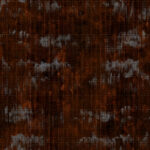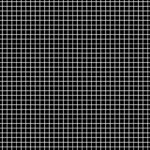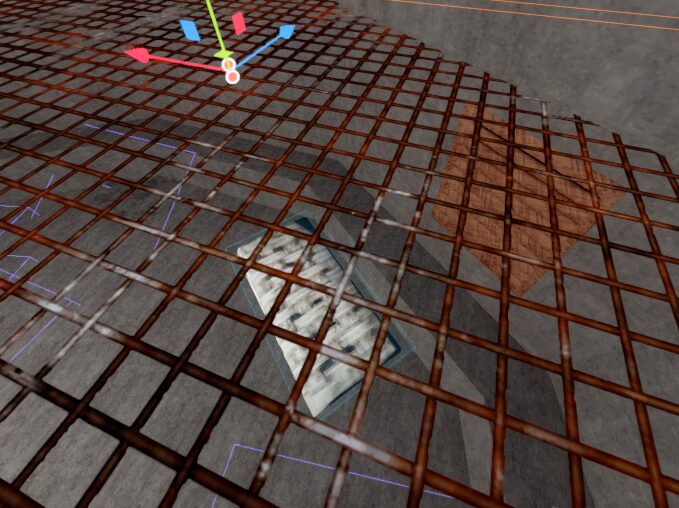
Black/White Mask For fences and Other things
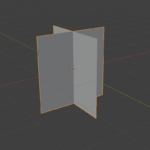
This willl allow you to make a texture then a masking texture that has the actual thing you want it to look like. so take a nice texture then a mask of white squares and back filling and itll display squares! for natual looking squares i recommend a 40-60 value so 1 on the Y and 0.6 on the X
Shader code
shader_type spatial;
render_mode blend_mix, depth_prepass_alpha, cull_back;

uniform sampler2D albedo_texture : source_color;
uniform sampler2D opacity_texture : source_color;
uniform sampler2D normal_texture : source_color;

uniform vec4 tint_color : source_color = vec4(1.0, 1.0, 1.0, 1.0);

uniform float opacity_threshold : hint_range(0.0, 1.0) = 0.5;
uniform float uv_scale_x : hint_range(0.01, 100.0) = 1.0;
uniform float uv_scale_y : hint_range(0.01, 100.0) = 1.0;

uniform float metallic : hint_range(0.0, 1.0) = 0.0;
uniform float roughness : hint_range(0.0, 1.0) = 0.15;
uniform float specular : hint_range(0.0, 1.0) = 0.7;
uniform float normal_strength : hint_range(0.0, 1.0) = 0.25;

void fragment() {
	vec2 scaled_uv = UV * vec2(uv_scale_x, uv_scale_y);

	vec4 color_tex = texture(albedo_texture, scaled_uv);
	float opacity_val = texture(opacity_texture, scaled_uv).r;

	// Invert: white = visible, black = transparent
	float alpha = smoothstep(0.0, opacity_threshold, opacity_val);

	// Normal map influence
	vec3 tex_normal = texture(normal_texture, scaled_uv).rgb;
	tex_normal = normalize(tex_normal * 2.0 - 1.0);
	NORMAL = normalize(mix(NORMAL, tex_normal, normal_strength));

	ALBEDO = color_tex.rgb * tint_color.rgb;
	ALPHA = tint_color.a * alpha;

	METALLIC = metallic;
	ROUGHNESS = roughness;
	SPECULAR = specular;
}
Live Preview