
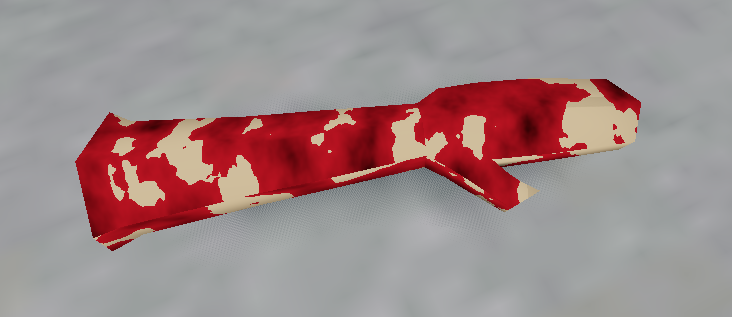
Blood Mix Shader

A shader that covers your object in blood.
Setup:
- Assign the blood shader as the next pass for your desired material.
- Set the noise texture to a new
NoiseTexture2Dand set the noise to a newFastNoiseLite. - Set
intensityto the amount of blood to cover the material. - Set
colorto the desired blood color. - Set
noise_shadingto the amount of desired shading from the noise texture.
Thanks to Pointblanks’ Blood Shader (2D) for inspiration.
Shader code
shader_type spatial;

render_mode depth_prepass_alpha;
render_mode diffuse_toon;
render_mode specular_toon;

uniform sampler2D noise : repeat_enable; // cutout & shading texture
uniform float noise_shading : hint_range(0.0, 1.0) = 1.0; // shading from noise
uniform float intensity : hint_range(0.0, 1.0) = 0.0; // amount of blood
uniform vec4 color : source_color = vec4(1.0, 0.0, 0.0, 1.0); // color of blood

void fragment() {
	vec4 noise_texture = texture(noise, UV);

	ALBEDO = color.rgb * mix(vec3(1.0), noise_texture.rgb, noise_shading);
	ALPHA = color.a * step(noise_texture.r, intensity);
}