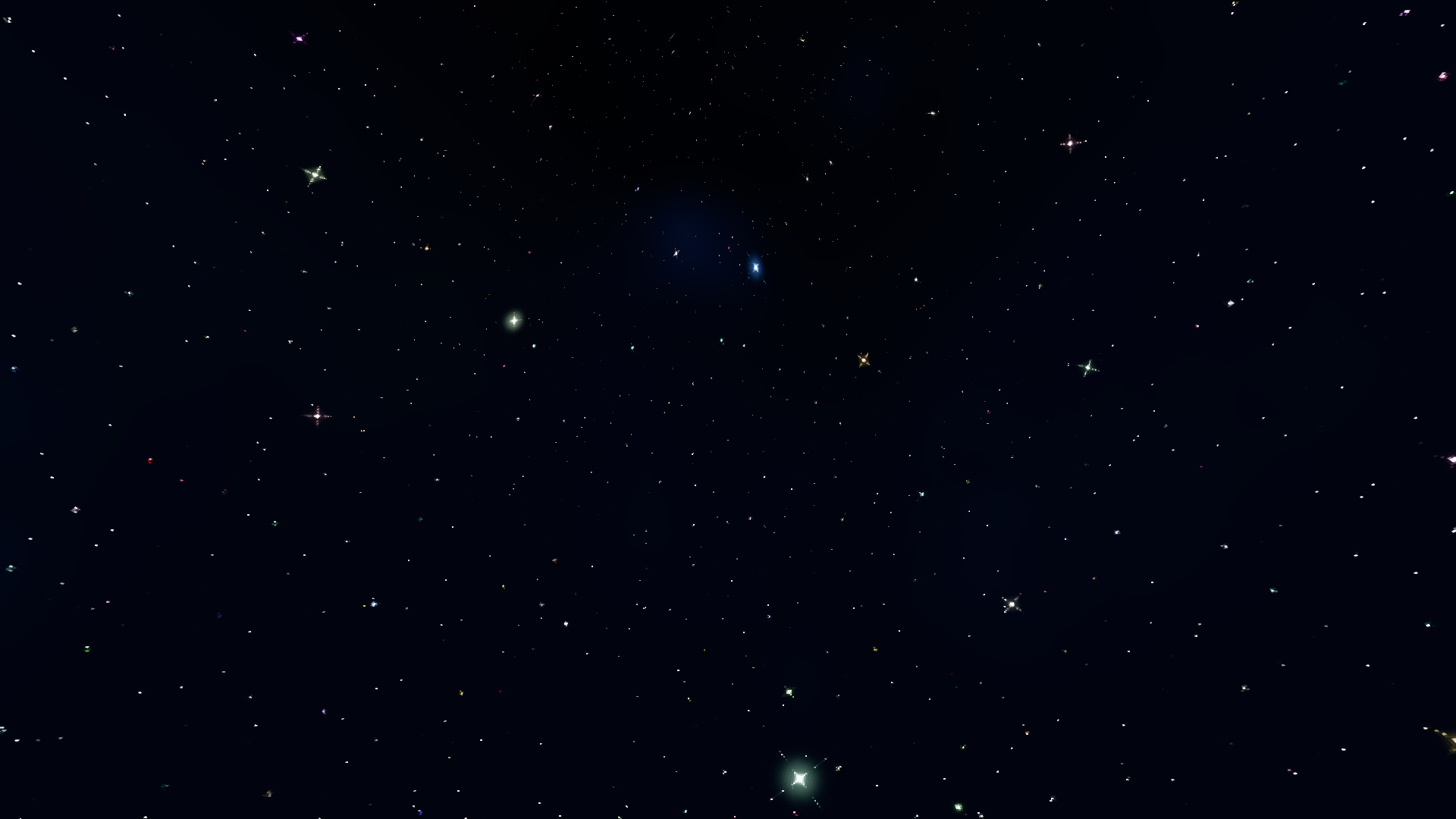
Animated Starfield

Create a ShaderMaterial with the shader and assign it to your mesh.
background_color: The color of the background.aspect_ratio: The amount to stretch stars inversely.density: The amount of stars.layer_parascale: The number of star layers.star_speed: The speed that stars move across the background.star_wave: The speed that stars move back-and-forth across the background.star_rotate_speed: The speed that stars rotate.twinkle_effect: The amount of star flickering.twinkle_speed: The speed of star flickering.pixelate_enabled: Whether to enable the pixelation effect.pixelate_count: How many pixels to round to in the pixelation effect.
To use the shader on a canvas item:
- Replace:
shader_type spatial;render_mode depth_prepass_alpha;render_mode diffuse_toon;render_mode specular_toon;- With:
shader_type canvas_item;- Replace:
ALBEDO = color.rgb;ALPHA = color.a;- With:
COLOR = color;
See on GitHub: https://github.com/Joy-less/AnimatedStarfieldShader
Based on xcv145336’s shader: https://godotshaders.com/shader/2d-starfield-in-the-sky-with-scrolling-effect-ver-1-0
Shader code
shader_type spatial;
render_mode depth_prepass_alpha;
render_mode diffuse_toon;
render_mode specular_toon;

uniform vec4 background_color : source_color = vec4(0.02, 0.04, 0.12, 1.0);
uniform float aspect_ratio = 1.0;
uniform float density : hint_range(0.0, 3.0, 0.0001) = 1.3;
uniform int layer_parascale : hint_range(0, 5, 1) = 4;
uniform vec2 star_speed = vec2(0.0);
uniform vec2 star_wave = vec2(0.0);
uniform float star_size : hint_range(0.0, 100.0, 0.01) = 3.0;
uniform float star_rotate_speed : hint_range(-3.0, 3.0) = 0.5;
uniform float twinkle_effect : hint_range(0.0, 1.0, 0.01) = 0.6;
uniform float twinkle_speed : hint_range(0.0, 100.0, 0.01) = 0.3;
uniform bool pixelate_enabled = false;
uniform float pixelate_count = 1000.0;

float one_div_x(float x) {
	return (abs(x) < 0.0001) ? 1.0 : (1.0/x);
}

float one_div_x2(float x) {
	return one_div_x(x) * one_div_x(x);
}

float get_beta_w(float x, float f, float size) {
	return size * x * PI / f;
}

float get_beta_h(float y, float f, float size) {
	return size * y * PI / f;
}

float get_i(vec2 uv, float f, vec2 size) {
	return one_div_x2(get_beta_w(uv.x, f, size.x)) * one_div_x2(get_beta_h(uv.y, f, size.y));
}

float random(vec2 st) {
	return fract(sin(dot(st.xy, vec2(12.9898, 78.233))) * 43759.5453123);
}

vec2 get_snowflake_world_center(vec2 grid_id, vec2 time_offset, vec2 snow_offset, float layer_scale) {
	return (grid_id + snow_offset + time_offset) / layer_scale;
}

vec2 rotate(vec2 uv, float add_theta) {
	float theta = atan(uv.y, uv.x) + add_theta;
	float r = length(uv);
	return vec2(r * cos(theta), r * sin(theta));
}

void fragment() {
	vec4 color = background_color;

	vec2 st = UV;
	if (pixelate_enabled) {
		st = round(st * pixelate_count) / pixelate_count;
	}
	st.x *= aspect_ratio;
	vec2 cuv = (st - 0.5) * 2.0;

	// Multi-layer star effect
	for (int layer = 0; layer < layer_parascale; layer++) {
		float layer_scale = exp(float(layer + 1) * density);
		vec2 layer_speed = vec2(star_speed.x, star_speed.y) * (1.0 + float(layer) * 0.3);
		float layer_size = star_size * (1.0 - float(layer) * 0.2);

		vec2 layer_st = st * layer_scale;
		vec2 cuv_st = cuv;

		vec2 time_offset = TIME * layer_speed;
		layer_st -= time_offset;

		vec2 grid_st = fract(layer_st);
		vec2 grid_id = floor(layer_st);

		float rand_seed = random(grid_id);

		vec2 snow_pos = vec2(
			0.5 + (0.3 * sin((rand_seed * 6.28) + (TIME * star_wave.x))),
			0.5 + (0.2 * cos((rand_seed * 12.56) + (TIME * star_wave.y)))
		);

		float dist = distance(grid_st, snow_pos);
		float snow_size = layer_size * 0.01 * (0.5 + 0.5 * rand_seed);
		float brightness = 1.0 - (float(layer) * 0.3);

		float m = exp((-dist * dist) / (snow_size * snow_size));

		vec2 fst = cuv_st - (get_snowflake_world_center(grid_id, time_offset, snow_pos, layer_scale) - 0.5) * 2.0;
		fst = rotate(fst, TIME * star_rotate_speed);

		float snowflake = m * 0.5 * (get_i(fst, 0.8 - (dist * 42.0), vec2(1.0 / snow_size)) + 1.0);

		// Twinkle effect
		float twinkle = (1.0 - twinkle_effect) + twinkle_effect * (sin(rand_seed * 100.0 + TIME * twinkle_speed) * cos(rand_seed * 120.0 + TIME * (twinkle_speed + 2.0)));
		snowflake *= twinkle;

		vec3 color_type = vec3(random(grid_id - 3.0), random(grid_id + 7.0), random(grid_id + 5.0));

		color = max(color, color + ((snowflake * brightness) * vec4(color_type, 1.0)));
	}

	ALBEDO = color.rgb;
	ALPHA = color.a;
}
Live Preview