
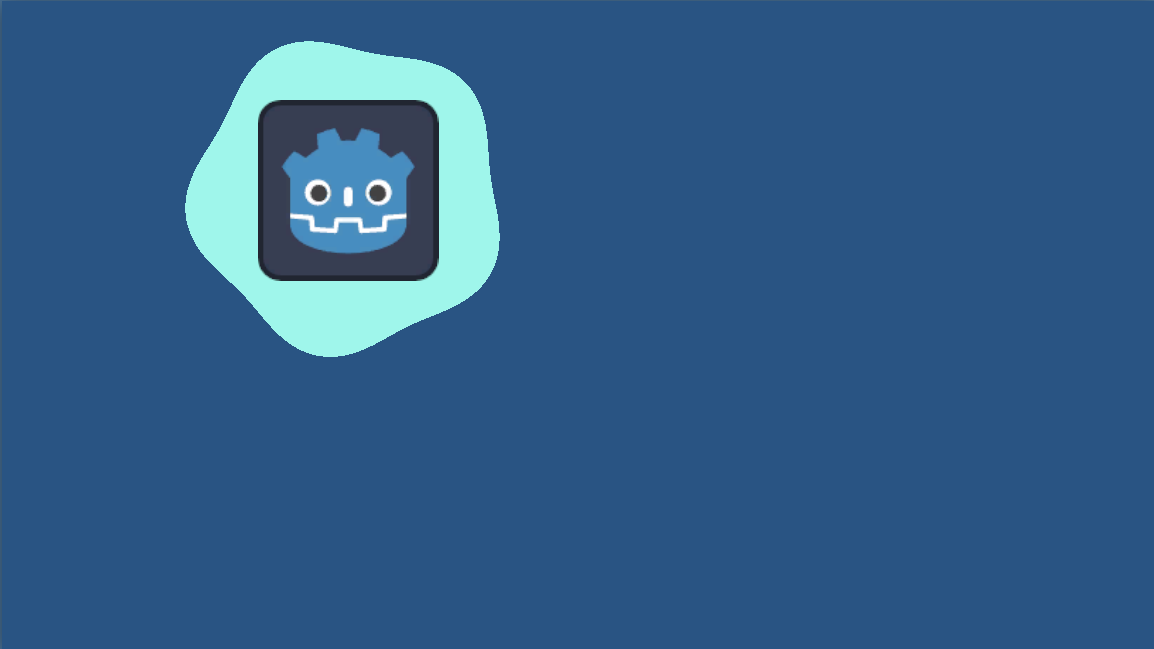
Blot cut mask

Based on circular cut mask.
It’s a blot cut mask. Use it on ColorRect or TextureRect. Change progress shader parameter in a script to cut-in and cut-out (maybe even with Tweens because they have different animation modes).
The shader uses circumradius to figure out how far the mask should go. But you can use your own radius, just comment the #define USE_CIRCUMRADIUS line in the shader.
It looks ugly in the editor because it uses screen size to determine its own size. It will look great when you run the game.
Shader code
shader_type canvas_item;

// Comment this if you want to use custom radius
#define USE_CIRCUMRADIUS

/** Transition of the mask effect. */
uniform float progress: hint_range(0.0, 1.0) = 0.5;
/** Center of the blot in normalized UV coordinates. */
uniform vec2 center = vec2(0.5);

/** The difference in the farest and the nearest waveness to the center. */
uniform float amplitude: hint_range(0.0, 1.0) = 0.1;
/** Amount of waves. */
uniform float period: hint_range(0.0, 256.0, 1.0) = 5.0;
/** Normalized rotation on 0 progress. */
uniform float base_rotation: hint_range(0.0, 1.0) = 0.0;
/** Added rotation on 1 progress. */
uniform float add_rotation = 0.4;

#ifndef USE_CIRCUMRADIUS
uniform float radius = 0.5;
#endif

float calc_angle(vec2 diff) {
	float angle = atan(-diff.y, diff.x);
	if (angle < 0.0) angle += 2.0 * PI;
	return angle;
}

void fragment() {
	float aspect_ratio = SCREEN_PIXEL_SIZE.y / SCREEN_PIXEL_SIZE.x;

	// Scale coords to non-square screens.
	vec2 ar_uv = vec2(aspect_ratio * UV.x, UV.y);
	vec2 ar_center = vec2(aspect_ratio * center.x, center.y);

	vec2 mask = ar_uv - ar_center;

	#ifdef USE_CIRCUMRADIUS
	float d1 = distance(ar_center, vec2(0.0, 0.0));
	float d2 = distance(ar_center, vec2(0.0, 1.0 + amplitude));
	float d3 = distance(ar_center, vec2(aspect_ratio * (1.0 + amplitude), 0.0));
	float d4 = distance(ar_center, vec2(aspect_ratio * (1.0 + amplitude), 1.0 + amplitude));
	float radius = max(max(d1, d2), max(d3, d4));
	#endif

	float angle = calc_angle(mask);

	float offset = amplitude * sin(PI * base_rotation + period * (angle - progress * add_rotation * PI));
	COLOR.a = step((1.0 - progress) * radius, length(mask) + offset * (1.0 - progress));
}
I’m probably going to use this in quite a few games for my tutorial to highlight things! I made some changes I’ll share for those looking for some added functionality
I modified it by storing the alpha early in the fragment shader then doing a min at the end for the cutout or the alpha letting me make the non-masked parts partially transparent!
void fragment() {
    // near the top
	float alpha = COLOR.a;

    //...
    // At the end
  	COLOR.a = min(
  		step((1.0 - progress) * radius, length(mask) + offset * (1.0 - progress)),
  		alpha
  	);
  }
I also modified the script to use screen coordinates by multiplying in the screen pixel size again into the center calculation with the aspect ratio.
This way I can highlight things in the tutorial by their global position in the canvas vs the anchor position in the canvas
This is an interesting application for shader tbh, so I’m considering to use it similarly now. I wrote this shader to recreate overlay transitions from Persona 3 Reload. You can see the result here: https://github.com/Ultipuk/persona_3_reload_pause_menu. Maybe enlarging the point of interest will be good for your case.