
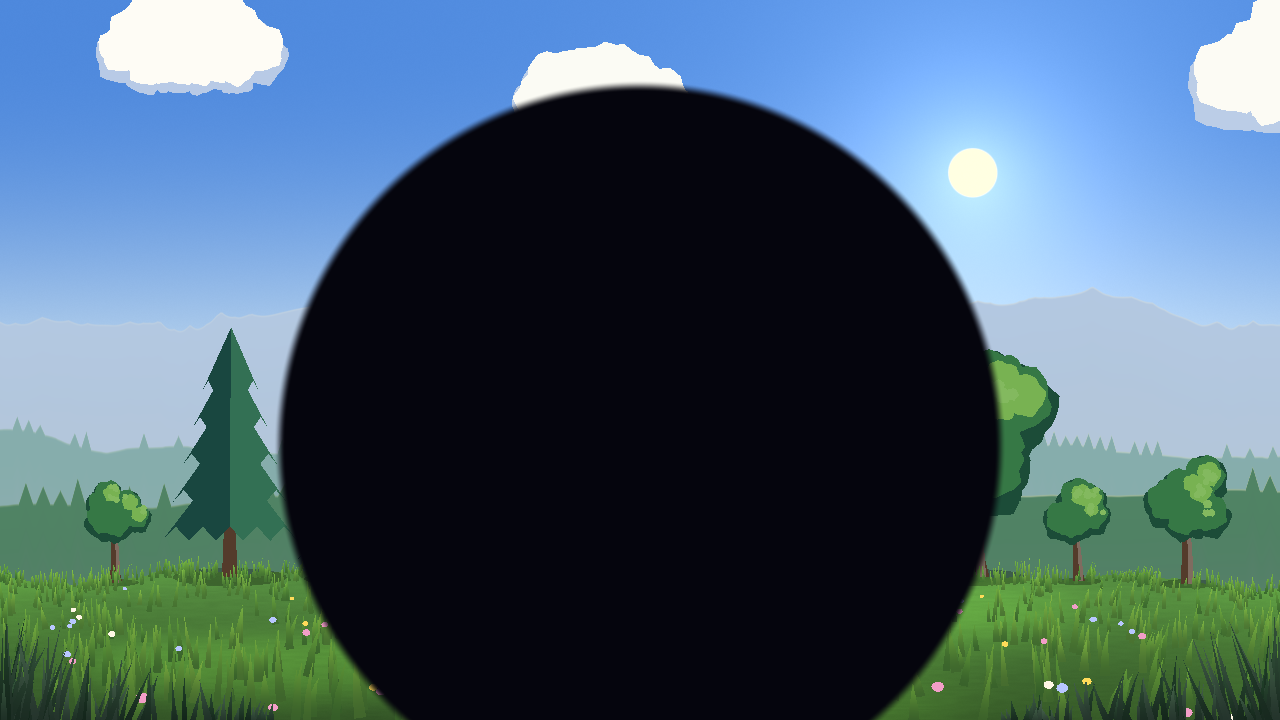
Circle wipe scene transition

A disc that grows from any point until it covers the screen: the classic iris / circle wipe for changing scenes.
Use it on a full-screen ColorRect and tween progress from 0 to 1 (and back to reveal the next scene).
Settings:
- progress (0-1): 0 shows nothing, 1 covers the whole screen, on any screen shape.
- cover_color: the colour of the wipe.
- center: where the circle starts (0.5, 0.5 is the middle; put it on the player).
- softness: soft edge, never sharper than one pixel.
- aspect: 0 keeps the circle round on any screen size.
Works with the Compatibility renderer and respects the node modulate.
It is one of the 12 transitions of Scene Transition FX (scene changes in one line, transitions made of the game picture): https://dimensionalmios.itch.io/almios-transition-fx
Shader code
shader_type canvas_item;

// Scene transition: a disc that grows from `center` until it covers the screen. Full-screen
// ColorRect, tween `progress` from 0 to 1. With `aspect` at 0 the circle stays round
// on any screen size.
group_uniforms Transition;
uniform float progress : hint_range(0.0, 1.0) = 0.0;
uniform vec4 cover_color : source_color = vec4(0.0, 0.0, 0.0, 1.0);
group_uniforms Shape;
uniform vec2 center = vec2(0.5, 0.5);
uniform float softness : hint_range(0.0, 0.3) = 0.03;
// 0 = auto-fit the screen shape (keeps circles/tiles proportional); or set width/height
uniform float aspect : hint_range(0.0, 4.0) = 0.0;

void fragment() {
	// the ColorRect colour and modulate: tint or fade the effect from the node
	vec4 node_tint = COLOR;
	float asp = aspect > 0.0 ? aspect : (fwidth(UV.y) / max(fwidth(UV.x), 1e-5));
	vec2 d = UV - center;
	d.x *= asp;
	float dist = length(d);
	// the radius runs to just past the farthest corner, so 1 always covers everything
	float max_d = length(vec2(max(center.x, 1.0 - center.x) * asp, max(center.y, 1.0 - center.y)));
	// at least one pixel of softness: 0 would turn the edge around (and alias)
	float s = max(softness, fwidth(dist));
	float r = mix(-s, max_d + s, progress);
	float mask = smoothstep(r + s, r - s, dist);
	COLOR = vec4(cover_color.rgb, mask * cover_color.a);
	COLOR *= node_tint;
}
Live Preview

Comments 0
No comments yet.