

Dynamic Drop Shadow (CanvasItem, NO ColorRect needed!)

Needs only one material and no extra nodes! A drag-and-drop drop shadow effect for CanvasItems with controls for direction, color (including opacity), and distance. Rotates automatically when the CanvasItem is rotated.
The video is a little outdated because I added a parameter for color like twenty minutes afterwards.
CanvasItem shaders don’t support next pass, and since I didn’t want to use extra nodes for the effect, it necessitated some weird fragment shader stuff where I stretch the mesh and shrink the UV to give space for the shadow.
Shader code
shader_type canvas_item;

uniform int dist = 2;
uniform vec4 color: source_color = vec4(0.0, 0.0, 0.0, 0.5);
uniform float angle: hint_range(0.0, 360.0) = 90.0;

varying vec2 main_uv;
varying vec2 shadow_uv;

void vertex() {

	vec2 uv = TEXTURE_PIXEL_SIZE * float(dist * 2);

	vec2 uv_half = uv * 0.5;
	vec2 uv_dist = uv + 1.0;

	vec2 shadow_direction = (vec4(cos(radians(angle)), sin(radians(angle)), 0.0, 1.0) * MODEL_MATRIX).xy;

	VERTEX *= uv_dist;

	main_uv = UV * uv_dist - uv_half;
	shadow_uv = main_uv - shadow_direction * uv_half;
}

void fragment() {

	// sample colors for shadow
	float shadow_amt = texture(TEXTURE, shadow_uv).a
		* step(-1.0, -shadow_uv.x)
		* step(-1.0, -shadow_uv.y)
		* step(0.0, shadow_uv.x)
		* step(0.0, shadow_uv.y);

	// shadow color
	COLOR = color * shadow_amt;

	// sample main colors on top of shadow
	vec4 main_color = texture(TEXTURE, main_uv)
		* step(-1.0, -main_uv.x)
		* step(-1.0, -main_uv.y)
		* step(0.0, main_uv.x)
		* step(0.0, main_uv.y);

	// need to make area where main and shadow overlap black for next step
	COLOR = mix(COLOR, vec4(0.0, 0.0, 0.0, 1.0), main_color.a);

	// add main color on top of blackened area
	COLOR += main_color * main_color.a;
}

I’m really loving this shader, but I’m getting an issue where the shader breaks nine-sliced buttons. I think it’s something to do with the UV calculation being based off of the texture instead of the rendered sprite, but I’m not knowledgeable enough in GD Shaders to fix it myself.
Here’s what it looks like with and without the shader:
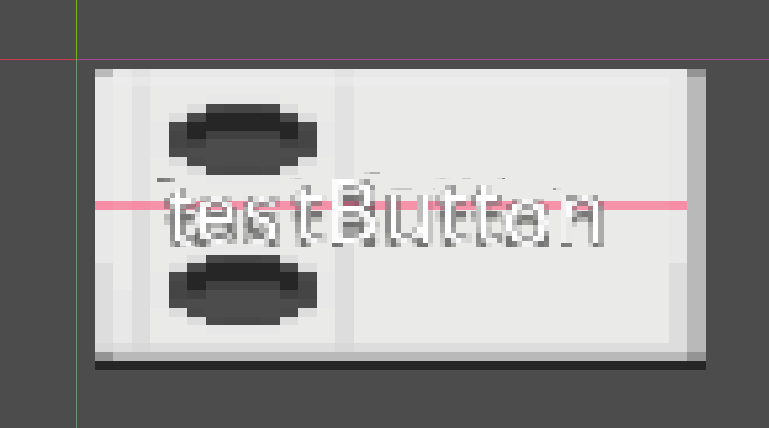
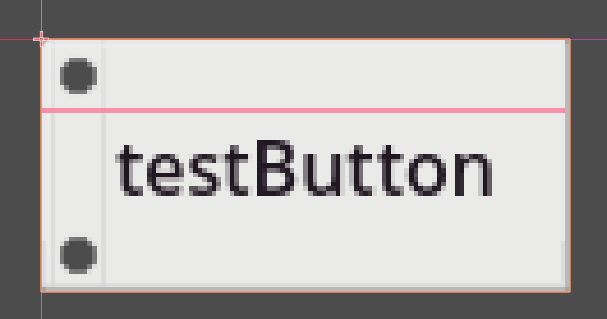
Yes, I had the same problem. Unfortunately, I don’t think there’s anything I can do about it because I need to access the UV for the shader to work, which doesn’t provide UV according to the 9-slice, but according to if the 9-slice was actually a simple sprite.
Unless there’s a way to tell the shader “give me the 9-slice UV,” the only solution I can think of would be to manually calculate the 9-slice UV myself (essentially reimplementing 9-slice).
I’m glad you like the shader tho 🙂