
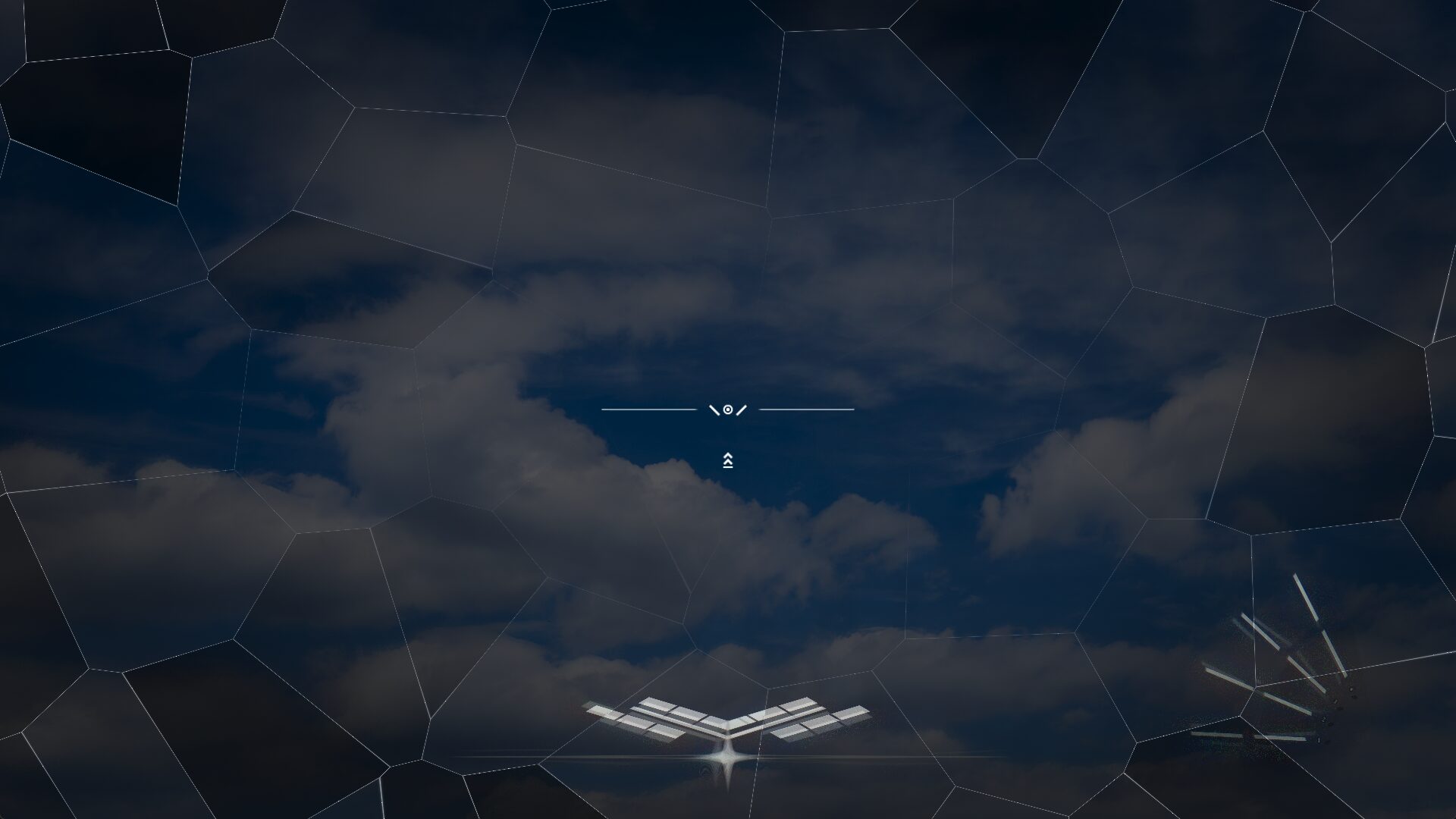
Frostbite

Made with Godot 4.6.3, and tested on 4.7 as well
Well, it self explained. Frostbite is a Post Processing shader that creating the glass effect with Frosted Glass feature.
I dont know what to say actually
Freeze Progress control the frost intensity. So if you wanna control the shader, just edit here.
And I’m sorry if I use Freeze Progress instead of Intensity I usually use in my other shader, because I just haven’t really tweaked this to match my use case 😛
This shader use Screenspace coordination, so it know where is your exact center of the screen, don’t need to complicate thing up, I already done it for you.
Enjoy the nuke code
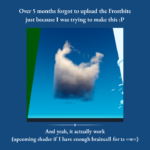
I actually made this back in March, but I forgot to upload this cuz I was trying to do research on a Volumetric Cloud shader that use no Volumetric Fog, and it hella hard for me =w=;
Shader code
// THIS SHADER IS MADE BY TTien63 (aka. _she from the afterlife)
// Goodluck painting your game :3
// Instagram: _shefromtheafterlife
// YouTube, Spotify Artist, etc: TTien63

shader_type canvas_item;

uniform sampler2D screen_tex : hint_screen_texture, filter_linear_mipmap;

// --- Core ---
uniform float freeze_progress : hint_range(0.0, 1.0) = 0.0;
// Controls how much of the screen is covered by ice (0 = none, 1 = full)
// Ice grows inward from screen edges as this increases

// --- Ice Cell Shape ---
uniform int pieces_x = 8;
uniform int pieces_y = 5;
uniform float point_jitter : hint_range(0.0, 0.48) = 0.38;

// --- Frost / Blur ---
uniform float frost_blur : hint_range(0.0, 6.0) = 3.2;
// Mip level bias for the frosted sampling — higher = blurrier/milkier
uniform float frost_scatter_radius : hint_range(0.0, 0.02) = 0.008;
// How wide the random blur scatter samples are
uniform int frost_samples = 8;
// More samples = smoother frost, more expensive

// --- Displacement ---
uniform float displacement_strength : hint_range(0.0, 0.05) = 0.018;
// How much the ice cracks warp the screen behind them
uniform float edge_displacement_bias : hint_range(0.0, 1.0) = 0.75;
// How much of the displacement is concentrated at crack edges

// --- Chromatic Aberration ---
uniform float chroma_strength : hint_range(0.0, 0.02) = 0.009;
// Max channel split distance at full freeze
uniform float chroma_edge_bias : hint_range(0.0, 1.0) = 0.6;
// Extra chroma boost near crack edges

// --- Ice Visual ---
uniform float edge_thickness : hint_range(0.0005, 0.04) = 0.006;
uniform float edge_brightness : hint_range(0.0, 3.0) = 1.1;
uniform vec4 ice_tint : source_color = vec4(0.72, 0.88, 1.0, 1.0);
uniform float ice_tint_strength : hint_range(0.0, 1.0) = 0.28;
// Subtle blue-white color cast on frozen areas

// --- Growth ---
uniform float growth_edge_bias : hint_range(0.0, 2.0) = 1.2;
// Higher = ice creeps from screen border inward more aggressively
uniform float delay_variation : hint_range(0.0, 0.8) = 0.35;

const int SEARCH_RADIUS = 1;

// ---- Hashing ----
float hash12(vec2 p) {
	vec3 p3 = fract(vec3(p.xyx) * 0.1031);
	p3 += dot(p3, p3.yzx + 33.33);
	return fract((p3.x + p3.y) * p3.z);
}

vec2 hash22(vec2 p) {
	return vec2(
		hash12(p + vec2(1.23, 4.56)),
		hash12(p + vec2(7.89, 0.12))
	);
}

mat2 rot2(float a) {
	float s = sin(a);
	float c = cos(a);
	return mat2(vec2(c, -s), vec2(s, c));
}

// ---- Voronoi ----
vec2 cell_point(vec2 cell_id) {
	vec2 h = hash22(cell_id);
	return cell_id + 0.5 + (h - 0.5) * (point_jitter * 2.0);
}

void voronoi_info(vec2 p, out vec2 owner_cell, out vec2 owner_point, out float edge_dist) {
	vec2 base = floor(p);
	float best_d = 1e20;
	float second_d = 1e20;
	vec2 best_cell = vec2(0.0);
	vec2 best_point = vec2(0.0);

	for (int j = -SEARCH_RADIUS; j <= SEARCH_RADIUS; j++) {
		for (int i = -SEARCH_RADIUS; i <= SEARCH_RADIUS; i++) {
			vec2 c = base + vec2(float(i), float(j));
			vec2 pt = cell_point(c);
			float d = distance(p, pt);
			if (d < best_d) {
				second_d = best_d;
				best_d = d;
				best_cell = c;
				best_point = pt;
			} else if (d < second_d) {
				second_d = d;
			}
		}
	}
	owner_cell = best_cell;
	owner_point = best_point;
	edge_dist = second_d - best_d;
}

// ---- Frosted blur sampling ----
// Blurs each RGB channel separately starting from chroma-shifted UVs.
// This means the frost smears the already-split channels, so chroma
// is visible through the frost rather than hidden under it.
vec4 sample_frost_chroma(vec2 uv_r, vec2 uv_g, vec2 uv_b, float blur_amount) {
	vec3 col = vec3(0.0);
	float a = 0.0;
	float mip = blur_amount * frost_blur;

	for (int i = 0; i < frost_samples; i++) {
		vec2 jitter_seed = uv_g + vec2(float(i) * 0.371, float(i) * 0.618);
		vec2 offset = (hash22(jitter_seed * 31.7) - 0.5) * 2.0 * frost_scatter_radius * blur_amount;
		col.r += textureLod(screen_tex, clamp(uv_r + offset, vec2(0.0), vec2(1.0)), mip).r;
		col.g += textureLod(screen_tex, clamp(uv_g + offset, vec2(0.0), vec2(1.0)), mip).g;
		col.b += textureLod(screen_tex, clamp(uv_b + offset, vec2(0.0), vec2(1.0)), mip).b;
		a     += textureLod(screen_tex, clamp(uv_g + offset, vec2(0.0), vec2(1.0)), mip).a;
	}
	return vec4(col / float(frost_samples), a / float(frost_samples));
}

// Plain frost with no chroma (used as fallback / unfrozen areas)
vec4 sample_frost(vec2 uv, float blur_amount) {
	vec4 col = vec4(0.0);
	float mip = blur_amount * frost_blur;

	for (int i = 0; i < frost_samples; i++) {
		vec2 jitter_seed = uv + vec2(float(i) * 0.371, float(i) * 0.618);
		vec2 offset = (hash22(jitter_seed * 31.7) - 0.5) * 2.0 * frost_scatter_radius * blur_amount;
		col += textureLod(screen_tex, clamp(uv + offset, vec2(0.0), vec2(1.0)), mip);
	}
	return col / float(frost_samples);
}

// ---- Chromatic aberration ----
// Splits R/G/B channels along a direction
vec4 sample_chroma(vec2 uv, vec2 dir, float strength) {
	vec2 r_uv = clamp(uv + dir * strength,       vec2(0.0), vec2(1.0));
	vec2 g_uv = clamp(uv,                          vec2(0.0), vec2(1.0));
	vec2 b_uv = clamp(uv - dir * strength,       vec2(0.0), vec2(1.0));

	float r = texture(screen_tex, r_uv).r;
	float g = texture(screen_tex, g_uv).g;
	float b = texture(screen_tex, b_uv).b;
	float a = texture(screen_tex, g_uv).a;
	return vec4(r, g, b, a);
}

void fragment() {
	vec2 uv = SCREEN_UV;
	vec2 grid = vec2(float(pieces_x), float(pieces_y));

	// ---- Ice growth mask (superellipse vignette) ----
	// Superellipse SDF: pow=2 is a circle, pow=8+ is nearly a rounded box.
	// growth_edge_bias controls the power — higher = more boxy/rounded-rect shape.
	// This avoids the hard box corners of min() but stays screen-filling.
	vec2 q = abs(uv - 0.5); // 0 at center, 0.5 at edges
	float superellipse_pow = mix(2.0, 10.0, clamp(growth_edge_bias / 2.0, 0.0, 1.0));
	float sdf = pow(pow(q.x, superellipse_pow) + pow(q.y, superellipse_pow), 1.0 / superellipse_pow);
	// sdf: 0 at center, ~0.5 at screen edges regardless of shape

	// Wide gradient across the whole screen: sdf=0 (center) -> 0.0, sdf=0.5 (edge) -> 1.0
	// but we remap so the gradient bleeds across the ENTIRE screen width, not a thin ring.
	// At freeze_progress=0: nothing. At freeze_progress=1: everything frozen edge to center.
	float vignette = clamp(sdf / 0.5, 0.0, 1.0); // linear 0 center -> 1 edge, full screen width
	// freeze_progress shifts the whole gradient up so center eventually hits 1 too
	float pixel_freeze = clamp(vignette * 0.5 + freeze_progress * 1.2 - 0.2, 0.0, 1.0);

	// ---- Voronoi crack info ----
	vec2 p_now = uv * grid;
	vec2 now_cell, now_point;
	float now_edge;
	voronoi_info(p_now, now_cell, now_point, now_edge);

	// Per-cell variation: each cell has a random transition speed/offset
	// but they all fully freeze when pixel_freeze reaches 1.
	// delay_variation controls how staggered the cells LOOK, not whether they freeze.
	float rnd_cell = hash12(now_cell);
	// Each cell starts its transition slightly early or late within a narrow window
	float cell_offset = (rnd_cell - 0.5) * delay_variation * 0.4;
	float cell_t = clamp((pixel_freeze - cell_offset) / max(0.0001, 1.0 - abs(cell_offset)), 0.0, 1.0);
	cell_t = smoothstep(0.0, 1.0, cell_t);

	// ---- Edge factor (sharp glass crack) ----
	// step() instead of smoothstep for a harder, cleaner crack line
	// Two layers: ultra-thin bright core + slightly wider dim rim
	float edge_core = 1.0 - smoothstep(0.0, edge_thickness * 0.35, now_edge);
	float edge_rim  = 1.0 - smoothstep(0.0, edge_thickness, now_edge);
	float edge_factor = edge_core; // use core for displacement/chroma

	// ---- Screen space displacement ----
	// The cracks push/warp the screen behind them
	// Displacement direction: away from cell center
	vec2 cell_center_uv = now_point / grid;
	vec2 displace_dir = normalize(uv - cell_center_uv + vec2(0.0001));
	// At crack edges, displacement is stronger; elsewhere it's a gentle warp
	float displace_amount = mix(
		displacement_strength * cell_t * 0.3,         // gentle internal warp
		displacement_strength * cell_t,               // strong at edges
		edge_factor * edge_displacement_bias
	);
	// Add some per-cell randomness to warp direction slightly
	float rnd_angle = (hash12(now_cell + 3.7) - 0.5) * 0.8;
	displace_dir = rot2(rnd_angle) * displace_dir;
	vec2 warped_uv = clamp(uv + displace_dir * displace_amount, vec2(0.0), vec2(1.0));

	// ---- Chromatic aberration UVs ----
	// Compute the three per-channel UVs from the warped position
	vec2 chroma_dir = rot2(1.5708) * displace_dir;
	float chroma_drama = pow(freeze_progress, 2.5);
	float chroma_amount = chroma_strength * cell_t * (1.0 + edge_factor * chroma_edge_bias) * (1.0 + chroma_drama * 5.0);
	vec2 uv_r = clamp(warped_uv + chroma_dir * chroma_amount,  vec2(0.0), vec2(1.0));
	vec2 uv_g = warped_uv;
	vec2 uv_b = clamp(warped_uv - chroma_dir * chroma_amount,  vec2(0.0), vec2(1.0));

	// ---- Frosted blur applied per chroma channel ----
	// Frost blurs each channel from its chroma-shifted UV so the RGB split
	// stays visible through the frost rather than getting buried under it.
	float frost_blend  = smoothstep(0.2, 1.0, cell_t);
	float chroma_blend = smoothstep(0.0, 0.4, cell_t);

	vec4 col_base = texture(screen_tex, warped_uv);
	// Frost with chroma baked in — each channel blurred from its shifted UV
	vec4 col_frost_chroma = sample_frost_chroma(uv_r, uv_g, uv_b, cell_t);
	// Plain frost for low-chroma areas
	vec4 col_frost_plain  = sample_frost(warped_uv, cell_t);
	// Blend between plain frost and chroma frost based on chroma_blend
	vec4 col_frost = mix(col_frost_plain, col_frost_chroma, chroma_blend);

	vec4 col = col_base;
	col = mix(col, col_frost, frost_blend);

	// ---- Ice tint ----
	col.rgb = mix(col.rgb, ice_tint.rgb * (col.r * 0.2 + col.g * 0.5 + col.b * 0.3 + 0.4), ice_tint_strength * cell_t);

	// ---- Crack edge highlight (sharp glass) ----
	// Thin specular core (bright white) + faint rim for depth
	vec3 edge_color = mix(vec3(1.0), ice_tint.rgb, 0.3) * edge_brightness;
	col.rgb += edge_core * edge_color * cell_t;                      // sharp bright crack
	col.rgb += edge_rim  * edge_color * 0.18 * cell_t;              // soft depth rim

	// ---- Subtle glass sparkle ----
	// Tiny high-freq noise on crack lines for that glass refraction glint
	float sparkle_noise = hash12(uv * 387.3 + freeze_progress * 13.7);
	float sparkle = step(0.985, sparkle_noise) * cell_t * edge_core;
	col.rgb += sparkle * 1.5;

	// ---- Mix result with original based on freeze ----
	vec4 original = texture(screen_tex, uv);
	col = mix(original, col, cell_t);

	COLOR = col;
}
Live Preview

Nice shader XD
Oh hiii
Yeah, I did saw ur glass shader, and it inspired me to make this.
Not copying btw :3
Thank you! But seriously, it’s a really good shader. :3
I think you’re the second person to use that shader as a reference