
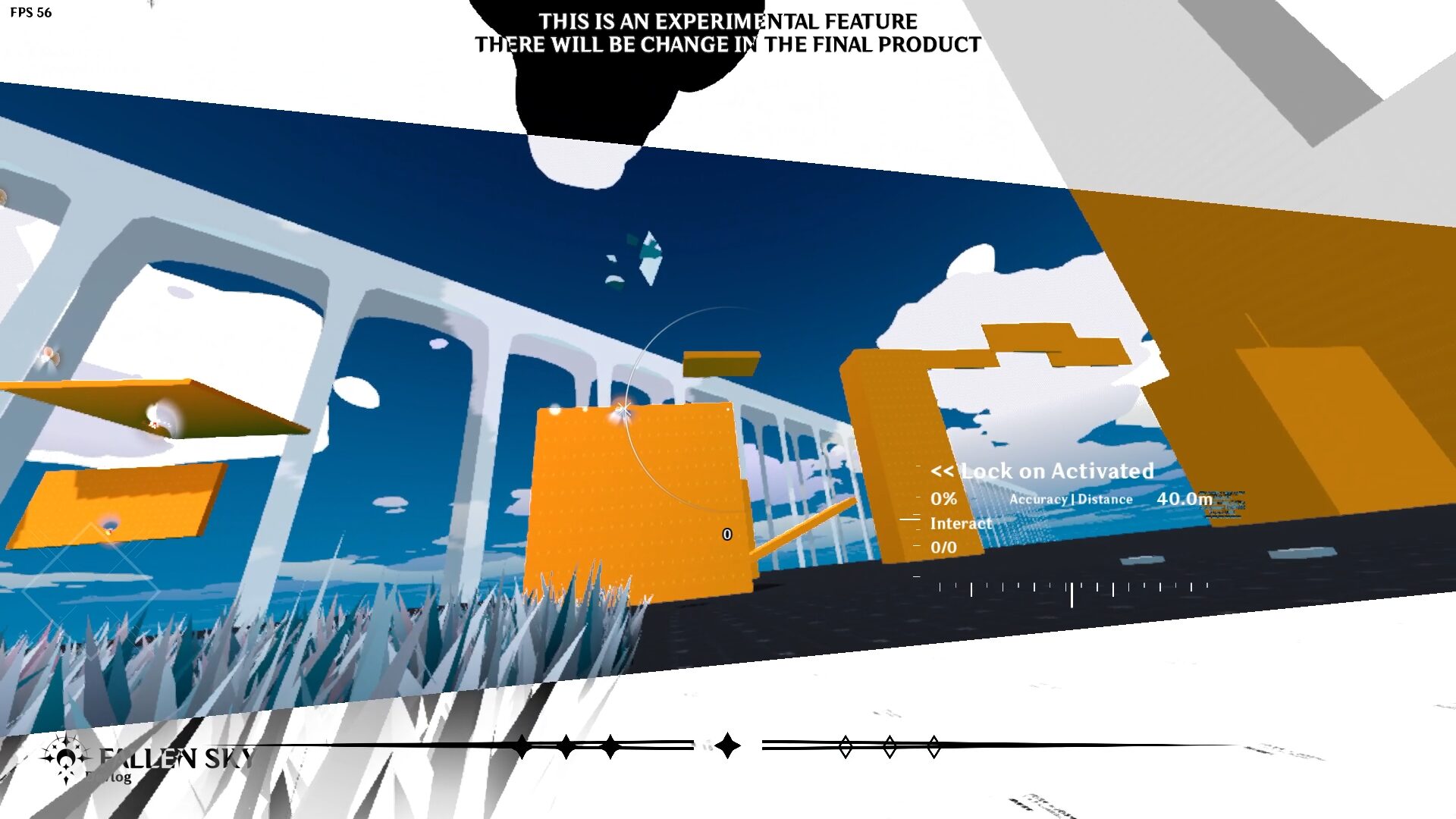
Stylized Screen Edge with Threshold FX

Made with Godot 4.6.1
Do u like POOTIS ENGAGE? I do, it’s why I made this shader for you. But I stylized it even more to fit my artstyle of my game project.
How to use it:
– Use ColorRect
– Create a shader code and paste the nuke code
– Offset at 1.0 is the best spot for simple black bar
– Don’t want black bar? Just swap it with other color at Fill Color uniform
– Enable Invert to turn on Invert effect
Another guidance on how to make it visible on all layer no matter if you put it at the lowest point of your life:
– Add CanvaLayer node
– Attach the ColorRect with the nuke code as child node
– Set CanvaLayer to layer 69 (not necessary but we need it to be at the highest layer :3)
Check Demo video of how I use it
Shader code
shader_type canvas_item;

uniform sampler2D SCREEN_TEXTURE : hint_screen_texture, filter_linear_mipmap;

uniform float roll = 0.0f;
uniform float rotate_angle = 0.0;
uniform float offset: hint_range(0.0, 1.2, 0.001) = 0.75;
uniform vec4 fill_color: source_color = vec4(0.0, 0.0, 0.0, 1.0);
uniform bool invert = false;

uniform float threshold : hint_range(0.0, 1.0) = 0.5;
uniform float smoothness : hint_range(0.0, 0.5) = 0.05;
uniform vec4 bg_color : source_color = vec4(0.0, 0.0, 0.0, 1.0);
uniform vec4 fg_color : source_color = vec4(1.0, 1.0, 1.0, 1.0);
uniform bool bw_invert = false;
uniform float intensity : hint_range(0.0, 1.0) = 1.0;

bool is_inside(vec2 pos1, vec2 dir1, vec2 pos2, vec2 dir2, vec2 point) {
	return (dir1.x - pos1.x)*(point.y - pos1.y) - (dir1.y - pos1.y)*(point.x - pos1.x) < 0.0 &&
		   (dir2.x - pos2.x)*(point.y - pos2.y) - (dir2.y - pos2.y)*(point.x - pos2.x) > 0.0;
}

vec2 rotate(vec2 point, float angle) {
	return vec2(point.x * cos(angle) - point.y * sin(angle), point.x * sin(angle) + point.y * cos(angle));
}

vec4 to_bw(vec4 screen_color) {
	float luminance = dot(screen_color.rgb, vec3(0.299, 0.587, 0.114));
	float value = smoothstep(threshold - smoothness, threshold + smoothness, luminance);
	vec4 final_color;
	if (bw_invert) {
		final_color = mix(fg_color, bg_color, value);
	} else {
		final_color = mix(bg_color, fg_color, value);
	}
	return mix(screen_color, final_color, intensity);
}

void fragment() {
	vec2 privot = 1.0 / SCREEN_PIXEL_SIZE * 0.5;
	float half_size = offset * (1.0 / (SCREEN_PIXEL_SIZE.x * 4.0));

	bool inside = is_inside(
		privot + rotate(vec2(0.0, half_size), rotate_angle),
		privot + rotate(vec2(0.0, half_size) + vec2(1.0, roll), rotate_angle),
		privot - rotate(vec2(0.0, half_size), rotate_angle),
		privot - rotate(vec2(0.0, half_size) + vec2(-1.0, roll), rotate_angle),
		FRAGCOORD.xy
	);

	if (inside) {
		COLOR = vec4(0.0, 0.0, 0.0, 0.0);
	} else if (invert) {
		vec2 screen_uv = FRAGCOORD.xy * SCREEN_PIXEL_SIZE;
		vec4 screen = textureLod(SCREEN_TEXTURE, screen_uv, 0.0);
		COLOR = to_bw(screen);
	} else {
		COLOR = fill_color;
	}
}
Live Preview

I cant upload gif anymore 😔
My size is too massive for a tiny upload limit (why is it sound so wrong???)
This is awesome!