
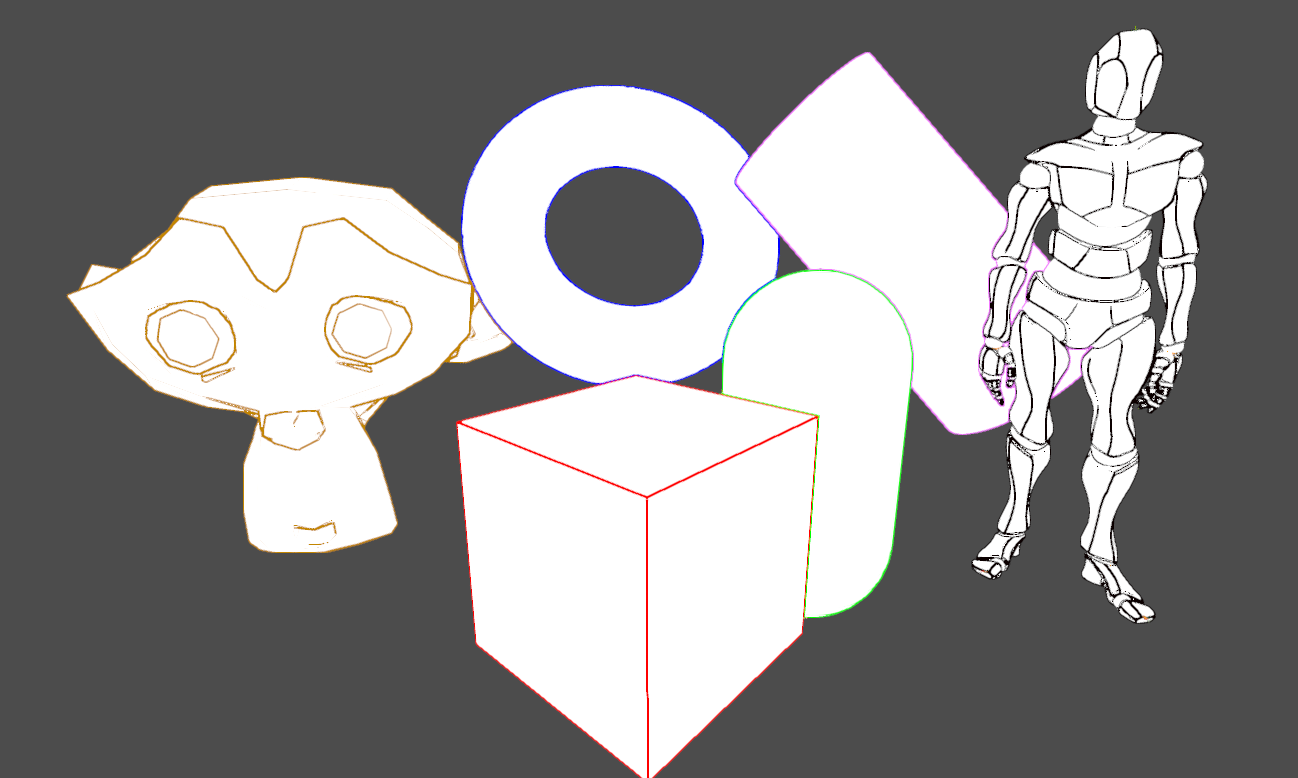
Per-Object Sobel Edge Detection Shader

A per-object Sobel outline shader, allowing for unique colors per-mesh! Inspired by this shader by invariance, improved the quality a bit, and with depth-based outlines as well! Use in the next-pass of another material. The last screenshot shows how it holds up at a distance and a direct angle.
Shader code
shader_type spatial;
render_mode unshaded;

uniform sampler2D screen_texture: hint_screen_texture;
uniform sampler2D depth_texture: hint_depth_texture;
uniform sampler2D normal_texture: hint_normal_roughness_texture;

uniform vec3 outline_color: source_color;
uniform float outline_threshold = 0.2;

const float sobel_x[8] = float[](
        -1.0,  0.0,  1.0,
        -2.0,        2.0,
        -1.0,  0.0,  1.0
    );
const float sobel_y[8] = float[](
        -1.0, -2.0, -1.0,
         0.0,        0.0,
         1.0,  2.0,  1.0
    );
const vec2 offset[8] = vec2[](
        vec2(-1, -1), vec2( 0, -1), vec2( 1, -1),
        vec2(-1,  0),             vec2( 1,  0),
        vec2(-1,  1), vec2( 0,  1), vec2( 1,  1)
    );

vec3 get_view_pos(vec2 uv, float depth, mat4 inv_proj_m){
	vec4 ncd = vec4((uv*2.0)-1.0,depth,1.0);
	vec4 veiw_pos = inv_proj_m*ncd;
	return veiw_pos.xyz /= veiw_pos.w;
}

void fragment() {
	vec2 uv = SCREEN_UV;
	vec2 texel = 1.0 / vec2(textureSize(depth_texture, 0));
	vec3 screen_color = texture(screen_texture, uv).rgb;
	mat4 inv_proj_m = INV_PROJECTION_MATRIX;

	float center_depth = texture(depth_texture, uv).r;
	vec3 center_view = get_view_pos(uv, center_depth, inv_proj_m);
	vec3 center_normal = texture(normal_texture, uv).rgb * 2.0 - 1.0;

	float depth_edge_x = 0.0;
	float depth_edge_y = 0.0;

	float norm_edge_x = 0.0;
	float norm_edge_y = 0.0;

	for (int i = 0; i < 8; i++) {
		vec2 neighbor_uv = clamp(uv + offset[i] * texel, vec2(0.0), vec2(1.0));

		float neighbor_depth  = texture(depth_texture, neighbor_uv).r;
		vec3  neighbor_view   = get_view_pos(neighbor_uv, neighbor_depth, inv_proj_m);
		vec3  neighbor_normal = texture(normal_texture, neighbor_uv).rgb * 2.0 - 1.0;

		float dist = distance(center_view, neighbor_view);
		float diff = length(neighbor_normal - center_normal);

		depth_edge_x += dist * sobel_x[i];
		depth_edge_y += dist * sobel_y[i];

		norm_edge_x += diff * sobel_x[i];
		norm_edge_y += diff * sobel_y[i];
	}

	float depth_edge = sqrt(depth_edge_x * depth_edge_x + depth_edge_y * depth_edge_y)*10.0;
	depth_edge = clamp(depth_edge, 0.0, 1.0);

	float gradient = sqrt(norm_edge_x * norm_edge_x + norm_edge_y * norm_edge_y);
	float normal_edge = float(gradient > outline_threshold);

	float combined_edge = max(normal_edge, depth_edge);

	ALBEDO = mix(screen_color, outline_color, combined_edge);
	ALPHA = combined_edge;
}
Live Preview

great work
Could you tell me how to reduce the line thickness?