Shader code
shader_type spatial;
render_mode unshaded, depth_draw_always, cull_disabled;

uniform sampler2D ScreenTexture : hint_screen_texture;

uniform float TwixelAngle : hint_range(0.0, 45.0) = 0.0;
uniform float PixelSize   : hint_range(1.0, 32.0) = 5.0;

uniform bool  Posterize   = true;
uniform int   ColorSteps  : hint_range(2, 32) = 64;

uniform bool  UsePalette  = false;
uniform int   PaletteSize : hint_range(2, 16) = 8;
uniform vec4  PaletteColor0 : source_color = vec4(0.05, 0.05, 0.05, 1.0);
uniform vec4  PaletteColor1 : source_color = vec4(0.25, 0.15, 0.12, 1.0);
uniform vec4  PaletteColor2 : source_color = vec4(0.50, 0.35, 0.25, 1.0);
uniform vec4  PaletteColor3 : source_color = vec4(0.90, 0.85, 0.70, 1.0);

uniform float Brightness : hint_range(0.0, 2.0) = 1.0;
uniform float Saturation : hint_range(0.0, 2.0) = 1.0;
uniform float Contrast   : hint_range(0.0, 2.0) = 1.0;

vec3 get_palette_color(int index){
	float t = float(index) / float(PaletteSize - 1);
	vec3 a0 = PaletteColor0.rgb;
	vec3 a1 = PaletteColor1.rgb;
	vec3 a2 = PaletteColor2.rgb;
	vec3 a3 = PaletteColor3.rgb;
	int segs = 3;
	float st = t * float(segs);
	int seg = clamp(int(floor(st)), 0, segs - 1);
	float lt = fract(st);
	vec3 s0 = seg == 0 ? a0 : (seg == 1 ? a1 : a2);
	vec3 s1 = seg == 0 ? a1 : (seg == 1 ? a2 : a3);
	return mix(s0, s1, lt);
}

vec3 quantize_palette(vec3 c){
	vec3 best = get_palette_color(0);
	float md = distance(c, best);
	for (int i = 1; i < PaletteSize; i++){
		vec3 p = get_palette_color(i);
		float d = distance(c, p);
		if (d < md){ best = p; md = d; }
	}
	return best;
}

vec3 posterize_correct(vec3 c, int steps){
	int si = max(2, steps);
	float s = float(si - 1);
	return round(c * s) / s;
}

vec3 adjust_saturation(vec3 c, float s){
	float l = dot(c, vec3(0.2126, 0.7152, 0.0722));
	return mix(vec3(l), c, s);
}

vec3 adjust_contrast(vec3 c, float k){
	return (c - 0.5) * k + 0.5;
}

void vertex(){
	POSITION = vec4(VERTEX.xy * 2.0, 1.0, 1.0);
}

void fragment(){
	vec2 px = 1.0 / VIEWPORT_SIZE;
	float a = radians(TwixelAngle);
	mat2 R = mat2(vec2(cos(a), -sin(a)), vec2(sin(a), cos(a)));
	vec2 rc = R * FRAGCOORD.xy;
	vec2 snap = round(rc / PixelSize) * PixelSize;
	vec2 uv = transpose(R) * snap * px;
	uv = clamp(uv, vec2(px), vec2(1.0) - vec2(px));

	vec3 col = textureLod(ScreenTexture, uv, 0.0).rgb;

	col = clamp(col * Brightness, 0.0, 1.0);

	if (Posterize){
		col = posterize_correct(col, ColorSteps);
	}

	if (UsePalette){
		col = quantize_palette(col);
	}

	col = adjust_saturation(col, Saturation);
	col = clamp(adjust_contrast(col, Contrast), 0.0, 1.0);

	ALBEDO = col;
}
Live Preview

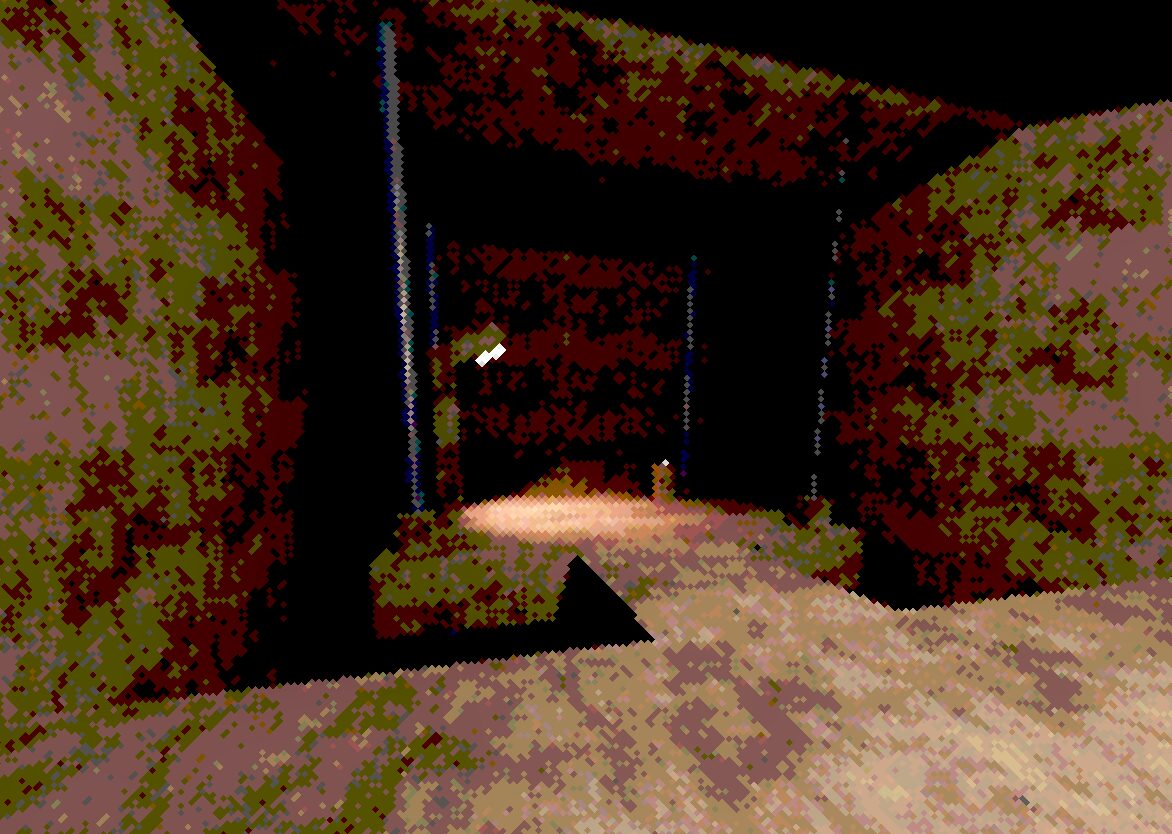

if you want lighting like in the image, use ffd6bf color on all light sources with 5 strength!
Hi sir I just need some help , I’m trying to make a graphics like buckshot roulette , but I really couldn’t make it , so if u know how to make it please share it with me 🙏🏼
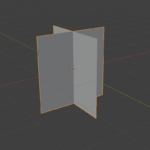
you make a quad mesh in front of your camera flip the face on it so it affects the whole scene then change light colors to get ur desired look! super simple!
What Color palette did you use?