
Procedural Magic Circle

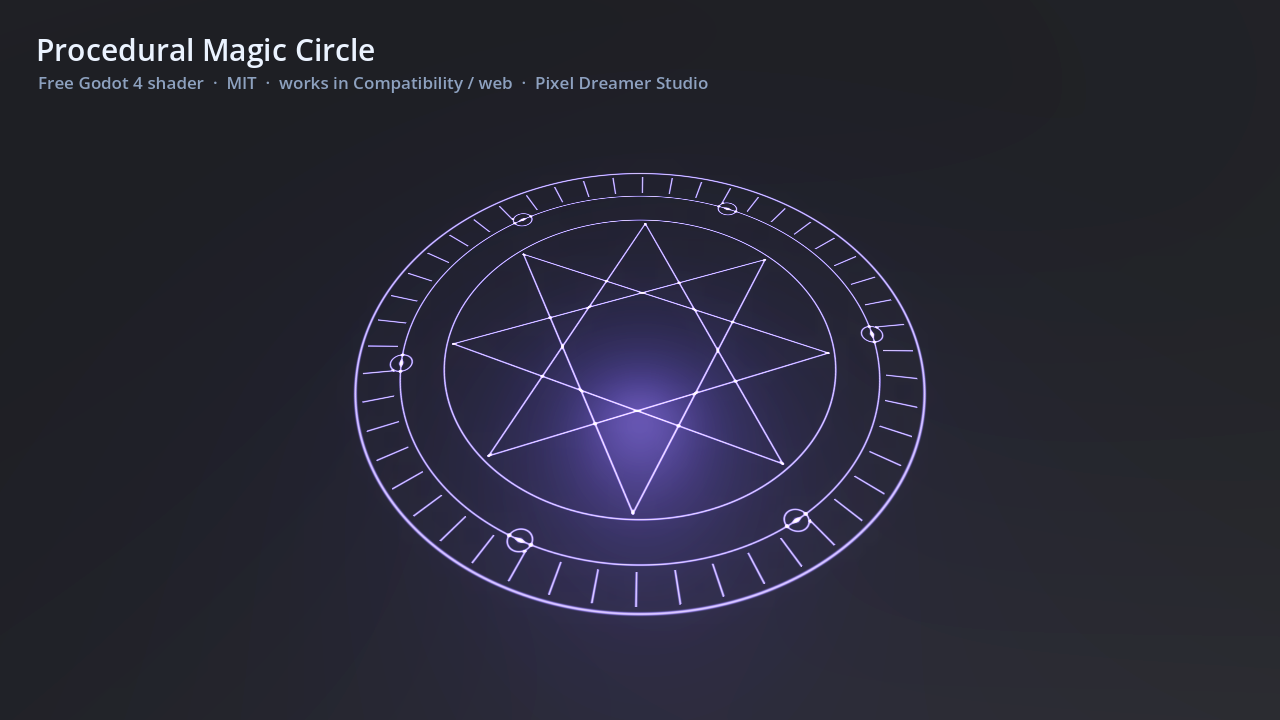
A fully procedural, animated magic circle for Godot 4. No textures needed, just put it on a ColorRect or a Sprite2D (square works best).
Everything is adjustable from the inspector:
- rings: 1-5 concentric rings
- star_points + star_step: 8/3 = octagram, 5/2 = pentagram, 7/3 = heptagram, 0 = no star
- ticks: rune-like tick marks around the outer band
- orbs: small orbs orbiting on the inner ring
- spin_speed, pulse_speed, glow, line_width, color
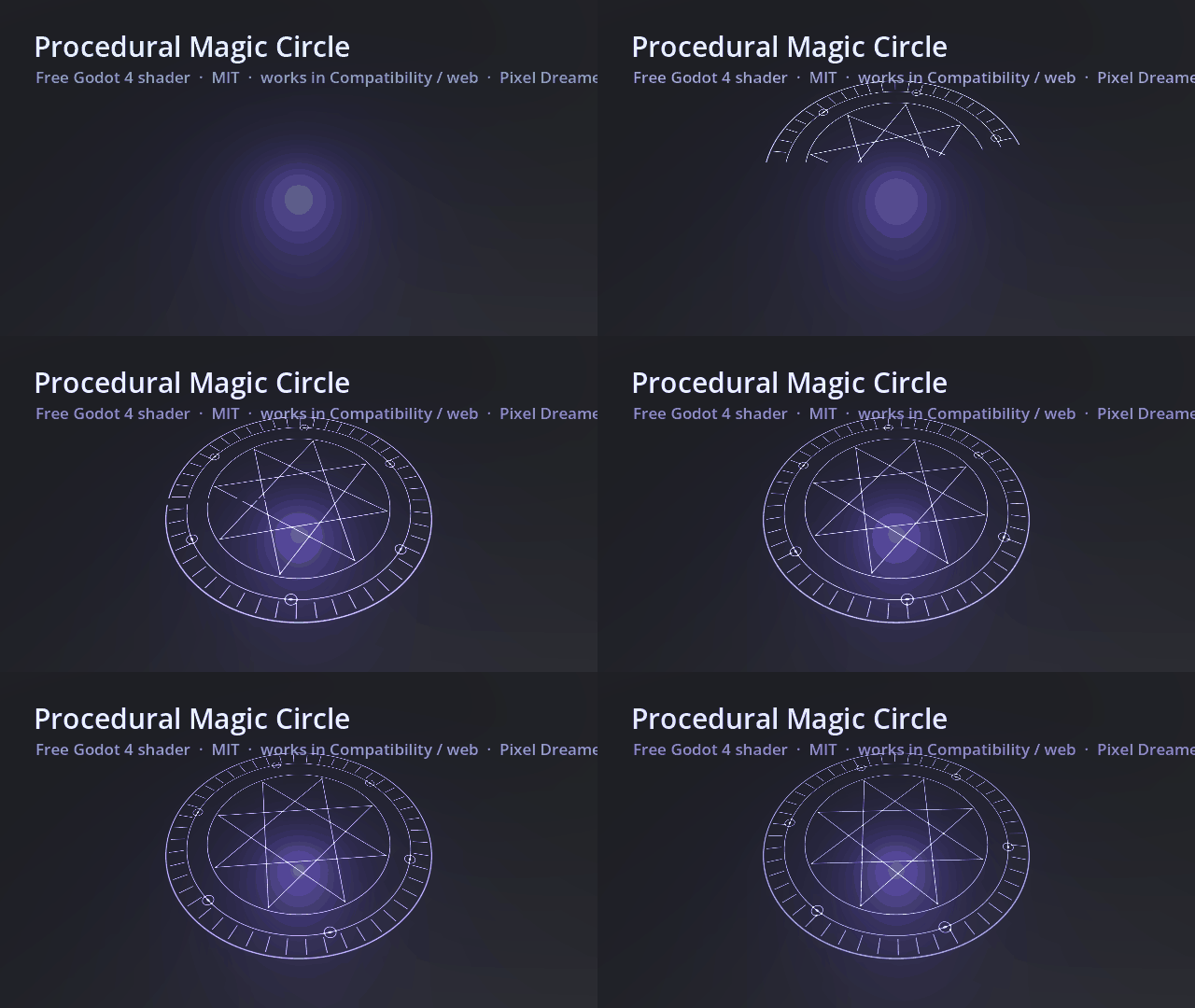
- appear (0 to 1): animate it to “draw” the circle in, nice for spell casting
Uses blend_add, so it looks best on dark backgrounds. For a 3D floor circle, render it in a SubViewport and use the texture on a plane (that is how the preview was made).
Tested in Godot 4.7 with the Compatibility renderer, so it also works in web exports.
Code written with AI assistance, tested by hand in Godot 4.7.
More Godot 4 packs: https://pixeldreamerstudio.itch.io/
Shader code
// Pixel Dreamer — Procedural Magic Circle (Godot 4 · canvas_item · works in Compatibility / web)
// MIT License · https://pixeldreamerstudio.itch.io/
// Put it on a ColorRect or Sprite2D (square). No textures needed.
// Change ring count, star points, tick marks, spin speed and glow from the inspector.
shader_type canvas_item;
render_mode blend_add;

uniform vec4 color : source_color = vec4(0.55, 0.45, 1.0, 1.0);
uniform float glow : hint_range(0.0, 4.0) = 1.0;
uniform int rings : hint_range(1, 5) = 3;
uniform int star_points : hint_range(0, 12) = 8;
uniform int star_step : hint_range(1, 5) = 3; // 8 + 3 = octagram · 5 + 2 = pentagram · 7 + 3 = heptagram
uniform int ticks : hint_range(0, 96) = 48;
uniform int orbs : hint_range(0, 12) = 6;
uniform float line_width : hint_range(0.002, 0.03) = 0.008;
uniform float spin_speed = 0.25;
uniform float pulse_speed = 2.0;
uniform float appear : hint_range(0.0, 1.0) = 1.0; // animate 0 -> 1 to draw the circle in

float ring(float r, float radius, float w) {
	return smoothstep(w, 0.0, abs(r - radius));
}
float seg(vec2 p, vec2 a, vec2 b, float w) {
	vec2 pa = p - a;
	vec2 ba = b - a;
	float h = clamp(dot(pa, ba) / dot(ba, ba), 0.0, 1.0);
	return smoothstep(w, 0.0, length(pa - ba * h));
}
vec2 rot(vec2 p, float a) {
	float c = cos(a);
	float s = sin(a);
	return vec2(c * p.x - s * p.y, s * p.x + c * p.y);
}

void fragment() {
	vec2 p = (UV - 0.5) * 2.0;
	float r = length(p);
	float w = line_width;
	float t = TIME;
	float m = 0.0;
	// outer + inner rings, alternating spin direction
	for (int i = 0; i < 5; i++) {
		if (i >= rings) break;
		float rad = 0.92 - float(i) * 0.14;
		m += ring(r, rad, w * (i == 0 ? 1.6 : 1.0));
	}
	// tick marks between ring 0 and ring 1
	if (ticks > 0) {
		vec2 q = rot(p, t * spin_speed);
		float a = atan(q.y, q.x) / TAU + 0.5;
		float k = abs(fract(a * float(ticks)) - 0.5);
		float band = step(0.8, r) * step(r, 0.9);
		m += smoothstep(0.08, 0.0, k) * band;
	}
	// star polygon
	if (star_points > 1) {
		vec2 q = rot(p, -t * spin_speed * 0.6);
		float R = 0.92 - float(rings - 1) * 0.14 - 0.02;
		R = max(R, 0.3);
		for (int i = 0; i < 12; i++) {
			if (i >= star_points) break;
			float a0 = TAU * float(i) / float(star_points) + TAU * 0.25;
			float a1 = TAU * float(i + star_step) / float(star_points) + TAU * 0.25;
			m += seg(q, vec2(cos(a0), sin(a0)) * R, vec2(cos(a1), sin(a1)) * R, w);
		}
	}
	// orbs on the second ring
	if (orbs > 0) {
		vec2 q = rot(p, t * spin_speed * 1.5);
		float a = atan(q.y, q.x);
		float sector = TAU / float(orbs);
		float ca = round(a / sector) * sector;
		vec2 c = vec2(cos(ca), sin(ca)) * 0.78;
		float d = length(q - c);
		m += ring(d, 0.035, w) + smoothstep(0.02, 0.0, d);
	}
	// draw-in mask (sweeps around)
	float ang = atan(p.y, p.x) / TAU + 0.5;
	m *= step(ang, appear * 1.001);
	float pulse = 0.85 + 0.15 * sin(t * pulse_speed);
	float halo = smoothstep(1.0, 0.2, r) * 0.08 * glow;
	vec3 col = color.rgb * (m * glow * pulse + halo);
	col += vec3(1.0) * pow(clamp(m, 0.0, 1.0), 3.0) * 0.12;
	COLOR = vec4(col, clamp(m + halo, 0.0, 1.0) * color.a);
}
Live Preview
Amazing
incredible! I love the parameters!