
Purp’s COMPATIBILITY RENDERER Decal Shader

Another shader contribution for this library, another instance where i found myself needing a certain effect to be avaliable on my project but actually being deceptively hard to do (Blob shadows), on Forward+ / Mobile renderers it is easy to do because they can use the built-in Decal node but since i like to ensure COMPATIBILITY with older hardware i couldn’t use the decal node because godot developers still didn’t implement it for GLES3 Renderer. Im also aware there is shaders in this site specifically for this but they didn’t have the features i required for my thing.
So i wrote my own shader, ofc like the other decal-shaders here, this is used best for blob shadows, as light doesn’t react well to it unfortunately.
It is to be used on a MeshInstance3D Box-Mesh and you need to adjust settings in order to make it look right.
Shader code
shader_type spatial;
render_mode world_vertex_coords, unshaded, blend_mix, depth_draw_never, cull_disabled, depth_prepass_alpha;

/** The decal texture to project */
uniform sampler2D texture_albedo : hint_default_white, repeat_disable;

/** The scene depth texture (used for projection) */
uniform sampler2D DEPTH_TEXTURE : hint_depth_texture, filter_linear_mipmap;

/** Half the height of the cube volume for the decal projection */
uniform float cube_half_size_y = 0.5;

/** Where the Y fade starts, as a fraction of half the cube height (0.0-1.0) */
uniform float fade_start = 0.3;

/** Where the Y fade ends, as a fraction of half the cube height (0.0-1.0) */
uniform float fade_end = 0.45;

/** The scale of the decal texture in X (width) and Z (depth) axes */
uniform vec2 texture_scale = vec2(1.0, 1.0);

/** The offset of the decal projection in X and Z (local space) */
uniform vec2 decal_offset = vec2(0.0, 0.0);

varying mat4 INV_MODEL_MATRIX;

void vertex() {
    INV_MODEL_MATRIX = inverse(MODEL_MATRIX);
}

vec3 world_pos_from_depth(float depth, vec2 screen_uv, mat4 inverse_proj, mat4 inverse_view) {
    float z = depth * 2.0 - 1.0;
    vec4 clipSpacePosition = vec4(screen_uv * 2.0 - 1.0, z, 1.0);
    vec4 viewSpacePosition = inverse_proj * clipSpacePosition;
    viewSpacePosition /= viewSpacePosition.w;
    vec4 worldSpacePosition = inverse_view * viewSpacePosition;
    return worldSpacePosition.xyz;
}

void fragment() {
    float depth = texture(DEPTH_TEXTURE, SCREEN_UV).x;
    vec3 world_pos = world_pos_from_depth(depth, SCREEN_UV, INV_PROJECTION_MATRIX, INV_VIEW_MATRIX);
    vec4 local_pos = INV_MODEL_MATRIX * vec4(world_pos, 1.0);

    local_pos.xz -= decal_offset;

    if (abs(local_pos.y) > cube_half_size_y || abs(local_pos.x) > 0.5 || abs(local_pos.z) > 0.5) {
        discard;
    }

    vec2 uv = (local_pos.xz / texture_scale) + 0.5;

    if (uv.x < 0.0 || uv.x > 1.0 || uv.y < 0.0 || uv.y > 1.0) {
        discard;
    }

    float dist_to_top = cube_half_size_y - local_pos.y;
    float dist_to_bottom = cube_half_size_y + local_pos.y;
    float fade_top = 1.0 - smoothstep(fade_start * cube_half_size_y, fade_end * cube_half_size_y, dist_to_top);
    float fade_bottom = 1.0 - smoothstep(fade_start * cube_half_size_y, fade_end * cube_half_size_y, dist_to_bottom);
    float y_fade = min(fade_top, fade_bottom);

    vec4 tex_color = texture(texture_albedo, uv);

    ALBEDO = tex_color.rgb;
    ALPHA = tex_color.a * y_fade;
}
Live Preview
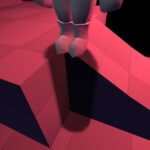
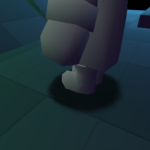

adjust the fade start and end to see the decals … the defaults kinda hide it …also the fade start and end are a bit messed up … I think they start from the center of the cube not sure
other wise it works great