shader UI Stylized FX – PERSONA 5 VIBES

What this shader does (focused on Labels)
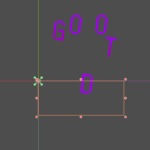
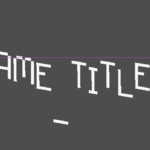
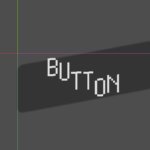
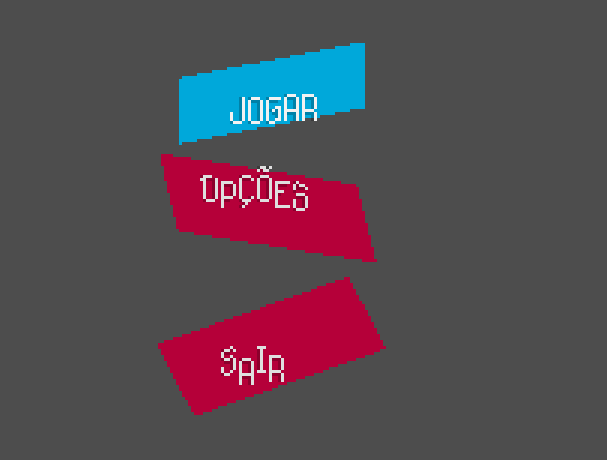
This shader is meant to be used on a Label (or any Control/CanvasItem that draws something into COLOR) to add “Persona/UI” stylization without distorting the glyph pixels.
Features
-
Global skew & rotation (vertex stage)
Uses UV-based approximation to skew/rotate the node’s quad aroundpivot_uv. -
Fill tint + alpha multiplier
Multiplies the node’s originalCOLORbyfill_tint, then adjusts alpha byfill_alpha_mul. -
Optional vertical gradient
Multiplies the fill by a top→bottom gradient in UV space. -
Optional posterize
Reduces fill color levels (posterize_steps). -
Optional halftone + grain
Adds print-like dots and film grain using procedural noise. -
Halo / edge highlight (screen-sampled)
Samples nearby screen alpha to find edges and adds a “halo” effect (works like an inner edge highlight). -
Instance shake (the “vibes” one)
Moves/rotates/scales the whole node in the vertex shader using a per-instanceinstance_shake_seed.
Possible issues / limitations (important)
1) Not a “real outline” outside the text
On a Label, the node only draws glyph pixels, so a shader cannot create new pixels outside those glyphs.
So halo_* is an inner halo (edge highlight), not a true outline that expands outward.
If you need real outline/shadow outside the text with pure shader logic, you have to render the text into a texture (SubViewport → TextureRect) and apply the shader on the TextureRect.
2) Screen-sampling can pick up background alpha
Because the halo uses SCREEN_TEXTURE, it can be affected by whatever is behind/around the label (especially if there are other semi-transparent UI elements nearby).
If your UI has lots of overlapping alpha layers, the halo might look inconsistent.
3) The transform is UV-based (approx)
skew/rotation/scale are approximations using UV space + transform_gain.
For UI this usually feels fine, but it’s not mathematically perfect for every node size.
4) Shake is “whole-node”
instance_shake_* shakes the entire label (good for “vibes”), but it’s not per-letter, and it won’t create “glitchy” internal distortion (by design).
Works on other Control nodes too
This shader works on any Control/CanvasItem that actually draws something into COLOR (e.g., TextureRect, ColorRect, custom Controls that draw).
But it was tuned with Labels in mind, especially to avoid “breaking” the text pixel look.
If you tell me your exact node (Label / RichTextLabel / TextureRect) and whether it’s inside a CanvasLayer/SubViewport, I can suggest the cleanest settings so the halo never gets weird.
Shader code
shader_type canvas_item;

uniform sampler2D SCREEN_TEXTURE : hint_screen_texture;

// ===================== Global transform (approx) =====================
uniform vec2 skew = vec2(0.0, 0.0);         // shears the quad (approx UI skew)
uniform float rotation = 0.0;               // radians
uniform vec2 pivot_uv = vec2(0.5, 0.5);     // pivot in UV space (0..1)
uniform float transform_gain = 200.0;       // tweak strength of UV-based transform

// ===================== Fill =====================
uniform vec4 fill_tint : source_color = vec4(1.0);
uniform float fill_alpha_mul = 1.0;

// ===================== Fill gradient =====================
uniform bool gradient_on = true;
uniform vec4 gradient_top : source_color = vec4(1.0);
uniform vec4 gradient_bottom : source_color = vec4(1.0);
uniform float gradient_strength = 1.0;      // 0..1

// ===================== Fill posterize =====================
uniform bool posterize_on = false;
uniform float posterize_steps = 5.0;        // >= 2

// ===================== "Halo" (screen-sampled edge highlight) =====================
// Note: This is NOT a true outline that expands outside the glyph bounds.
// It samples nearby screen alpha to create an edge/halo look *inside* the drawn pixels.
uniform float halo_radius_px = 3.0;
uniform vec4 halo_color : source_color = vec4(0.0, 0.0, 0.0, 1.0);
uniform float halo_softness = 0.0;          // 0..1

// ===================== Fill texture vibes =====================
uniform bool grain_on = true;
uniform float grain_strength = 0.12;        // 0..1
uniform float grain_scale = 1.0;            // >0

uniform bool halftone_on = false;
uniform float halftone_scale = 2.2;         // >0
uniform float halftone_strength = 0.35;     // 0..1

// ===================== Instance shake (moves the whole node) =====================
// This is the "vibes" shake: it changes vertex positions (and optional rot/scale).
// It does NOT distort sampling, so it won't "pixel-break" the Label.
uniform bool instance_shake_on = false;
uniform float instance_shake_seed = 1.0;    // set different values per Label
uniform float shake_speed = 10.0;           // speed
uniform vec2 shake_pos_px = vec2(2.0, 2.0); // amplitude in pixels (local)
uniform float shake_rot_deg = 0.0;          // amplitude in degrees
uniform float shake_scale = 0.0;            // amplitude (0.03 = 3%)

// ===================== Helpers =====================
float hash21(vec2 p) {
	p = fract(p * vec2(123.34, 345.45));
	p += dot(p, p + 34.345);
	return fract(p.x * p.y);
}

float noise2(vec2 p){
	vec2 i = floor(p);
	vec2 f = fract(p);
	float a = hash21(i);
	float b = hash21(i + vec2(1.0, 0.0));
	float c = hash21(i + vec2(0.0, 1.0));
	float d = hash21(i + vec2(1.0, 1.0));
	vec2 u = f*f*(3.0-2.0*f);
	return mix(mix(a, b, u.x), mix(c, d, u.x), u.y);
}

vec2 rot2(vec2 p, float a){
	float s = sin(a), c = cos(a);
	return vec2(c*p.x - s*p.y, s*p.x + c*p.y);
}

float soften01(float x, float softness){
	float s = clamp(softness, 0.0, 1.0);
	return smoothstep(0.0, mix(0.02, 0.25, s), x);
}

void vertex() {
	// --- UV-based skew/rotation (approx for UI) ---
	vec2 d = UV - pivot_uv;

	VERTEX.x += d.y * skew.x * transform_gain;
	VERTEX.y += d.x * skew.y * transform_gain;

	vec2 q = d * transform_gain;
	vec2 rq = rot2(q, rotation);
	VERTEX += (rq - q);

	// --- Instance shake (whole node) ---
	if (instance_shake_on) {
		float t = TIME * shake_speed;

		float n1 = sin(t + instance_shake_seed * 10.13);
		float n2 = sin(t * 1.37 + instance_shake_seed * 27.91);
		float n3 = sin(t * 0.83 + instance_shake_seed * 3.77);

		// Position shake
		VERTEX += vec2(n1 * shake_pos_px.x, n2 * shake_pos_px.y);

		// Extra rotation shake (approx around pivot)
		float r = radians(shake_rot_deg) * n3;
		vec2 qq = d * transform_gain;
		vec2 rrq = rot2(qq, r);
		VERTEX += (rrq - qq);

		// Uniform scale shake (approx around pivot)
		float s = 1.0 + (shake_scale * n2);
		vec2 sq = qq * s;
		VERTEX += (sq - qq);
	}
}

void fragment() {
	// COLOR is the node's drawn output (for Label: the glyph pixels)
	vec4 base = COLOR;
	float glyph_alpha = base.a;

	// Hard cut for safety
	float valid = step(0.001, glyph_alpha);

	// Fill (uses Label's own COLOR as base, then tints)
	vec4 fill = base * fill_tint;
	fill.a *= fill_alpha_mul;

	// Gradient in node UV space
	if (gradient_on) {
		float gy = clamp(UV.y, 0.0, 1.0);
		vec4 g = mix(gradient_top, gradient_bottom, gy);
		fill.rgb = mix(fill.rgb, fill.rgb * g.rgb, gradient_strength);
	}

	// Posterize
	if (posterize_on) {
		float steps = max(2.0, posterize_steps);
		fill.rgb = floor(fill.rgb * steps) / steps;
	}

	// Halftone
	if (halftone_on) {
		vec2 p = (FRAGCOORD.xy / max(0.001, halftone_scale));
		float n = noise2(p);
		float dots = smoothstep(0.35, 0.65, n);
		fill.rgb = mix(fill.rgb, fill.rgb * dots, halftone_strength);
	}

	// Grain
	if (grain_on) {
		float g = noise2((FRAGCOORD.xy / max(0.001, grain_scale)) + TIME * 0.25);
		g = (g - 0.5) * 2.0; // -1..1
		fill.rgb = clamp(fill.rgb + g * grain_strength, 0.0, 1.0);
	}

	// ===== Halo (screen-sampled) =====
	// Samples nearby screen alpha. This creates an edge highlight *within* existing pixels.
	vec2 px = SCREEN_PIXEL_SIZE;
	vec2 suv = SCREEN_UV;

	float a_center = texture(SCREEN_TEXTURE, suv).a;

	vec2 off = px * halo_radius_px;
	float a1 = texture(SCREEN_TEXTURE, suv + vec2( off.x, 0.0)).a;
	float a2 = texture(SCREEN_TEXTURE, suv + vec2(-off.x, 0.0)).a;
	float a3 = texture(SCREEN_TEXTURE, suv + vec2(0.0,  off.y)).a;
	float a4 = texture(SCREEN_TEXTURE, suv + vec2(0.0, -off.y)).a;
	float a5 = texture(SCREEN_TEXTURE, suv + vec2( off.x,  off.y)).a;
	float a6 = texture(SCREEN_TEXTURE, suv + vec2(-off.x,  off.y)).a;
	float a7 = texture(SCREEN_TEXTURE, suv + vec2( off.x, -off.y)).a;
	float a8 = texture(SCREEN_TEXTURE, suv + vec2(-off.x, -off.y)).a;

	float a_max = max(max(max(a1,a2), max(a3,a4)), max(max(a5,a6), max(a7,a8)));

	float halo_alpha = clamp(a_max - a_center, 0.0, 1.0);
	if (halo_softness > 0.0) halo_alpha = soften01(halo_alpha, halo_softness);

	// ===== Compose =====
	vec4 out_col = vec4(0.0);

	// Halo behind fill (still clipped to glyph, because this node doesn't draw outside glyph pixels)
	out_col.rgb = mix(out_col.rgb, halo_color.rgb, halo_color.a * halo_alpha);
	out_col.a = max(out_col.a, halo_color.a * halo_alpha);

	// Fill
	out_col.rgb = mix(out_col.rgb, fill.rgb, fill.a * glyph_alpha);
	out_col.a = max(out_col.a, fill.a * glyph_alpha);

	COLOR = out_col * valid;
}
Live Preview