
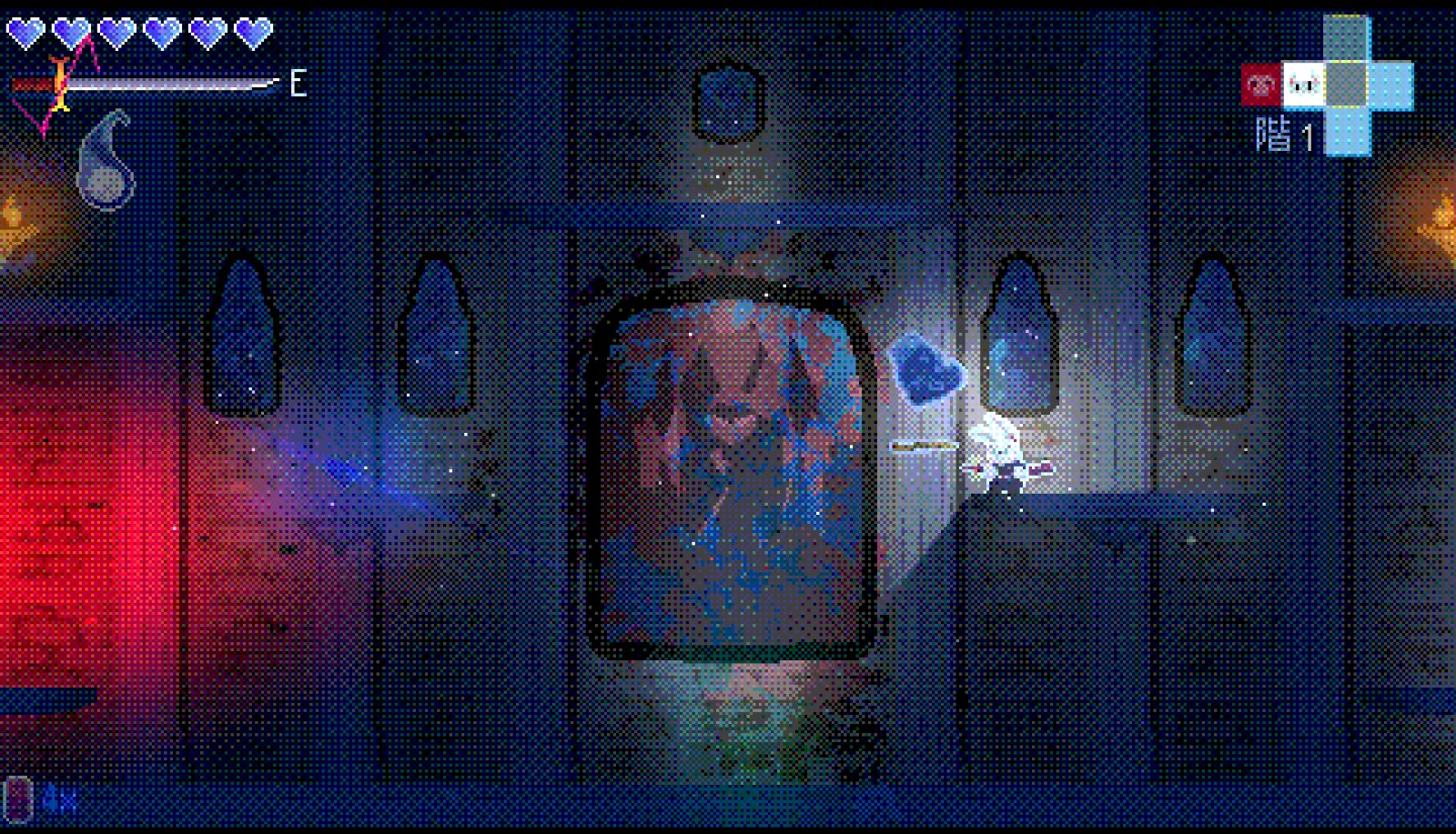
Bit Depth / Posterize Post-Process with Optional Dithering

This post-process shader limits the amount of colors displayed on screen, creating a look similar to PS1 games or low color-depth monitors.
Since it uses canvas_item with the screen texture, it can be used in both 2D and 3D as a fullscreen effect.
uniform int bits = 5;
Controls the color precision by defining how many bits are used per color channel.
Recommended values are between 3 and 6 bits.
Higher values may not produce a noticeable difference depending on the scene, while very low values can make the image hard to see.
uniform bool dithering = true;
Enables or disables dithering.
Dithering adds small variations between pixels before color quantization, which helps reduce visible banding when the color depth is low.
🙂
Shader code
shader_type canvas_item;

uniform int bits = 5;
uniform bool dithering = true;
uniform sampler2D SCREEN_TEXTURE : hint_screen_texture, filter_linear_mipmap;

float dither4x4(vec2 position) {
    int x = int(mod(position.x, 4.0));
    int y = int(mod(position.y, 4.0));

    int index = x + y * 4;

    float[16] matrix = float[](
        0.0, 8.0, 2.0, 10.0,
        12.0, 4.0, 14.0, 6.0,
        3.0, 11.0, 1.0, 9.0,
        15.0, 7.0, 13.0, 5.0
    );

    return matrix[index] / 16.0;
}

void fragment() {

    vec4 col = texture(SCREEN_TEXTURE, SCREEN_UV);

    float levels = float(1 << bits);

    if (dithering) {
        float d = dither4x4(FRAGCOORD.xy);
        col.rgb += d / levels;
    }

    col.rgb = floor(col.rgb * levels) / levels;

    COLOR = col;
}
Live Preview

Could you write on how to implement this shader in Godot? When I apply it to a Node it becomes entirely invisible. I tried instead applying it to a ColorRect covering the screen, but alas same issue there
Would love to discuss to figure this out because the shader itself is beautiful 🙂
Hello, this shader is a post-processing effect.
You should apply it to a fullscreen ColorRect (or just a ColorRect).
Try tweaking the values and see how it behaves.
I made this shader in Godot 4.3, so I’m not sure whether anything changed in later versions.