
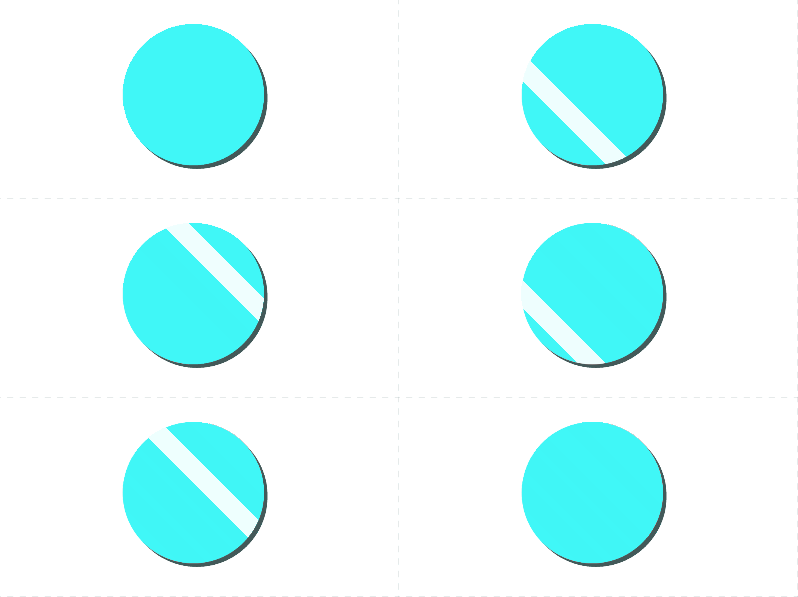
Simple 2D Highlight
A simple 2D highlight shader for canvas items.
Uniforms
- Overwrite color – Whether or not the base color of the object is used
- Default Color – The default color of the item
- Shine Color – The color applied on the highlighted part
- Shine Angle – The angle of the highlight line in degrees
- Shine Duration – The time between each highlight effect
- Shine Speed – The speed at which the highlight line moves in pixels per second
- Shine Width – The width of the highlight line in pixels
Shader code
shader_type canvas_item;

uniform bool overwrite_color = true;
uniform vec4 default_color: source_color;

group_uniforms Shine;
uniform vec3 shine_color: source_color;
uniform float shine_angle = -45;
uniform float shine_duration = 5;
uniform float shine_speed = 800;
uniform float shine_width = 10;
group_uniforms;

void fragment()
{
	COLOR *= texture(TEXTURE, UV);

	// Shine
	vec2 coord = SCREEN_UV / SCREEN_PIXEL_SIZE;
	float dist = abs(
		sin(radians(shine_angle)) * coord.x +
		cos(radians(shine_angle)) * coord.y +
		mod(TIME * shine_speed, shine_duration * shine_speed) - shine_duration * shine_speed * 0.5f
	);
	COLOR = dist <= shine_width ? vec4(shine_color, 1.f) : (overwrite_color ? default_color : COLOR * default_color);
}