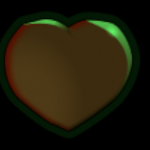
Better modulation shader

Use this one instead for better results: https://godotshaders.com/shader/better-modulation-shader-v2-hue-shifting/
Sometimes you got an image you wish to modulate that already has some base color, using the built in modulation will usually lend poor results.
This shader simply converts the image to grayscale, then modulates using a basic multiply modulation. This isn’t very advanced but very useful.
Simply attach the shader to any Sprite2d or TextureRect and set the color you want from the shader parameters.
Downside is that this applies to the whole image, if you wish to only apply this to a part of the image it gets a little bit more complicated but you can do that using SDFs.
SDFs: https://iquilezles.org/articles/distfunctions2d/
If you have some darker areas you don’t want to modulate you can also do something like this so it only applies over some threshold
if (grayscale > .015)
{
	vec4 grayscale_color = vec4(vec3(grayscale), original.a);
	COLOR = grayscale_color * color;
}
Shader code
shader_type canvas_item;

uniform vec4 color : source_color = vec4(1.0, 1.0, 1.0, 1.0);

void fragment() {
	vec4 original = texture(TEXTURE, UV);
	float grayscale = (original.r + original.g + original.b) / 3.0f;
	vec4 grayscale_color = vec4(vec3(grayscale), original.a);
	COLOR = grayscale_color * color;
}
Live Preview