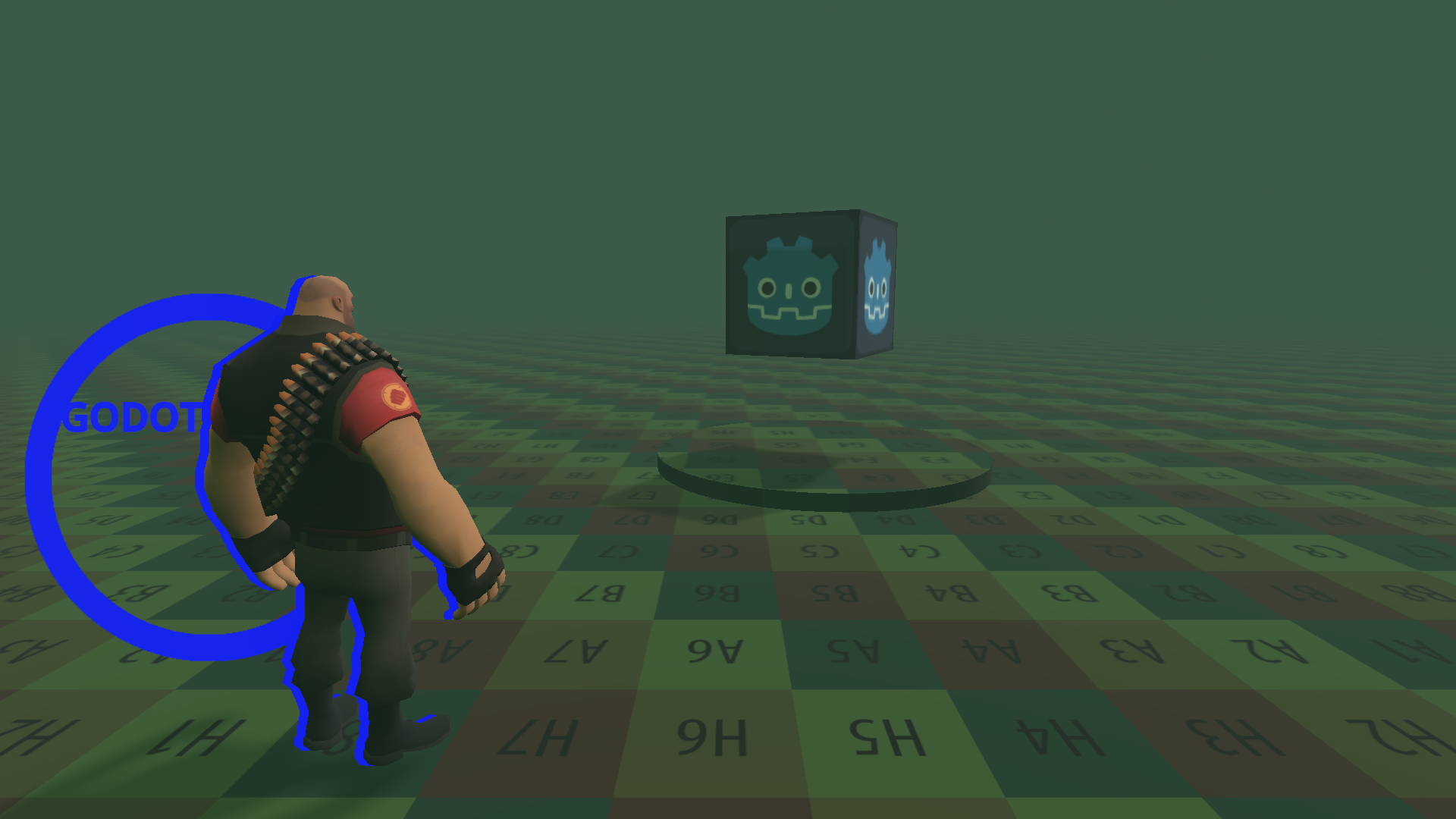
Stencil clip shadow

Add this shader with a shader material as a next pass material. For the main node material set stencil as custom and set write property to true. If you are using a ShaderMaterial instead of StandardMaterial3D, then add stencil_mode write, compare_always, 1; in top section of the shader file. Don’t forget that you should use the same reference value for both shaders (I’m using 1 there).
Reference image also includes Label3D for the text and Sprite3D with ViewportTexture for the circle.
Shader code
shader_type spatial;
render_mode unshaded, depth_draw_never;
stencil_mode read, compare_not_equal, 1;

// License: CC0
// Author: Ultipuk, https://ultipuk.xyz
// Link: https://godotshaders.com/shader/stencil-clip-shadow

uniform vec3 shadow_color: source_color = vec3(0.0, 0.0, 1.0);
uniform vec2 offset_px = vec2(-12.0, 0.0);

void vertex() {
	POSITION = PROJECTION_MATRIX * MODELVIEW_MATRIX * vec4(VERTEX, 1.0);
	POSITION.xy += offset_px * 2.0 / VIEWPORT_SIZE * POSITION.w;
}

void fragment() {
	ALBEDO = shadow_color;
}
Live Preview